
Use inline deep links in Point of Sale to render content inside the current screen. This capability keeps users engaged by providing relevant information without navigating away from their current task. Enhance user experience and streamline workflows by embedding content directly within the interface. Boost productivity and provide seamless access to essential resources.
To create an inline deep link, inside the Layout Editor:
- Select a cell.
- Expand Cell Content.
- Click Inline Deeplink.
-
Select a Deeplink Type from the left-side menu.
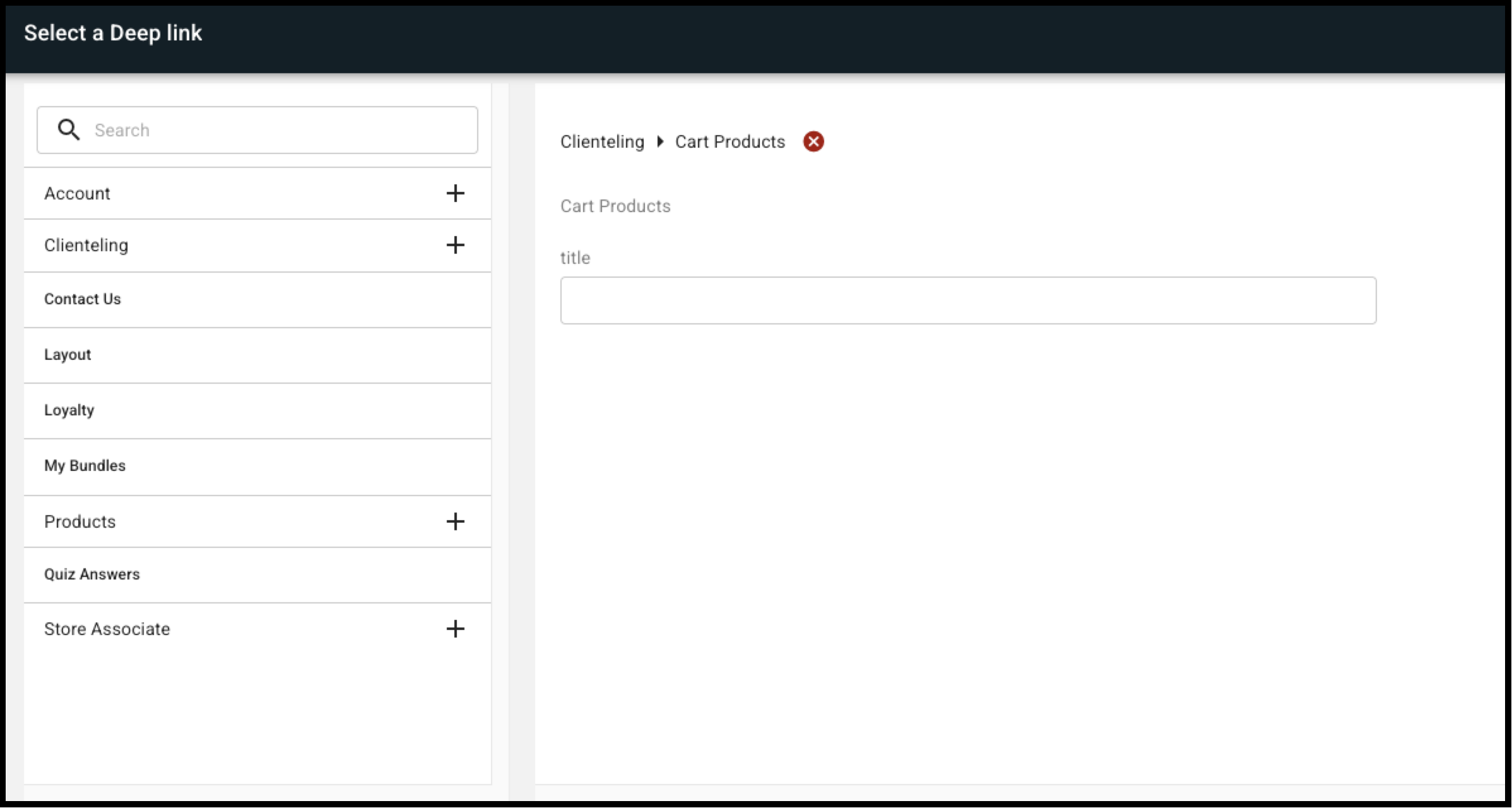
- Configure the deep link and click SET DEEPLINK.
| Deep Link | Option | Notes |
|---|---|---|
| Account | Order History | Displays the order history to logged-in users (native checkout required). |
| Payment Information | Displays the saved payment details to logged-in users. It also allows the user to enter a new payment card details (native checkout required). | |
| Saved Carts | Displays the saved carts of logged-in users. | |
|
Wishlist |
Displays the wishlist to a logged-in user (native checkout required). | |
| Clienteling | Cart Products | Displays the cart products of logged-in users. |
| Contact Us | ||
| Layout | Displays another layout inside of the current layout. | |
| Loyalty |
Configure the display style of the inline loyalty deep link:
Supported Contexts: Hamburger Menu, Layouts, Tab, Inline Deeplink, Split Cell Inline Deeplink.  Note Allowed in split cells.
|
|
| My Bundles |
Displays bundles created by brand stylist (integration required). |
|
| Products | Bundles | Refer to the Configure Product Bundle Deep Links article. |
| Multiple Products |
Displays the specific products in a horizontally scrollable row. Clicking on the product takes the user to the PDP. |
|
| Product Search |
Performs a product search and shows the search results in a horizontally scrollable row. For detailed documentation on product search deep link configuration, please refer to the Product Search Deep Link article. |
|
| Quiz Answers |
Displays the user's answer to a quiz question after taking the quiz. Note Allowed in split cells.
|
|
| Store Associate | Client Notes | Displays a list of notes that store associates created for the current client |
| My Closet Products | Displays a carousel of products for customer closet. |