
Efficiently copy Point of Sale artifacts between environments using the CMS Copy Tools. Export and import artifacts with ease, ensuring seamless content management and deployment.
- In the CMS, go to .
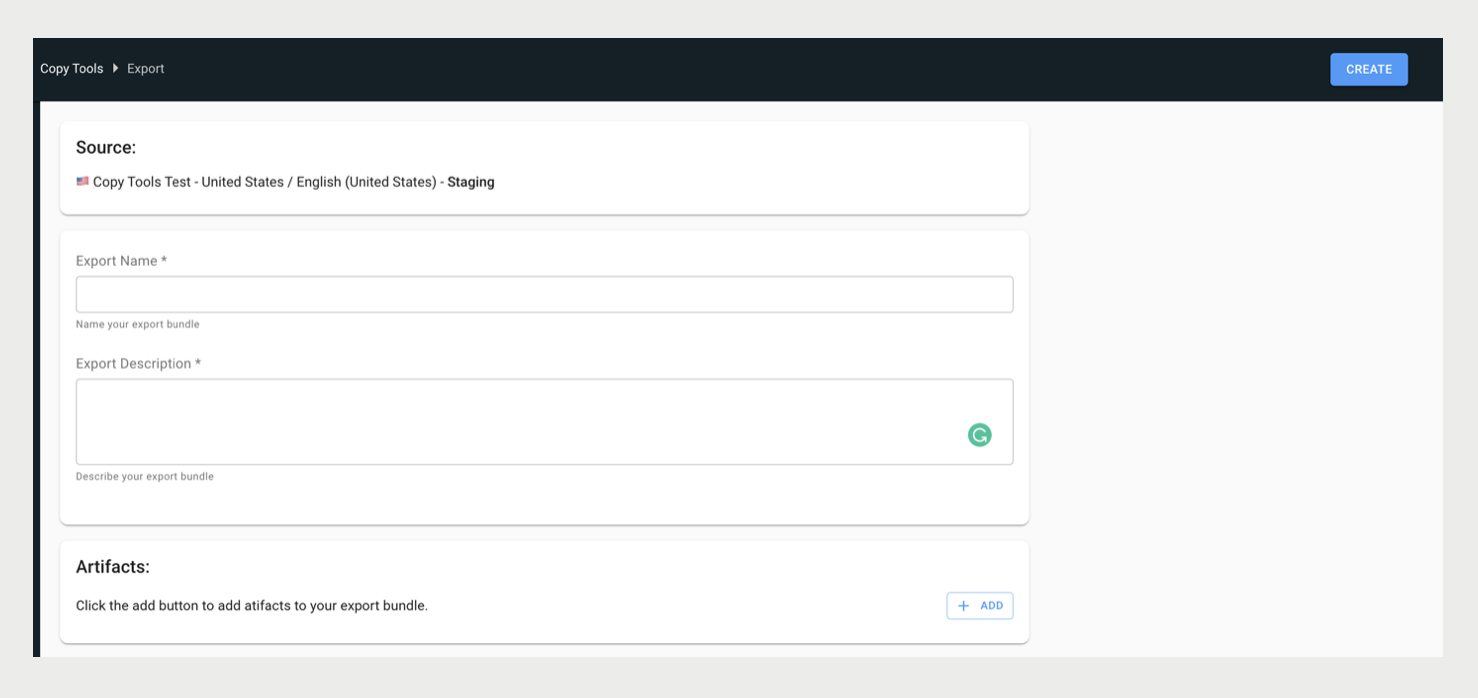
- To create an export bundle, click Export.
-
Fill out the fields and click CREATE.
- Go to the appropriate staging environment you want to import into.
- In the CMS, go to .
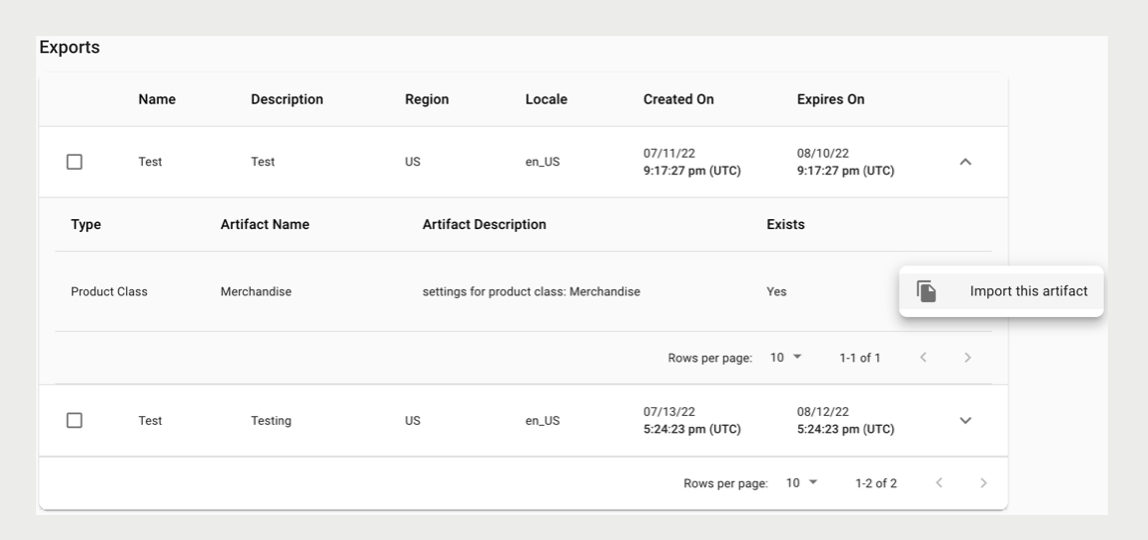
- Click Import, fill out the search filter to find your export bundle, and click SEARCH.
- Once you've found your export bundle, click the check-mark box.
-
(Optional) To import artifacts individually, expand the bundle, click the ellipsis
(three vertical dots), and click Import this artifact.
- Click IMPORT.

Tip Use the down arrow next to your export to show the contents. Doing this helps
verify that it's the correct export bundle to import.