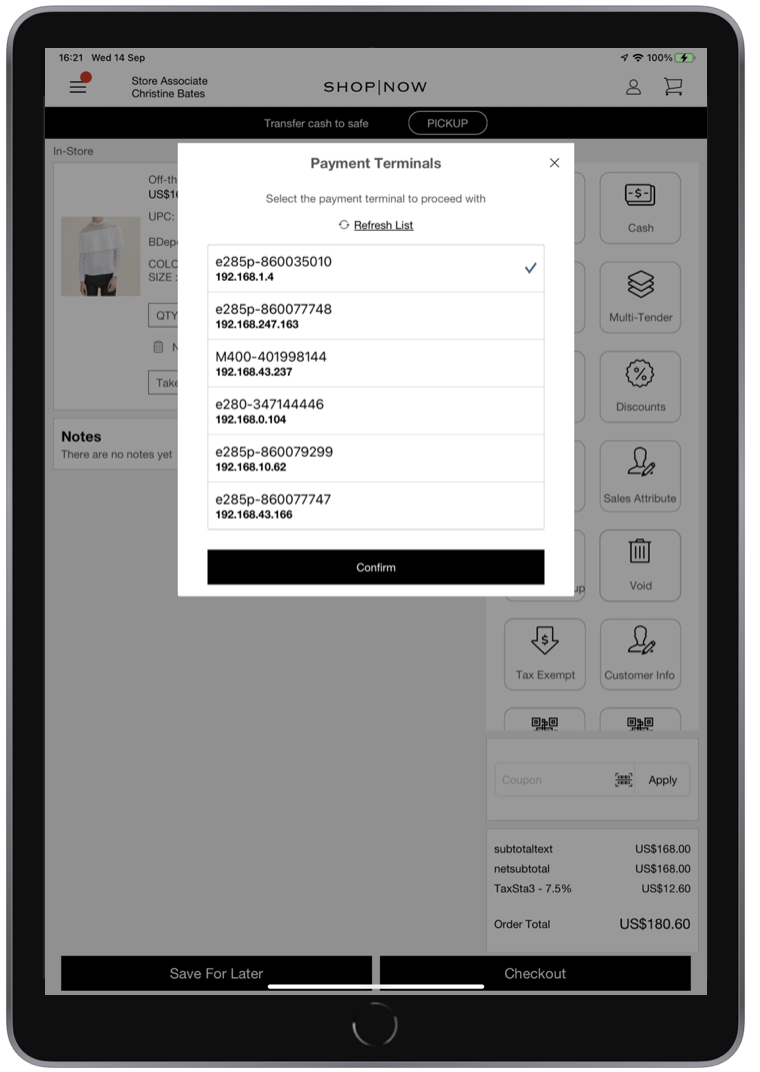
Point of Sale's Printer and Payment Terminal Topology allows you to determine whether the application is paired with a printer or payment terminal one-to-one (1:1) for an extended period of functionality or whether it's one-to-many (1:N) where it is prompted each time to select the device to use.
Configuring Printer Topology - 1:1
Select the printer you want to pair and print for an extended session at the merchant or register level in Point of Sale CMS.


POS App Flow
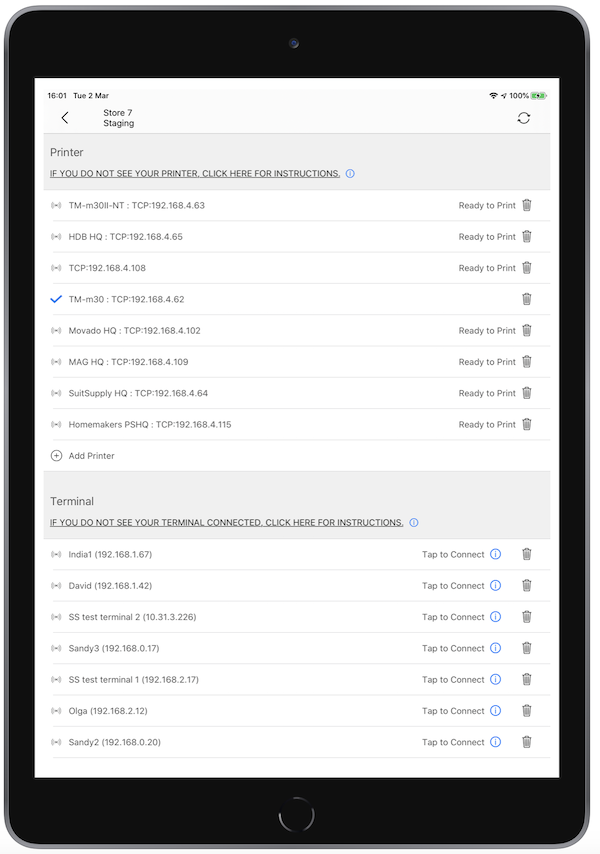
The 1:1 topology lets you select the printer you want to pair and print for an extended session. If you don't have a printer initially, you'll still be prompted to select a printer at the beginning of the session. If printing a receipt or completing a cash transaction, this dedicated printer will be used. In the Device Manager screen, look for all the printers on the network that are available. For 1:1 pairing, you can select your printer from here.
Configuring Printer Topology - 1:N
Select a printer each time the POS app does any printer-related functionality at the merchant or register level in Point of Sale CMS.



POS App Flow
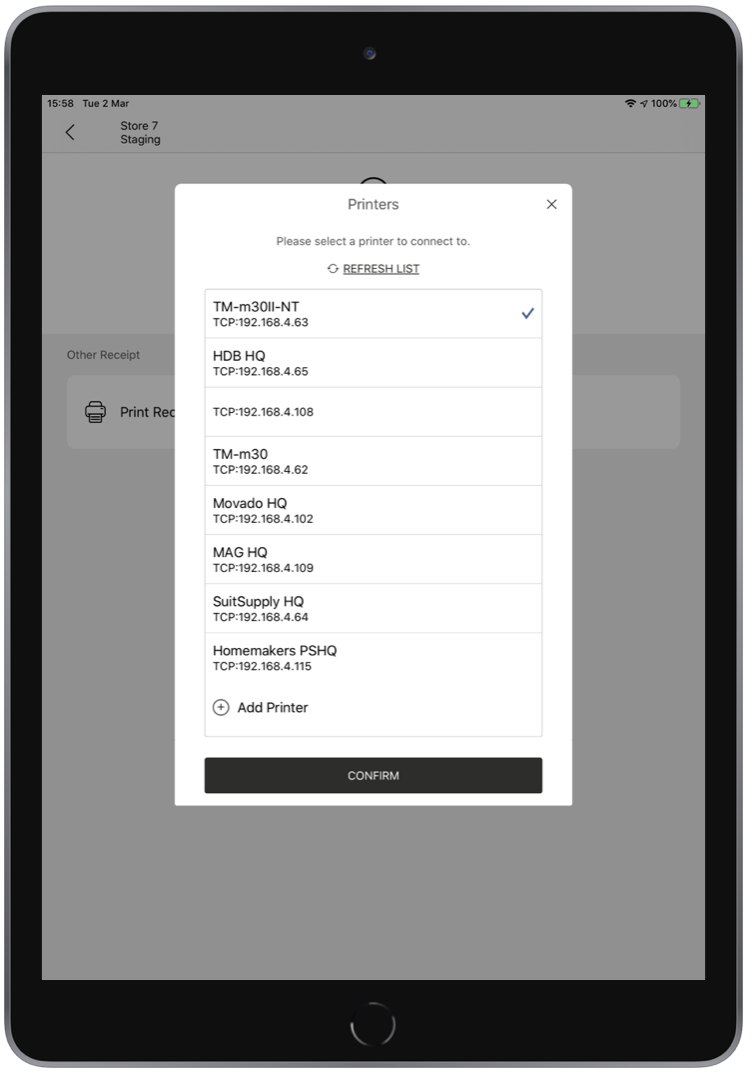
If printing a receipt or completing a cash transaction, you'll be presented with a list of printers that have been discovered on your network. Select your printer (denoted by a check mark) and tap . After you select a printer, it’s auto-selected on subsequent flows.
Configuring Payment Terminal Topology - 1:1
Select the payment terminal you want to pair and use it for an extended session. Configure the setup at the merchant or register level in Point of Sale CMS.


POS App Flow
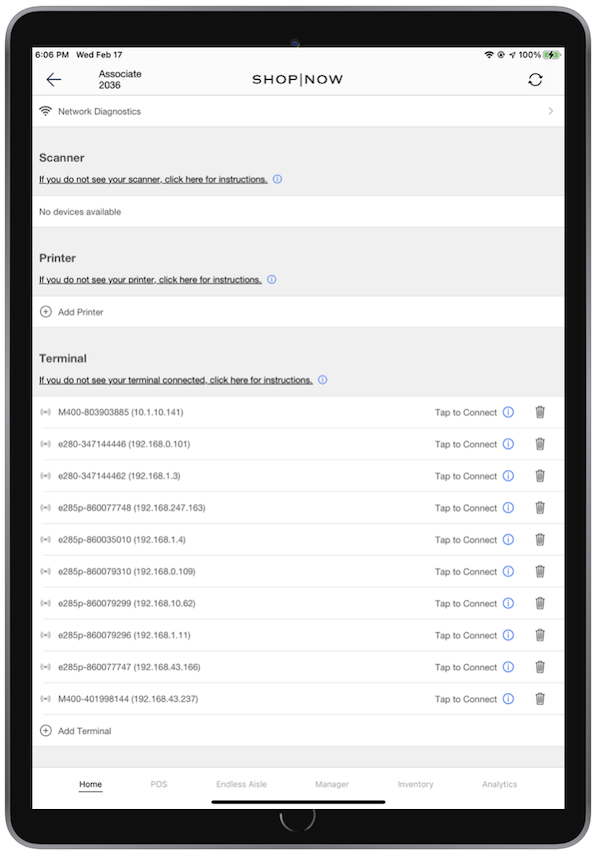
1:1 topology lets you select the payment terminal you want to pair and use for an extended session. If you don't have a payment terminal initially, you'll still select a device at the beginning of the session. If selecting pay by card, this dedicated payment terminal is used.
In the screen, look for all the payment terminals on the network that are available. For 1:1 pairing, you can select your payment terminal from here.
Configuring Payment Terminal Topology - 1:N
Select a payment terminal each time the application does any payment terminal-related functionality at the merchant or register level in Point of Sale CMS.

Register Level
- Go to .
- Select a store from the dropdown.
- Edit a register.
-
Go to and select "1:N".