
Sign IPAs with your own credentials in Point of Sale before distributing them to stores. Use an MDM provider to share the application or use TestFlight to test with both internal and external users.
Salesforce’s engineering team generates the IPA and shares it via the file share.
The archive is built as an Adhoc export and saved to a directory.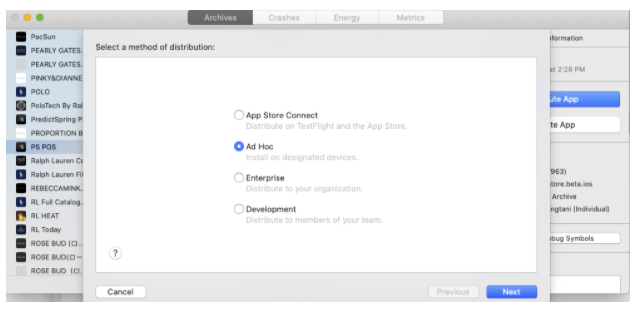
Customers using this method download the IPA, and re-sign the IPA with their enterprise distribution certificate and profile. They can then distribute the application through their choice of MDM provider.
Testing via TestFlight (App Store Connect)
The POS build is shared with customers via emails in App Store Connect. The TestFlight builds are shared externally with the group of emails. This allows the email holders to install and run the POS app and sign off for production.

Create the IPA and Upload to TestFlight
The first step is for the developer to create a production build for testing. This is done
with XCode Archiving. Only developers can perform this step.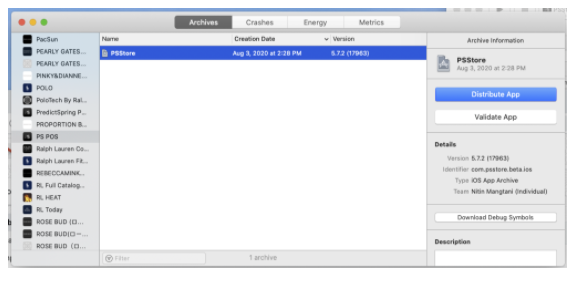
Share with TestFlight Users
Testflight has two types of users, internal and external. Internal users automatically get
access to the build whenever a new build is uploaded. External users can only get the builds
that Apple approves.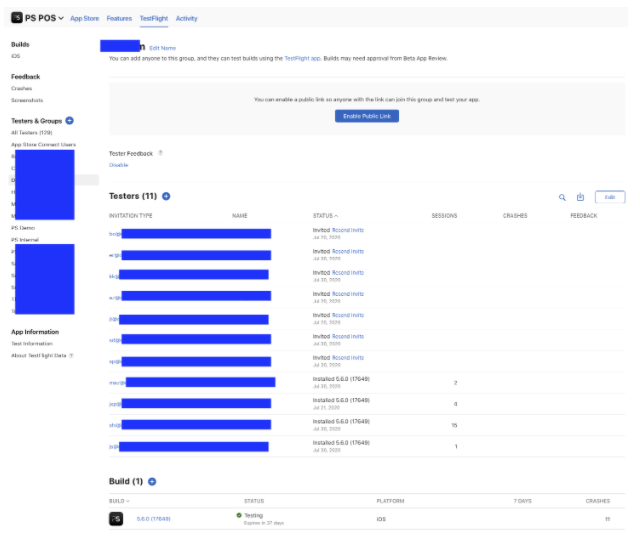
Testflight users will be able to install the app and complete the UAT and functional testing.
Best Practices
Before sharing the build with external users and customers for UAT purposes, the engineering team recommends these best practices:
- Create a group for the customer and include all the emails in the group. You can easily share a version with all the users in the group. This avoids mismatches among build releases.
- If you're unsure about the release to share, check with the engineering team on the correct version of the build.
- Include yourself in the group and verify that the build is fully functional before sharing it with customers. This avoids zero-day hiccups often related to new features or CMS configurations.
Pen Testing
To make sure no security vulnerabilities can be exploited by a malicious user, an IPA can be provided for penetration testing (pen test). Salesforce maintains a record of all delivered builds both internally and to its customers. Reach out to your Salesforce representative if you want to conduct a pen test.