
Accept gift cards as payment by swiping at the terminal, manual entry, or scanning. Manage insufficient balances by applying partial payments, and use gift cards in multitender payment flows.
This feature is used by a store associate during checkout if a customer wants to purchase a gift card and use gift cards as a tender type during checkout. You can also perform additional actions, for example Add Fund to Existing Gift Card, and Cash Out Gift Card.
Pay with Gift Card
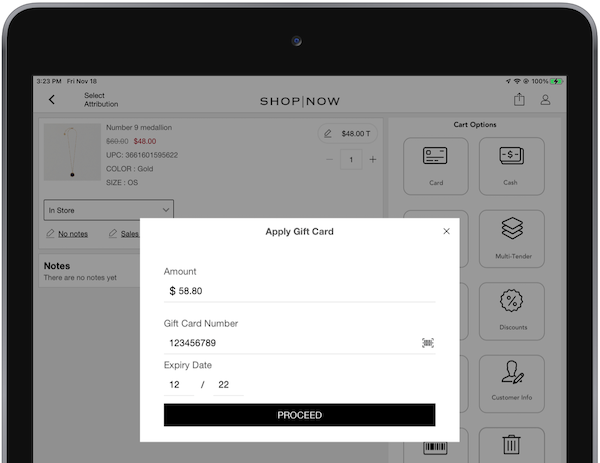
If a store associate clicks on the Gift Card Tender deep link, the app shows this
prompt: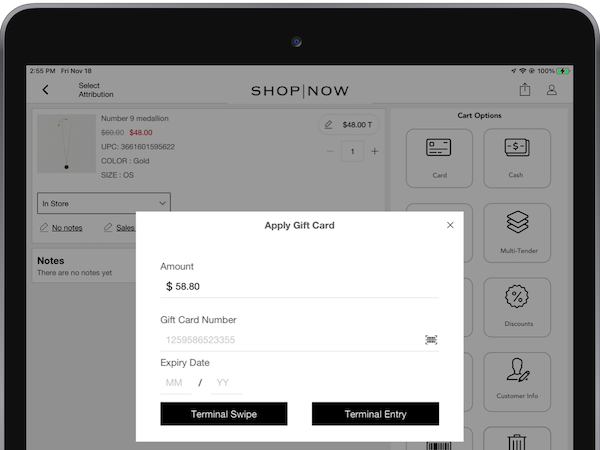
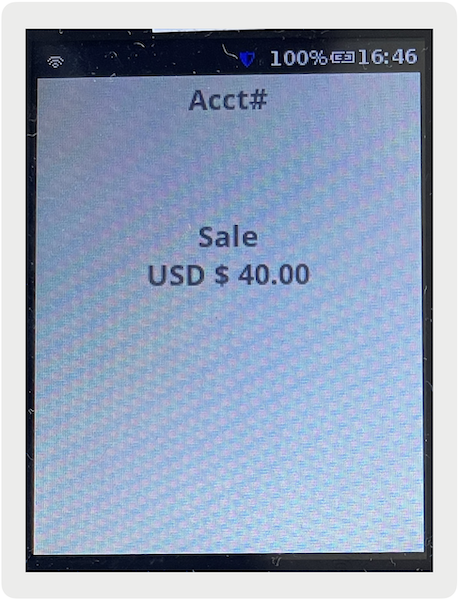
The amount field auto-populates with the order total, but the associate can select to enter any partial payment amount. After the amount is set, the associate can select one of three entry methods.
- Terminal Swipe - initiates the payment on the terminal and prompt the customer to swipe
their gift card.
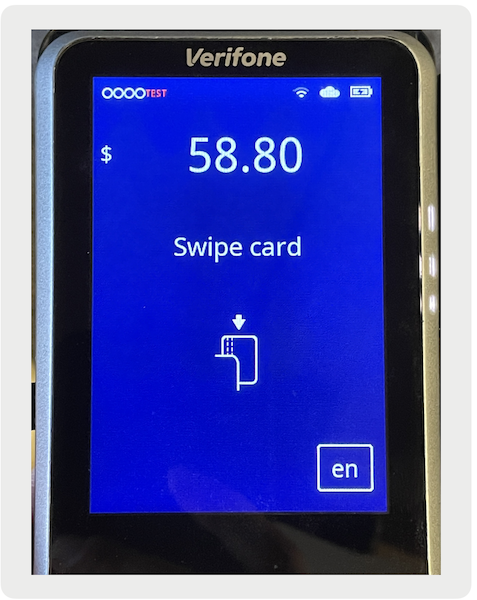
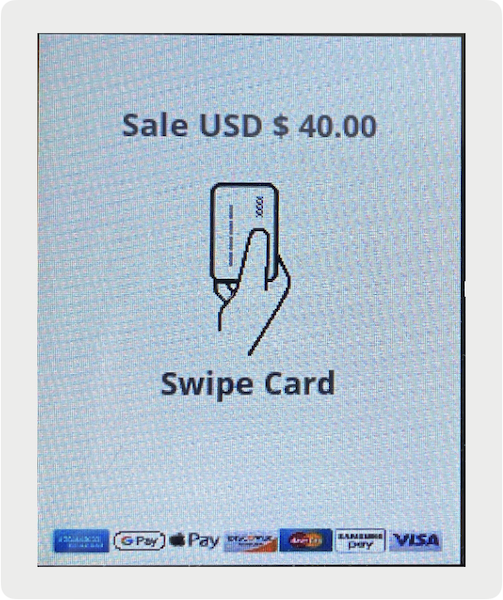
- Terminal Entry - initiates the payment on the terminal and prompt the customer to key in
their gift card number via the terminal pin pad.
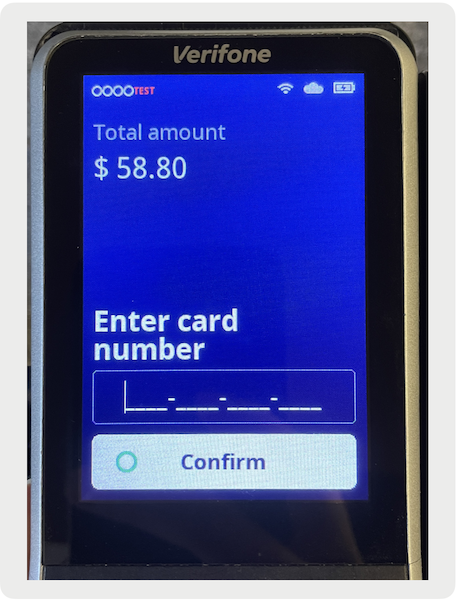
- Proceed via Gift Card Manual Entry/Scan - If the store associate manually types/scans the
gift card number and expiry date, the app will display a '' button which completes the payment process on the terminal without customer
input.
Insufficient Balance / Partial Payment
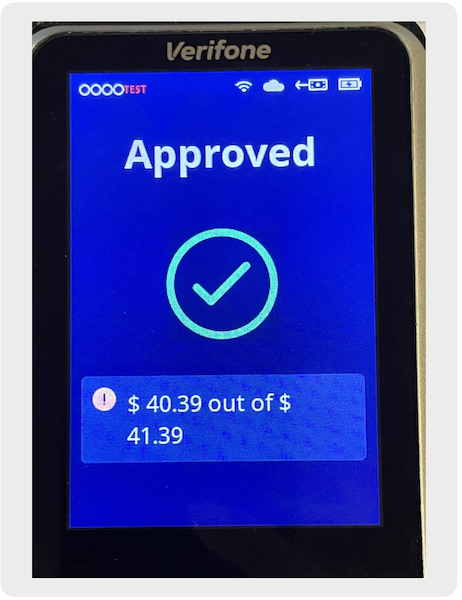
In case the authorized amount is greater than the gift card balance, the balance will still be applied but as a partial payment. The terminal shows a message to indicate a partial payment due to an insufficient gift card balance.

On the POS app, the store associate can see the partial gift card payment applied to the cart
and the remaining balance left to be paid. If needed, the gift card payment can also be removed
via the '' next to the gift card tender.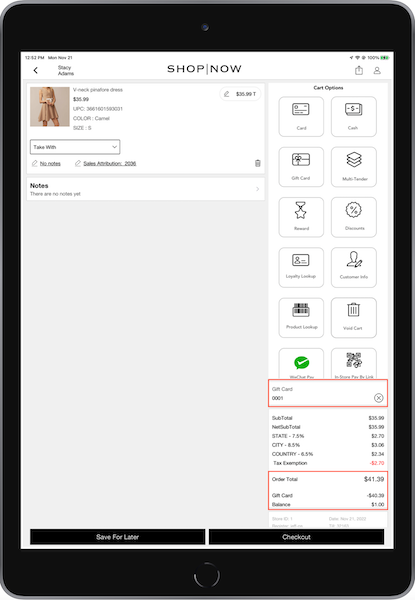
After the remaining balance is paid, the order can be submitted successfully.
Multi-Tender
Gift cards via payment terminals are supported in the multitender payment flow.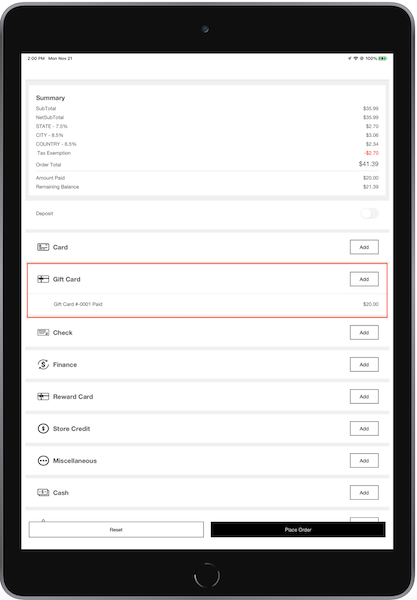
Purchase or Add Funds to a Gift Card
If a store associate selects the Purchase a Gift Card deep link, the app will prompt them to
provide the gift card number, the expiry date, and the initial amount being loaded onto the
card. 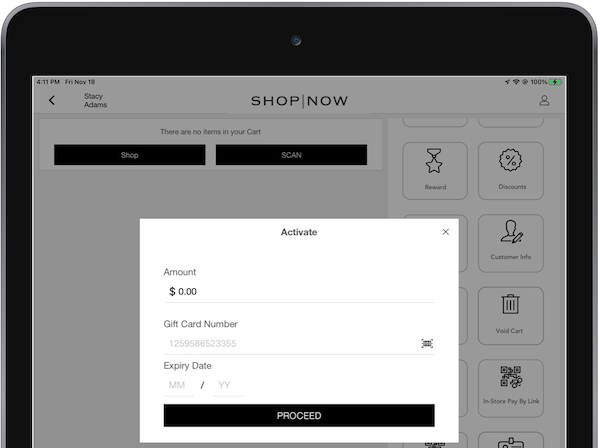
The same form applies to the Add Value to Gift Card deep link. Gift cards can't be purchased
with another gift card.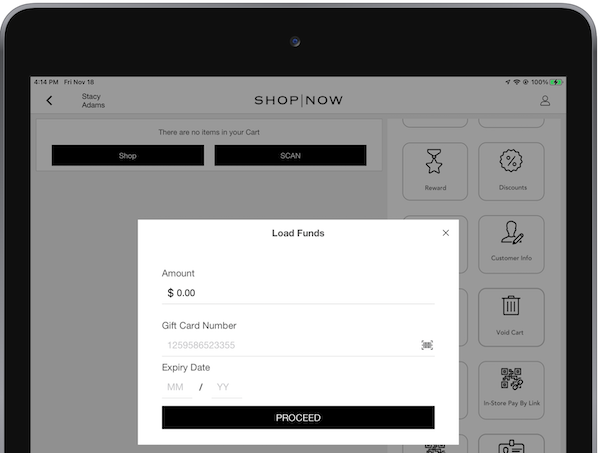
After the form is completed and Proceed is selected, the gift card product is added to
cart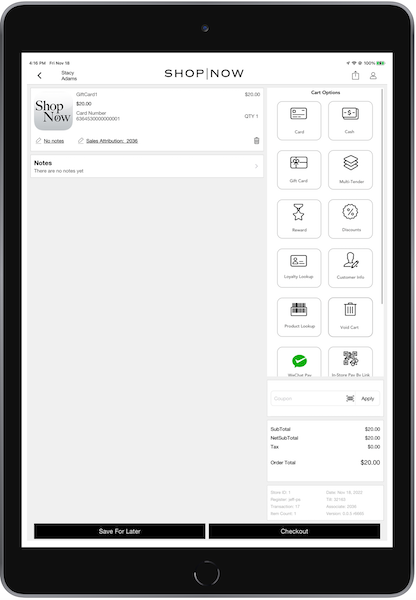 .
.
The store associate can add more products or initiate the payment process. After payment is
completed, then the POS app will communicate with the terminal to load the balance to the gift
card. The order won't save until this step is completed.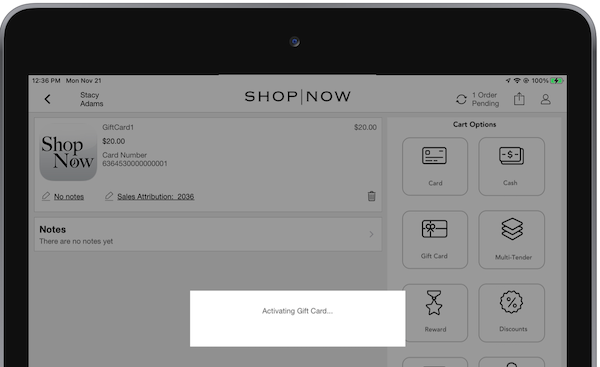
Gift card providers can have a max load balance limit on a gift card. Contact the gift card
provider to reconfigure these limits. For example, GiveX gift cards have a default max load
balance limit of $1,000. In the case a value greater than the limit is loaded, the POS shows an
error.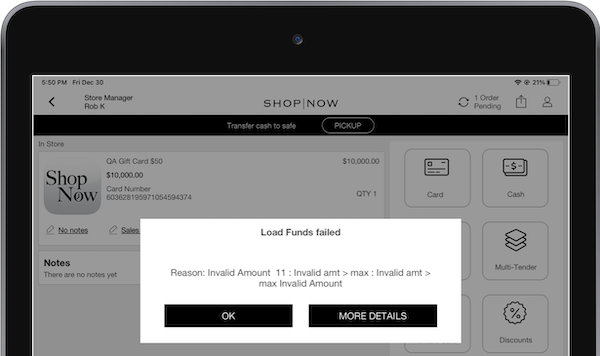
Cash Out a Gift Card
If a store associate selects the Cash Out a Gift Card deep link, the app will prompt them to
provide the gift card number and the expiry date.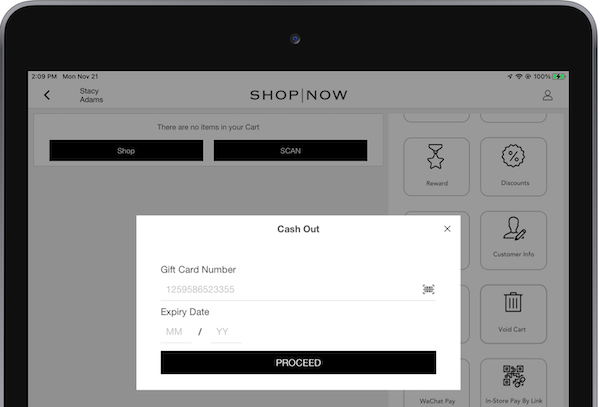
On Proceed, the POS communicates to the terminal to fetch the current balance of the gift
card.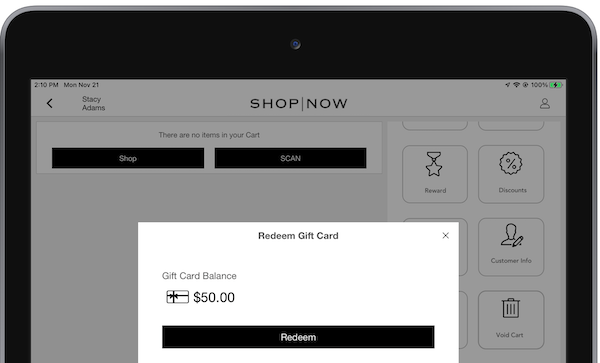
On selecting , the gift card is added to the cart as a return product and the store associate
is prompted to select a refund tender. After completing refund tendering, the POS communicates
to the terminal to cash out and deactivate the gift card.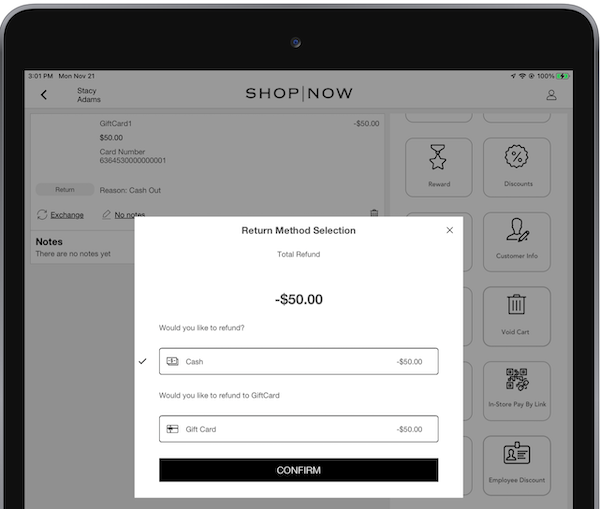
After the order is submitted successfully, the cashed-out gift card can be discarded.

Refund to a Gift Card
If a customer walks in with a gift receipt or with no receipt to return a product, the app can refund the amount to a new gift card. The associate can fill the cart with the returned products and go to the cart screen.
If the store associate selects Return, the app shows a list of options to which the tendered
amount can be returned. If the Return Policy is set to return to Gift Card, the app shows the
option to do so.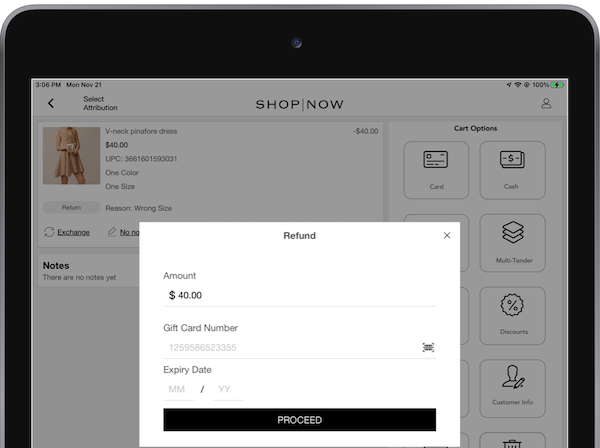
Only new, unused gift cards are used for refunds. After Proceed is selected, the gift card is activated and loaded with the refund balance.
Fiserv (ValueLink) via Adyen
If processing a refund to a ValueLink gift card via Adyen, the app displays a window with a
new Pre-Activated Gift Card switch.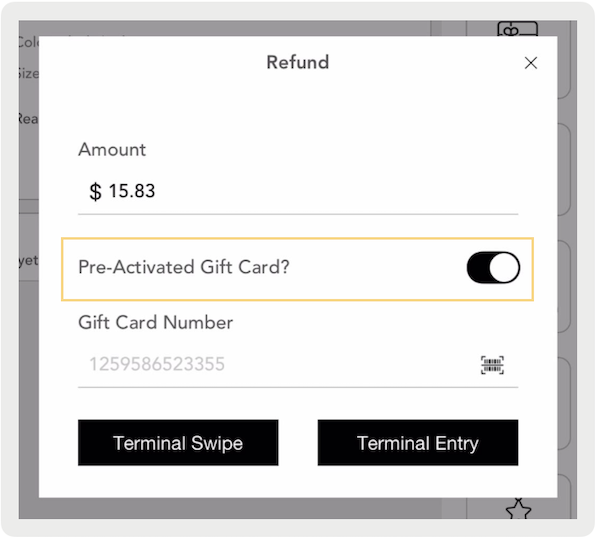
- Disable the switch if the gift card hasn't been activated—the refund is loaded onto a new gift card.
- Turn on the switch if the gift card is activated—the refund is added to its existing balance.
The switch indicates the activation state of the gift card. If there's a mismatch (for example the switch is enabled but the card isn’t activated), Adyen returns an error stating the card hasn't been activated.