Enable your customers to complete in-store payments quickly and securely with their preferred QR code wallet apps via Adyen. The Point of Sale (POS) app supports payments through AliPay and WeChat Pay.
Prerequisites:
- Modern POS App Build: 5.12.2 or greater*
- Platform Support: iPhone & iPad
- Offline Support: Yes
- Payment Gateway: Integration with Adyen to accept a payment
- Test Cards: To test contactless payments, you must use a card version of 2.4 or newer.
* Adyen AMS1 and M450 terminals are supported for app builds 10.5.1 and later.
During the payment process, the Adyen terminal and the wallet app communicate via a QR code. Store associates can utilize this feature during checkout when customers choose to pay using their QR code wallet apps.
Currently, the supported payment methods include:
-
AliPay*
-
WeChat Pay
Adyen directly enables QR code payments. You don't need to add specific supported tenders in Point of Sale CMS.
Configure Payment Methods at Merchant Account level
- Log in to your Adyen console.
- Select .
- Select in the top right corner.
- Look up “” or “” and select their checkbox.
- Select .
Configure and Update Payment at Store and Terminal level
Adyen support team needs to assist you in turning on payment methods at the store and terminal levels.
To update the configuration on Ayden terminals:
- Enter and .
- Enter the admin key for the terminal.
- Select .
- Select .
POS App Flow
On the app, click on the card option on the POS cart screen to complete the checkout. 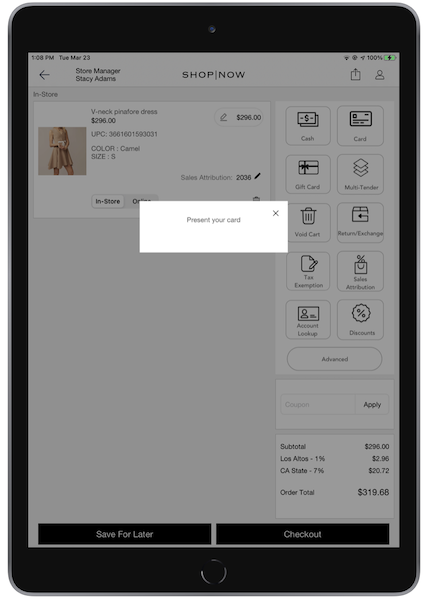
This initiates the transaction on the Adyen payment terminal, and you’ll see a scan button to
select their payment methods.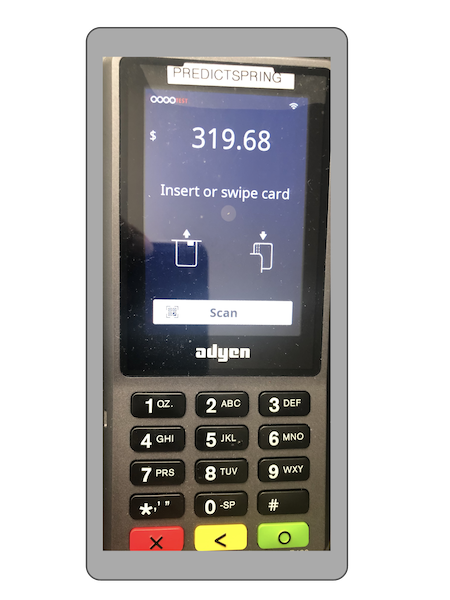
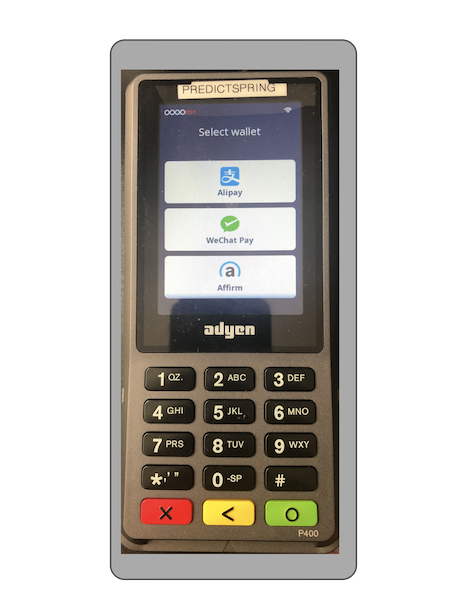
After the customer selects the wallet, the terminal with present the QR code for
payment.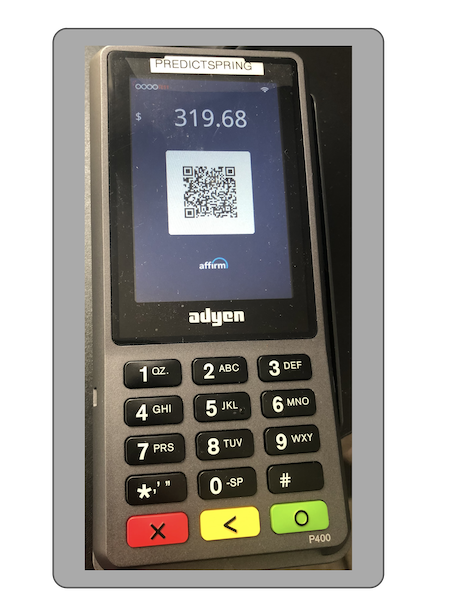
When the user selects with the wallet app, the transaction is approved. 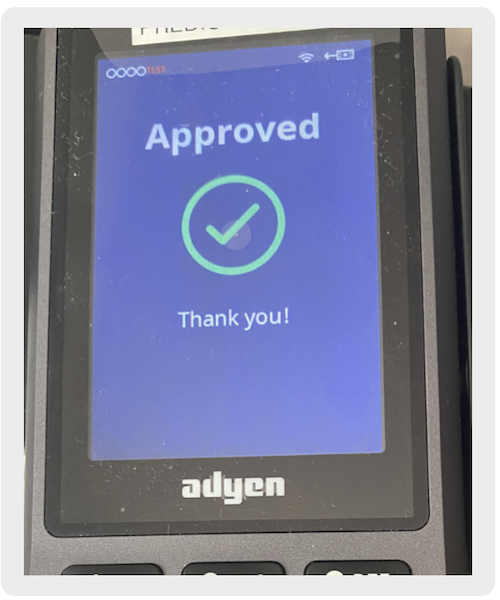
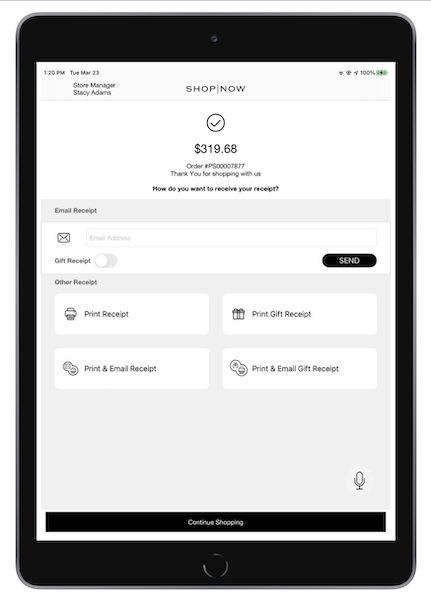
The order is placed, and the POS app shows the screen. You’ll see options to print or email your receipt.