
Beacon functionality in Adyen Terminal allows it to broadcast its presence to nearby Bluetooth devices. We use beacons in the Adyen terminals to locate them from the Point of Sale Point of Sale (POS) app and connect them to the one to carry out the particular transaction.
Scope and Use Cases
Currently, Point of Sale supports all types of Adyen devices. For the purposes of this document, we've identified three classes:
- Legacy, Adyen SDK only
- Terminals with support terminal API
- Terminals with support for beacons and terminal API
The following use cases are covered in the scope:
- The primary use case is a store associate can bind with beacon technology just before checkout (No sleeve iPod/iPad connecting with P400)
- Legacy use case is a store associate to complete payment with a cradled iPod to an e315 using SDK connectivity only.
- For terminals that don’t support beacons or the beacons are turned off, this use case allows store relate to bind to the reader by scanning the terminal's QR code
- The last use case is to change to the terminal using beacons while the iPod is still in the e315 sleeve, but the SDK has lost the connection to it. This use case is a bit error prone and requires proper training of store associates.

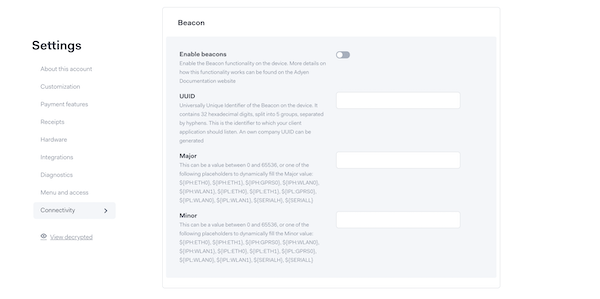
Enable Beacons in Adyen Console
- Log into Adyen Console, select , and select :
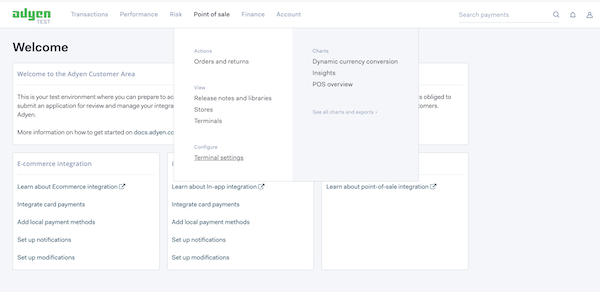
- Enable Beacons At Merchant Level (Global)
- Turn on Beacons At Terminal Level
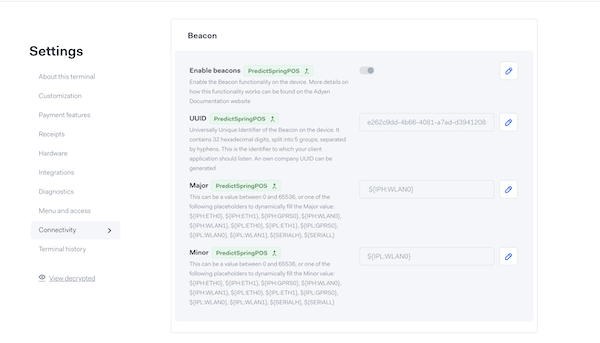
- Save the changes in the configuration
Update the Configuration on the Terminal
- Enter 9 and “O”
- Enter the admin key for the terminal (Point of Sale Adyen TEST account - 3012)
- Select
- Select
Configure UUID in CMS for Adyen Beacons
Configure the UUID as the beacon ID in the payment gateway configuration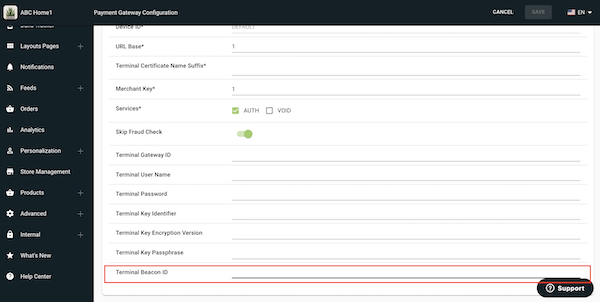
App UI
The Point of Sale platform supports SDK and terminal API methods to connect to the Adyen terminals. Legacy terminals like the e315 are only supported in SDK mode. We've added enhancements to address this limitation to support legacy and new terminals.
Without Beacons
If beacons aren't configured, the platform uses CMS-level settings to turn on terminal API usage for certain registers. Register configuration is required for this step.
We have also enhanced to support dynamic switching between the SDK and terminal API.
With Beacons
App identifies the nearby available beacon enabled terminals if the user chooses card payment and Places Order in the screen.
iPad Screens
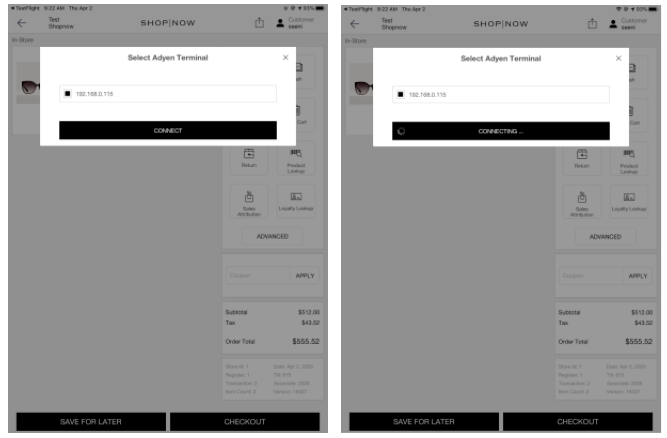
Configuring Registers with Adyen terminal API
The complete configuration of registers is covered in a separate article.