Download the Point of Sale merchant’s store register data from the EFSTA portal to share with auditors.
If the auditor requests files for a specific store's registers, follow these steps:
- Log in to your EFSTA portal.
- On the left-hand side menu, select and select your Germany company.
- Select next the EFR option on the company to see a list of EFRs.
-
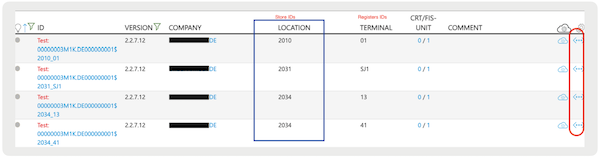
The EFRs are listed for each store.
-
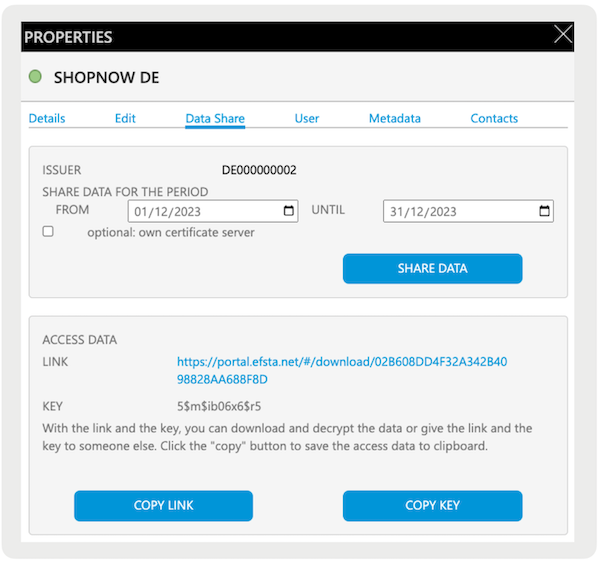
Select the ellipsis (three horizontal dots) on the right and you'll see a data share
option. Enter the date range, select , and you'll see a link and a key. Copy the key and select the URL.
-
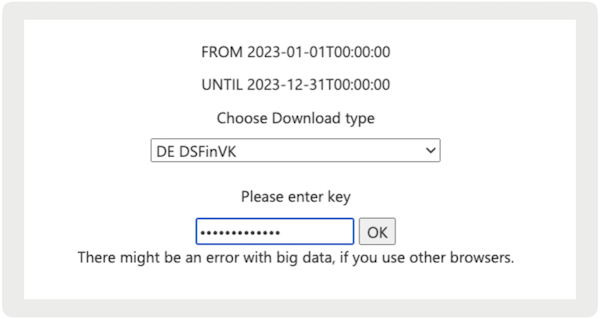
A dropdown for downloading the reports will appear. Download the DE DSFinV-K and DE TSE
Export. Enter the key you previously copied to download the file.