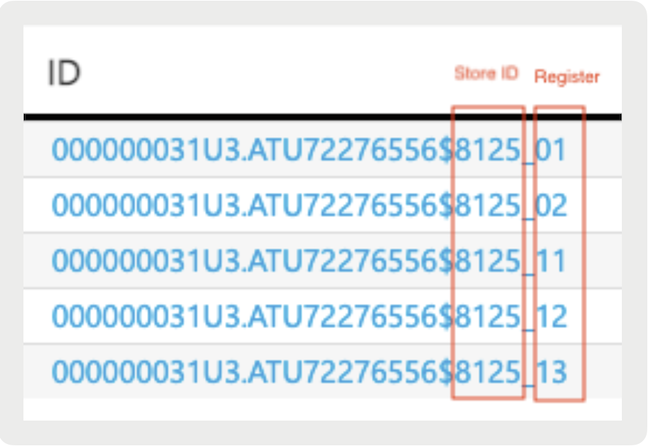
Point of Sale reporting data is available at both the company and register levels. This means auditors can easily request and get the required DEP files.
Reporting can be accessed at both the company level and the specific register level.
Company-Level Reporting Data Download
In case of an audit in the store, the auditor can request for the DEP File.
To download DEP files.
- Login to EFSTA Dashboard via URL Portal.efsta.net/dashboard.
- From the home page, select Organizations and make sure that Show Companies is checked.
- Select the company name, which will open the properties window.
- Select Data Share and provide the required date range. Then, select Share Data. Upon clicking Share Data, you will see a Link and key.
- Select Copy key and then select the LINK. You'll be navigated to another window where you can select the download file and enter the key you copied in the last step.
-
Download the following files:
Journal archive (JSON)AT Datenerfassungsprotokoll §7 RKSV
- You will see multiple JSON files downloaded for each register setup in both Austrian stores. Provide these files to the auditor.
Register Level Reporting Data Download
If the auditor requests files for a specific store's registers, then follow the next steps:
- On the screen, select the EFR number. You'll be able to see a screen where all the registers are listed.
- Select the icon located in the right-hand corner.
- Enter the data range for the data you need to download and select SHARE DATA. You will see a URL and Key. Copy the Key and select the URL.
- You'll be navigated to another tab where you will paste the Key that you copied earlier then select OK. This will download the data for one specific register.