
The SSO Tenant ID is a unique identifier for your Microsoft Entra ID account. Retail Cloud CMS uses the ID to restrict authentication to Microsoft Entra ID.
- Log in to the Microsoft Entra Admin Center and go to .
-
Copy the Directory (tenant) ID.
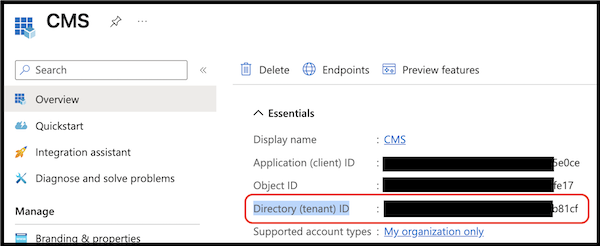
- Log in to Point of Sale CMS and go to .
- To edit the configuration, click the pencil icon.
- Go to the tab.
- Paste the Directory (tenant) ID into the Single Sign-on (SSO) Tenant ID field. If you have multiple regions in CMS, we recommend configuring the Directory (tenant) ID for all regions so you can switch between regions.
- Save your changes.