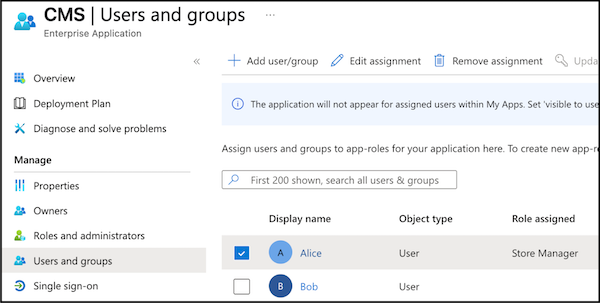
Assign each employee an app role in Microsoft Entra ID so that the employee can access the Point of Sale CMS.
- Log in to the Microsoft Entra Admin Center.
- Go to .
-
Assign app roles to employees based on your store operations. For example, Alice manages a
store, so assign Alice the role if your business defines it that way.