
Point of Sale multi-region feeds let merchants with operations in multiple regions run feeds in the master region. Merchants can also configure other regions to perform product searches against the master catalog. By using multi-region feeds, merchants can streamline their operations and ensure that product searches are accurate across all regions. This feature saves time and improves efficiency by centralizing feed management.
Get the feed specs required for merchants to create these files. Usually, we will have a full catalog run once a day and delta’s run multiple times. We can support it using delta and full feeds. These feeds can be run manually and also scheduled to run at a fixed interval pulling the file from an FTP location. There is also a CMS configuration involved to run the search from the master region from other regions.
Feed Specs
CSV, PSV, and TSV are all the file formats supported. Field mapping from CMS can be used to map the merchant-defined columns to the feed specs columns on the CMS. The mapped field definition is provided below for each of the feeds.
Feed Frequency
For all feeds mentioned below, the recommended frequency is to run a full load once a month and then load deltas on an ongoing base as per need.
Pricing Feed
As the region changes, the local currency changes, causing prices to be different across regions. This feed will provide the product pricing across the region.
| Type | Limits | Required | Example |
| product_id | This is the primary product identifier. Max 128 characters. Must match the ID in the Product feed | Yes | ABC1234 |
| region | Two characters and must be an ISO-3166-1 Alpha 2 country code. | Yes | US |
| price | Number | Yes | 100.00. This is the list price. |
| sales_price | Number | Optional | 90.00 |
Example field mapping:
Sizing Feed
This feed will provide the product sizes across the region.
| Type | Limits | Required | Example |
| product_id | This is the primary product identifier. Max 128 characters. Must match the ID in the Product feed. | Yes | ABC1234 |
| region | Two characters and must be an ISO-3166-1 Alpha 2 country code. | Yes | US |
| size | Max 128 characters. | Yes | Large |
Example field mapping:
Inventory Feed
Different regions will have different fulfillment centers causing the inventory to be different across the regions. This file will ingest region-specific inventory.
| Type | Limits | Required | Example |
| product_id | This is the primary product identifier. Max 128 characters. Must match the ID in the Product feed. | Yes | ABC1234 |
| region | Two characters and must be an ISO-3166-1 Alpha 2 country code. | Yes | US |
| online_inventory | Number | Yes | 100 |
Example field mapping:
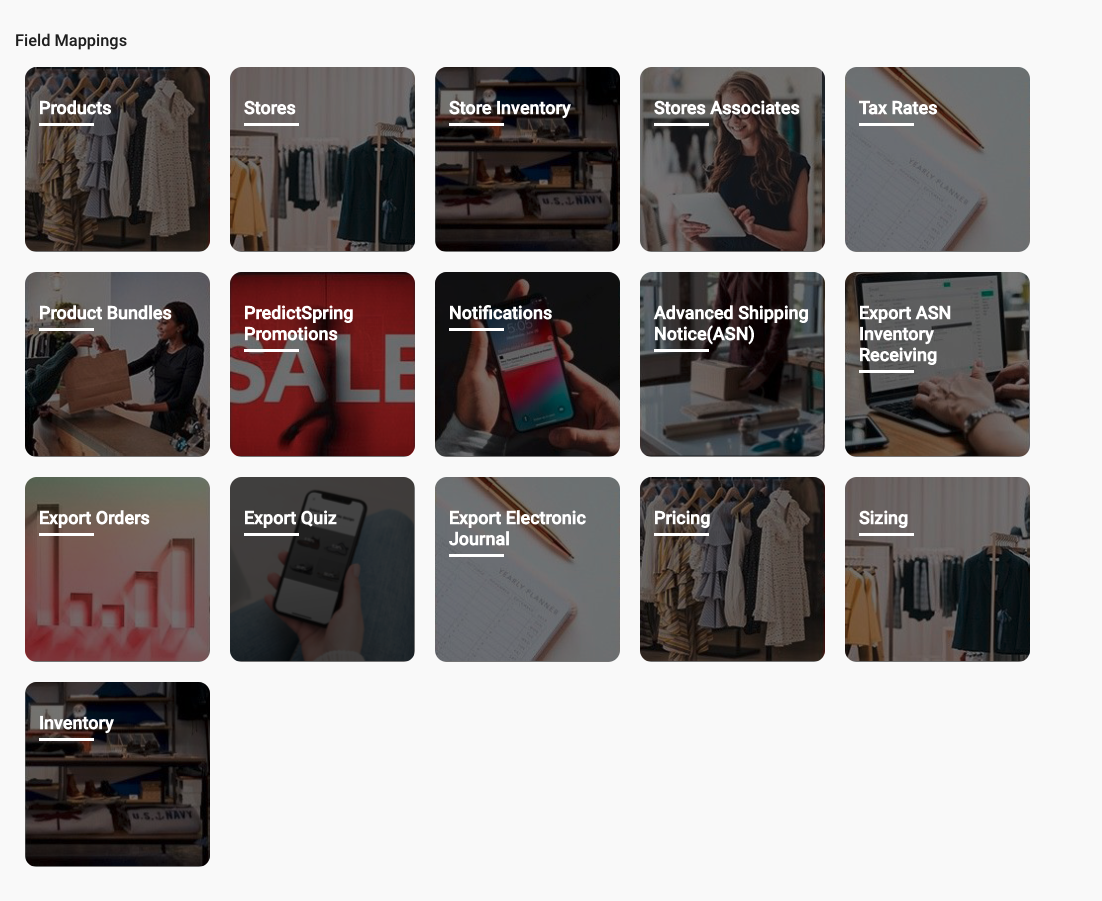
Field Mapping
Three new field mapping are available in CMS: Pricing, Sizing, and Inventory. Use the field mapping to map the columns specified in the feed specs.
Feed Types
Based on whether we are uploading a full vs a delta product feed. Feeds can be run in two modes. When we ingest the feeds there is no business logic change in the way they are ingested. These feeds are tied to the master product catalog. Full and Delta are two types of feed. This mainly helps in scheduling them to run automatically by having two different schedules for full and delta.
Uploading Feeds
Scheduled Upload
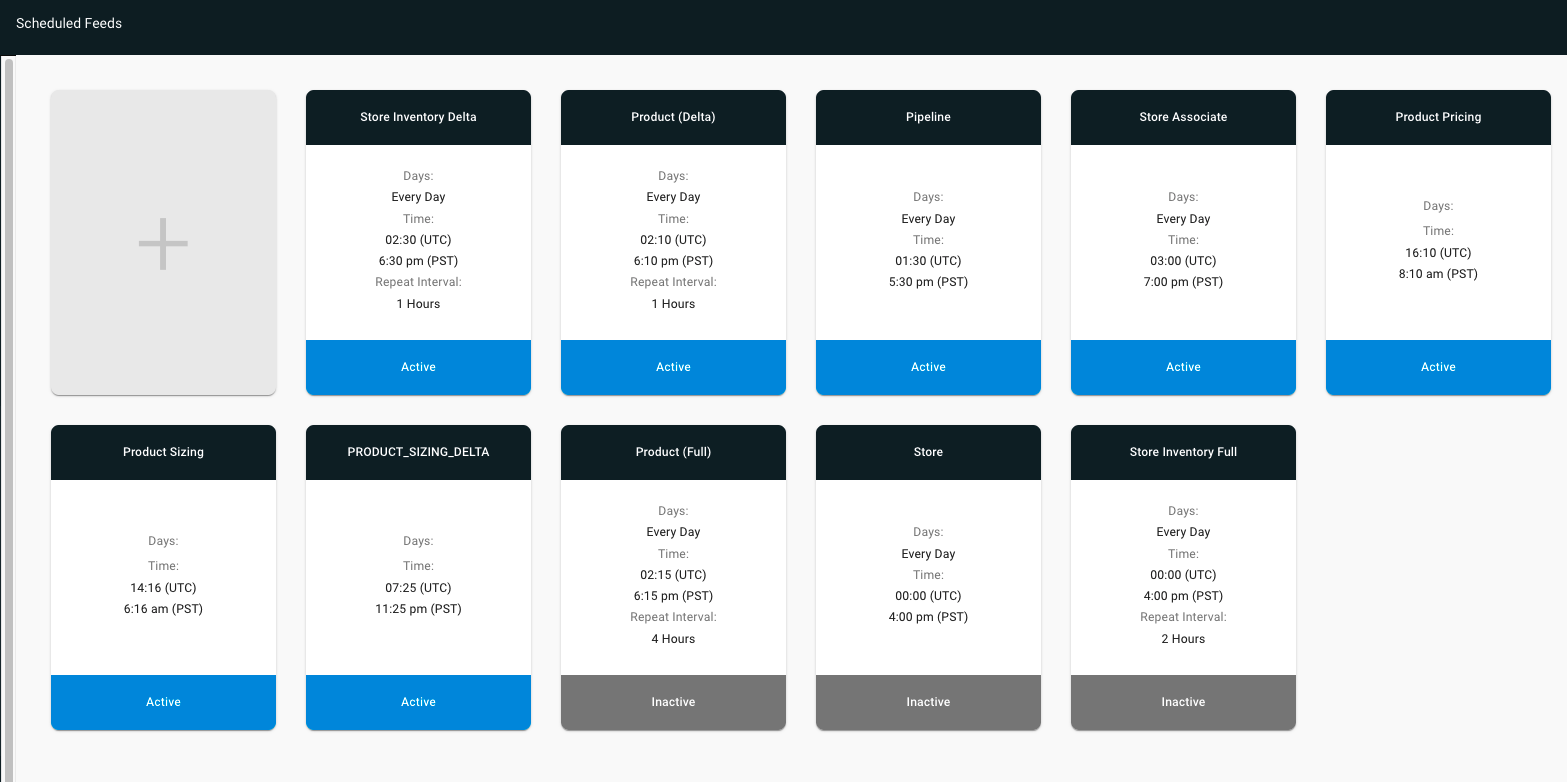
A scheduled feed is run at a fixed interval and loads the file from the FTP location.
A sample scheduled feed is shown below. Click on the + tile and select the appropriate feed type from the dropdown.
Manual Upload
You can manually upload the file from CMS.
Feed Pipeline
Running feeds in the pipeline are used to run these feeds in conjunction with other feeds. Usually, you will be looking at running the product feed first, followed by the pricing, sizing, and inventory feed.
This is an example
pipeline with Pricing and Product Sizing feed shown: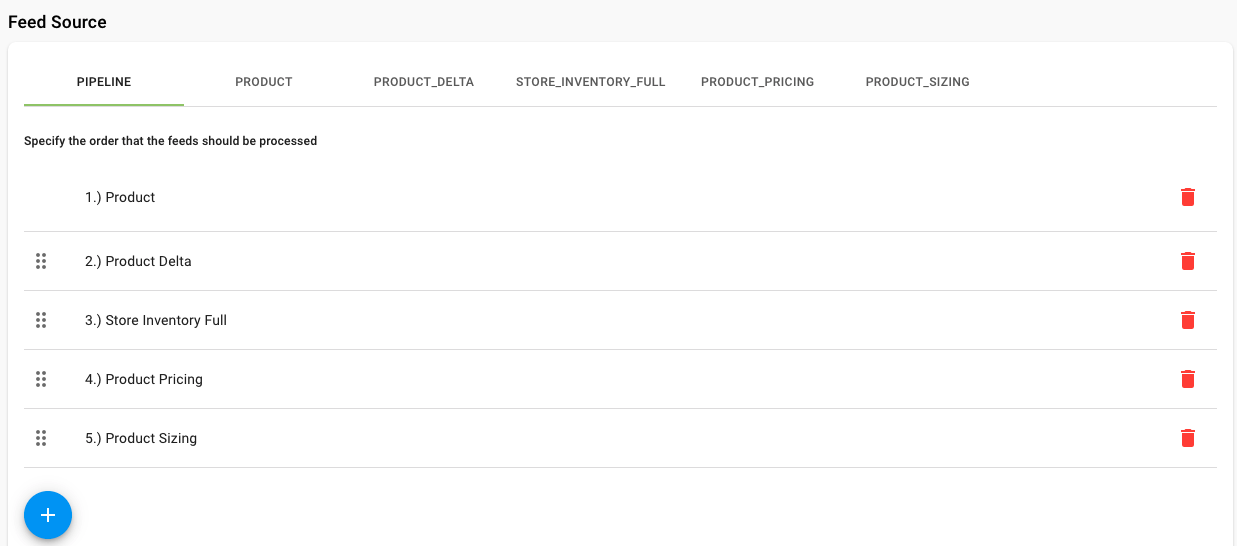
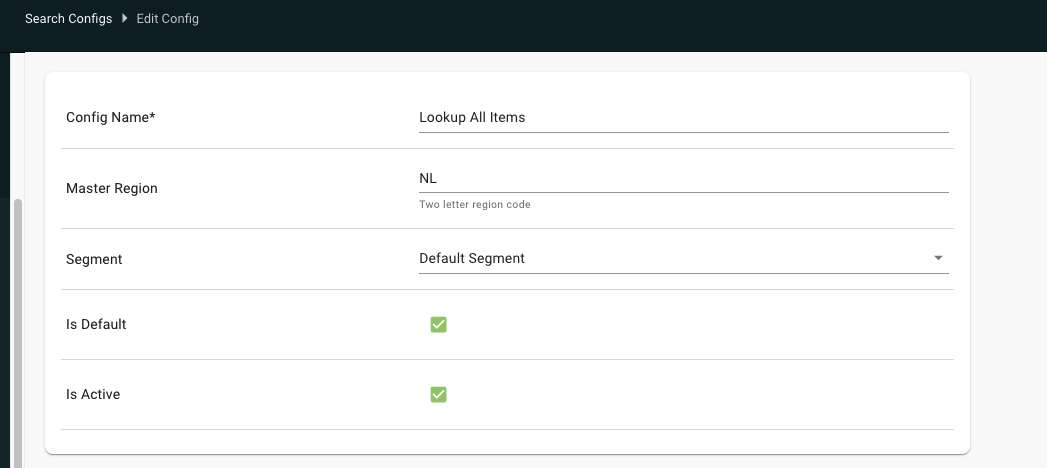
Navigate to Product and to the search config in the regions where the search has to run from the master region and update the master region.
Multi-Region Feed Strategy
This is a recommended feed strategy for merchants with significant volume.
| Feed | Strategy |
| Store Feeds |
|
| Multi-Region Feeds |
|
| Store Inventory Delta will run only in the master region and will serve two purposes |
|
| Taxes |
|
| Associates |
|
| Register Feed | Each country separately, store by store during rollout |
| Pipeline |
Pipeline to be run in the master region to include:
|
Known Issues & Restrictions
- As a common feed is used across the regions deleting a product in the master region will delete it from other regions too.
- Ensure values for the master region are also present in the feeds above.
- There always has to be a merchant available in the other region for the search to run against the master region.
- Only one language is supported on the product catalog for all regions.
Frequently Asked Questions
Can Multi-Region Feeds Be Managed Through the Product API?
Our platform supports Multi-Region Feeds, allowing the master region to run the product feed while enabling other countries to inherit the product metadata, with specific pricing and sizing data provided for each country. However, this capability does not extend directly through the Product API.
- For Multi-Region Pricing Updates: Currently, we do not offer a dedicated pricing API. For multi-region operations, pricing updates must be conducted through the CMS feed mechanism, allowing for regional-level adjustments.
- For Single-Region Pricing Updates: In a single-region setup, the Product API can be utilized to update pricing information. However, for multi-region scenarios, the Product API lacks a "region" field in its specifications (as observed in the Product Management API reference).
- Workaround for Pricing Updates: Given the absence of a pricing API, pricing information must be included within POST and PUT calls when managing product data. If operating with a single instance per region, the Product API can facilitate pricing updates effectively.