
Integrate NetSuite Order Management System (OMS) with Point of Sale to centralize and streamline order fulfillment processes. Connecting these systems improves inventory visibility and enables efficient order routing. With this integration, retailers gain a unified view of orders, inventory, and customer data. This single view helps create seamless customer experiences.

Tip The information in this article is not to be confused with the NetSuite ERP
service. For information on how to integrate with ERP, read NetSuite ERP CMS Configuration.
- In CMS, go to .
- Edit a configuration or click CREATE to create a new one.
- Select NetSuite as the Service.
-
Fill out the rest of the fields.
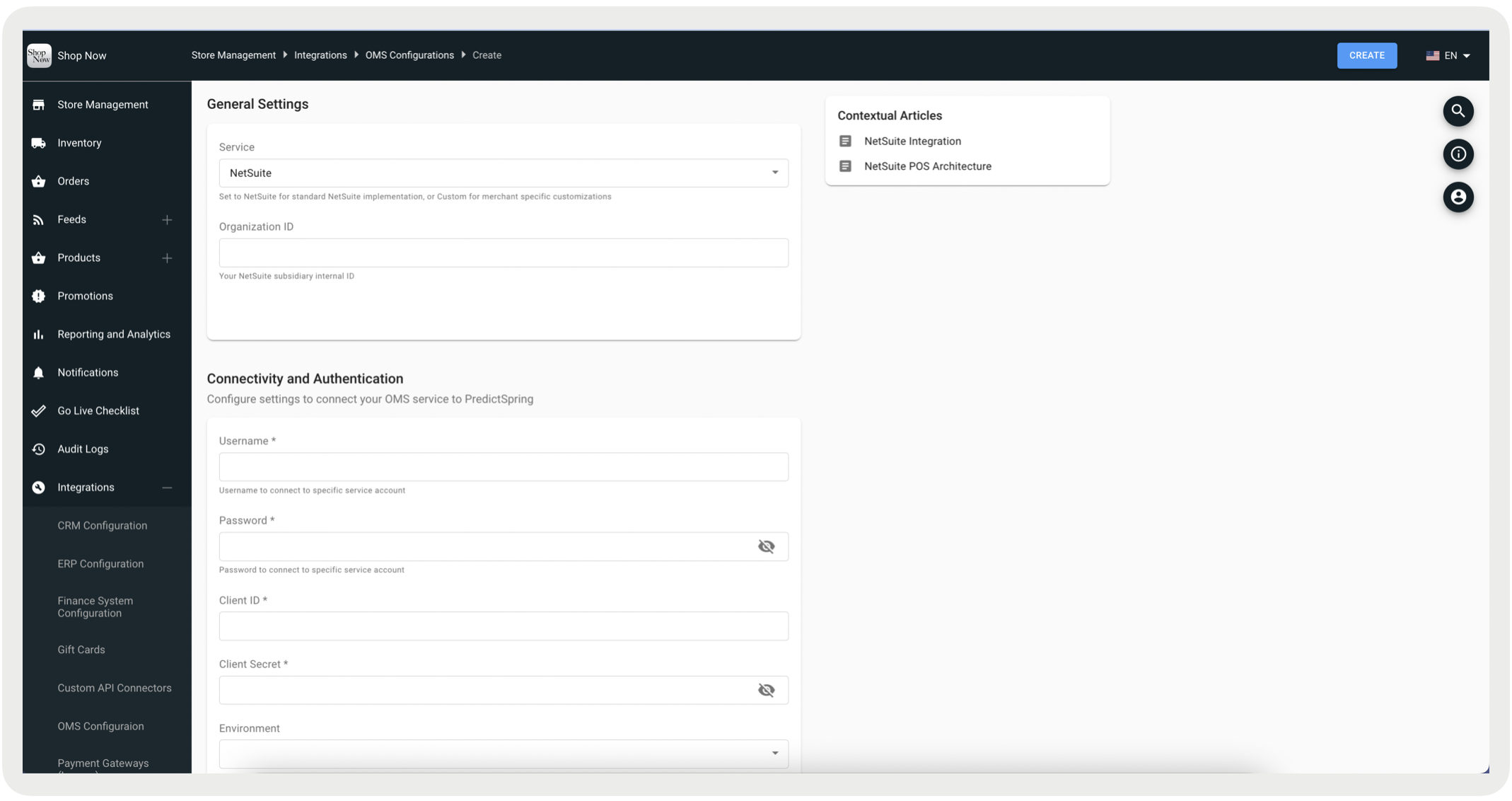
Field Section Field Type Required Description Example Service General Settings Pulldown Yes Set to NetSuite for standard NetSuite implementation, or Custom for merchant-specific customizations. NetSuite Organization ID General Settings Text No Your NetSuite subsidiary internal ID. 1 Custom Class General Settings Text Yes, if the service is set to "Custom". The path to custom class for the merchant OMS service. com.predictspring.integration.custom.merc-hant.MerchantCustomOMSService Username Connectivity and Authentication Text Yes The username to connect to the selected service account. username123 Password Connectivity and Authentication Text Yes The password to connect to the selected service account. password123 Client ID Connectivity and Authentication Text Yes The client ID from the selected service account. osdjwi2Asj19823 Client Secret Connectivity and Authentication Text Yes The client secret from the selected service account. mwiwe8293XHw2 Environment Connectivity and Authentication Pulldown No The environment of the selected service account. Production API version Connectivity and Authentication Text No The recommended setting is v51.0. v51.0 Query API version Connectivity and Authentication Text No The recommended setting is v51.0. v51.0 - Save your changes.