Give B2B buyers more control and flexibility with their payment methods by enabling
payment methods sharing in B2B stores. By default, payment methods are linked to individual
contacts and remain private. However, when you enable shared payments, buyers can share saved
payment methods with other contacts within the same account.
Required Editions
-
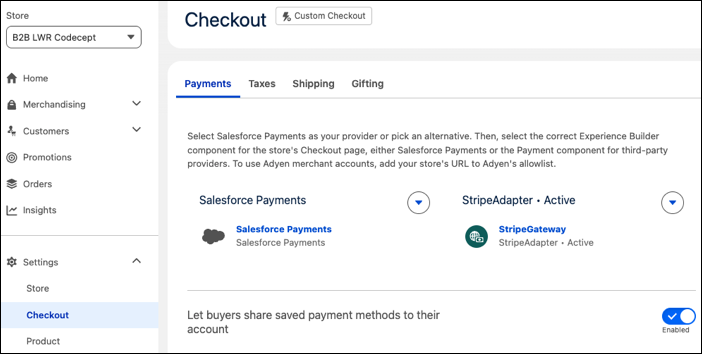
In the navigation sidebar, from the Store dropdown menu, select a B2B store.
-
Select .
-
Under Payments, enable Let buyers share saved payment methods to their
account.
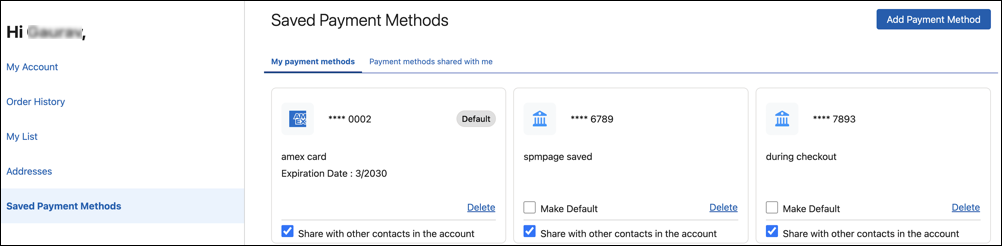
On the store’s Saved Payment Methods page, buyers can choose to share their saved payment
methods with others in the same account. They can also view the payment methods shared with them.