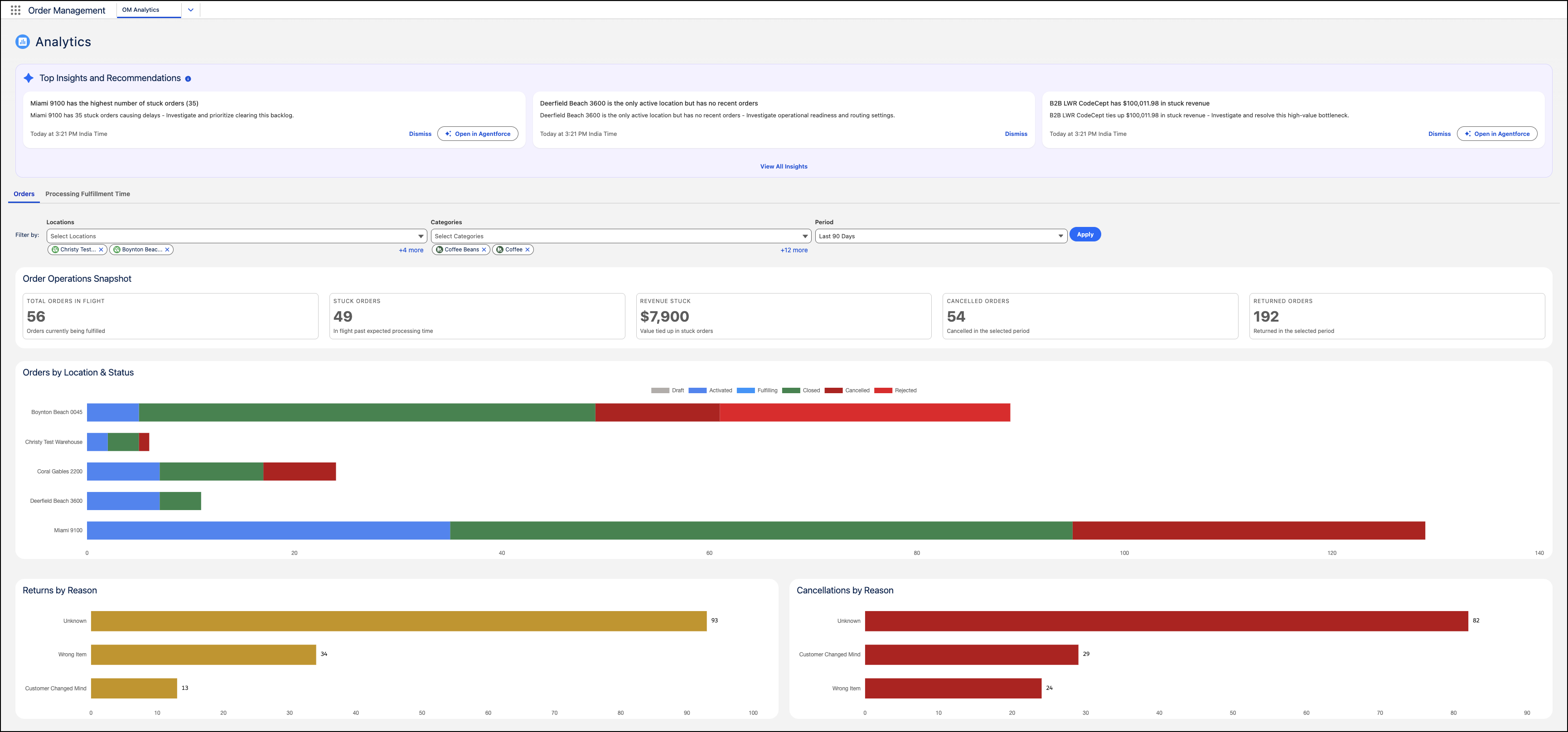
The Order Analytics dashboard gives you real-time visibility into active order
workflows, delays, and financial risk across your fulfillment network. It brings together
summary metrics, status breakdowns by fulfillment location, and root-cause analysis for
cancellations and returns, so your team can act on order delays and reduce lost
revenue.
Required Editions
To open the Order Analytics dashboard, from the App Launcher go to .
The dashboard helps you:
-
Monitor active orders in flight, stuck orders, revenue at risk, and total cancellations
and returns in a single view.
-
See order volumes across fulfillment stages, Placed, Picking, Packed, Shipped, Delivered,
and Exception by location, so you can spot where orders stall.
-
Pinpoint root causes, such as sizing issues, transit damage, payment failures, or
inventory shortages, to fix underlying problems and reduce future losses.