The Order Management Console is the first thing you see when you log in to Order
Management. The Order Summary page is the primary workspace in the console.
Required Editions
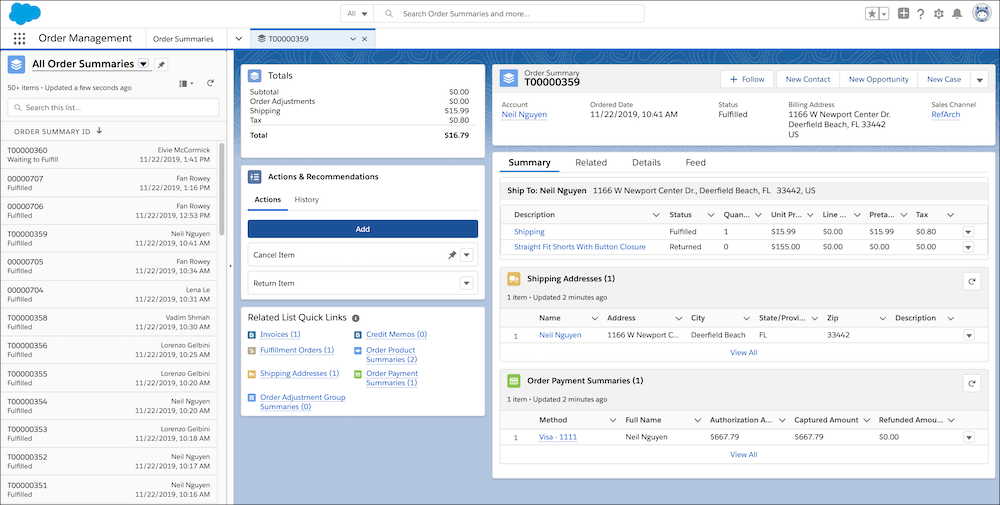
Use the Order Management Console to manage your work. You can also customize the console to
make it your own.
- The Navigation bar gives you access to the primary records used to manage the order
lifecycle. The tabs place key order details on the same page and minimize clicks and
scrolling.
- You can access objects and features, including fulfillment orders, payment summaries,
invoices, credit memos, accounts, and reports, from quick links and related lists.
- Use the split view feature to see all records in a list view while keeping the console
workspace tabs and subtabs open. Quickly process cancellations, returns, reshipments,
exchanges, refunds, and discounts in the Actions & Recommendations section.
