
In the Commerce app, you can use multiple workspaces to make your work easier, find and update information, and organize shared content. You can access each workspace without having to leave the Commerce app. Understand the landscape of each workspace and the difference between the Commerce workspace list view and the standard Salesforce list view. Customize list views, apply bulk actions, and edit entries in the workspaces to manage your B2B store’s needs. Manage your store’s registered buyers and shoppers in the Customer workspaces.
Which Salesforce Commerce Product Do I Have?
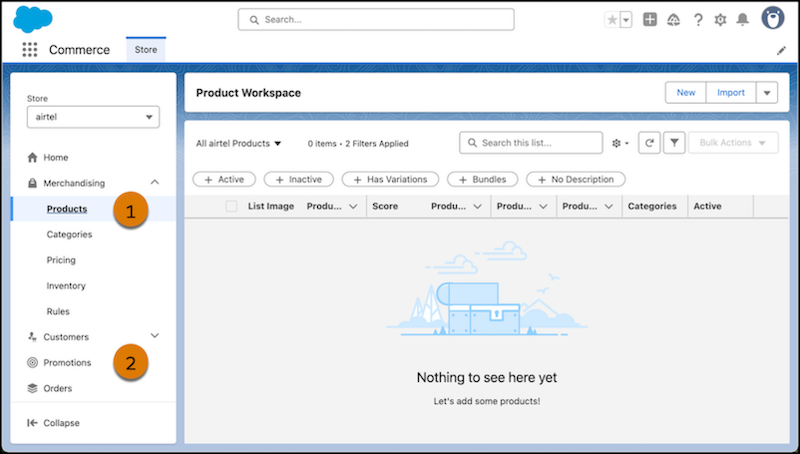
Access Commerce workspaces from the navigation sidebar of the Commerce app. Each workspace is dedicated to a specific merchandising job. For example, manage your store’s products from the Product Workspace (1), or create upsell opportunities and more order value in the Promotions Workspace (2).
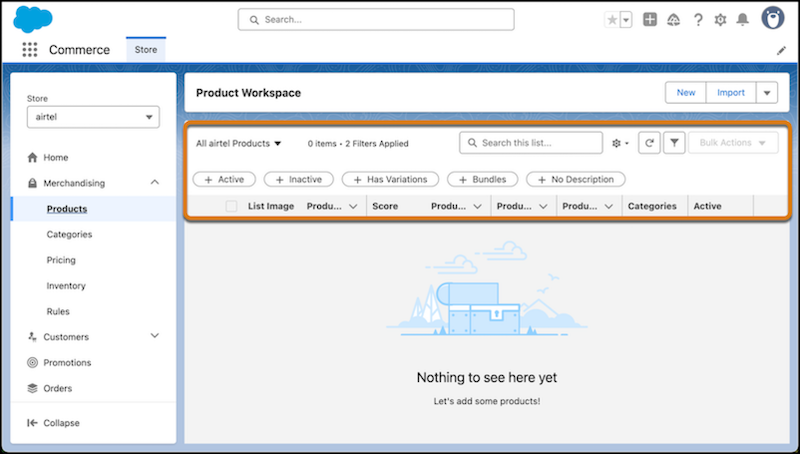
The Commerce workspace lists are different from the standard Salesforce lists. With workspace lists, you can personalize your list view to work with just the records you’re interested in. You can also filter, search, and update records directly in each workspace list.
- Commerce Workspace Considerations
Commerce workspaces are dedicated to specific merchandising jobs to help with the setup and ongoing management of your B2B store. The Commerce workspace list view functions a little differently from the standard Salesforce list view. Each workspace functions specifically for the type of data it’s meant to manage, but you can accomplish some common tasks across workspaces. - Manage Commerce Store Data with Workspaces
With workspace lists, you can personalize your list view to work with just the records you’re interested in for your B2B store. Customize information to show and create filtered lists. Apply bulk actions and edit entries directly in the workspace.