If you’re using a Salesforce org provisioned with B2B Commerce before the Winter ’23
release, make the tax-related entities visible for your B2B store.
Required Editions
-
Click
 at the top of the page, and then select Setup.
-
In the Quick Find box, enter Users, and then select
Profiles.
-
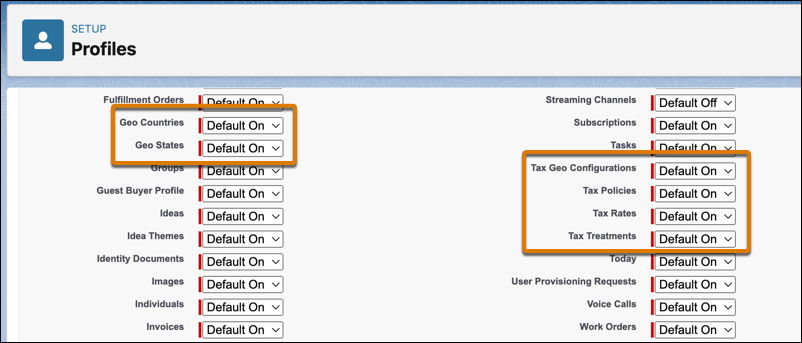
For the user profiles that configure taxes, click Edit.
-
Under Tab Settings, from the dropdown menu for Geo Countries, Geo States, Tax Geo
Configurations, Tax Policies, Tax Rates, and Tax Treatments, select Default
On.
-
Save your changes.