
If you set up shipping rates based on weight, you can add fields to the product page to enter weight for individual products.
Required Editions
| View supported editions. |
Which Salesforce Commerce Product Do I Have?
To offer weight-based shipping prices that are supported by a native shipping calculator in a store created before the Winter ’25 release, enable the Cart Calculator API. For stores created in Winter ’25 or later, the Cart Calculator API is enabled by default. See Enable and Disable the Cart Calculate API for a Webstore.
- In the navigation sidebar, select a store from the Store dropdown.
-
At the top of the page, click
 and select Setup.
- From Object Manager, select Product.
- Click Page Layouts, and then select Commerce Product Layout.
-
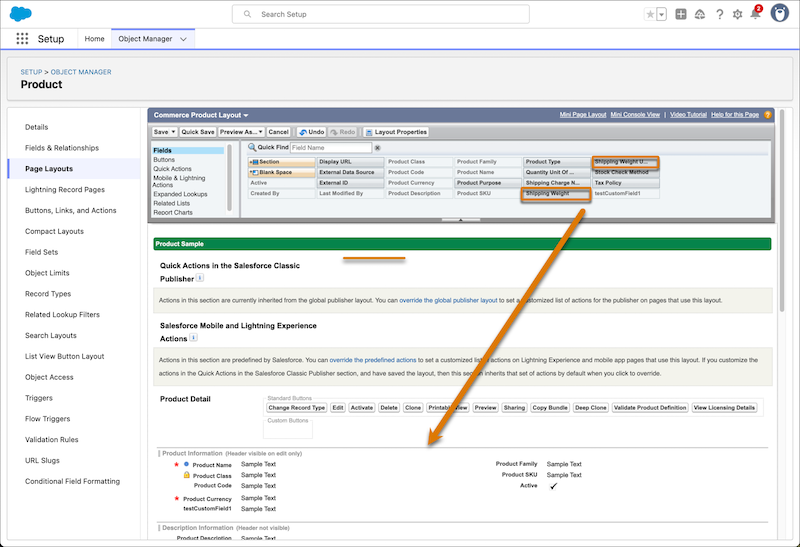
In the Fields section, drag the Shipping Weight and Shipping Weight Unit of Measure
fields to the Product Detail section.
- Save your changes.