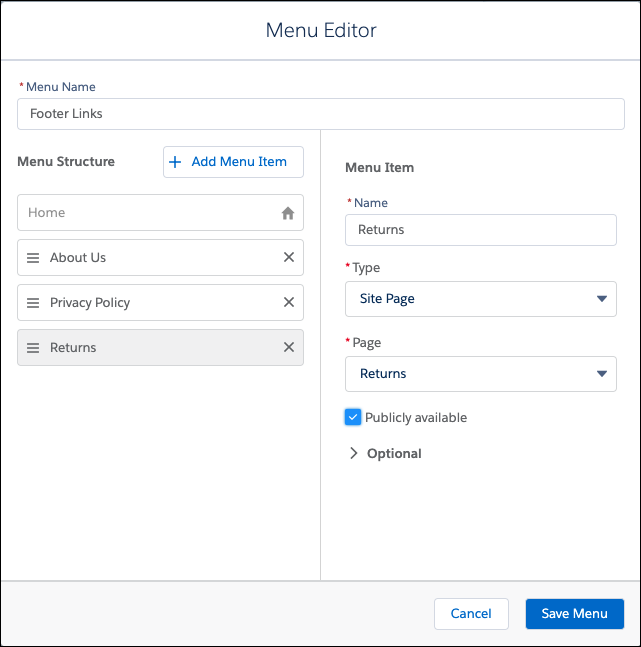
By default, the Link List component is located in the footer of each page in your
store. In Experience Builder, you can edit this component to link to pages that describe your
company, your privacy policy, your return procedure, or other important information.
Required Editions
-
In the navigation sidebar, select a store from the Store
dropdown.
-
Select Website Design, and then click Experience
Builder.
-
In Experience Builder, click the gear icon and go to .
-
Click Add Navigation Menu.
-
Enter a name for the menu, for example, Footer Links.
-
For each page that you want to add to the menu:
-
Click Add Menu Item.
-
From the Type dropdown, select Site Page.
-
Enter a name for the menu item, for example, About Us.
Shoppers see this label for the link.
-
From the Pages dropdown, select the page that you want to link to.
-
Select Publicly available.
-
Click Save Menu.
When you configure the Link List component, select the menu to display the links in the
storefront footer.