If you’re using a third-party provider to manage your domain, you can connect your
Salesforce store to the domain. When shoppers enter the domain URL, they are redirected to your
store. By connecting your store, you can still use the third-party provider to manage and renew
your domain. When you connect your store and domain, Salesforce sets up a content delivery
network with Cloudflare.
Required Editions
Which
Salesforce Commerce Product Do I Have?
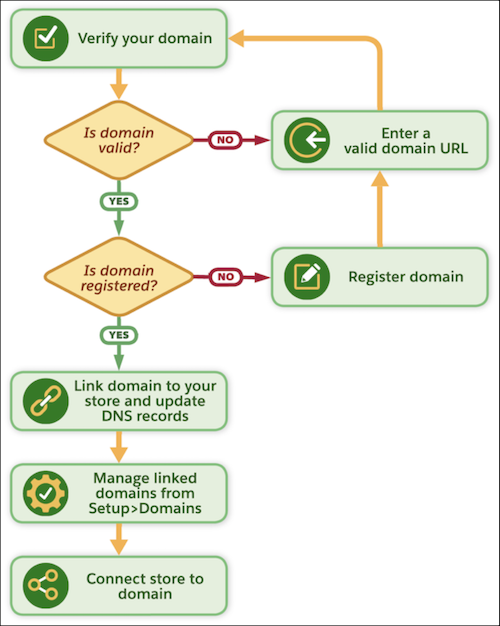
To connect your domain, in your store, go to and enter your domain address. You’re then guided through the connection
process. You also need to provide the DNS records to your domain registrar. After you update
the DNS records, it can take between 2-24 hours for your store to connect with your domain. If
you don’t yet own a domain, you can purchase one from the list of example registrars provided
on the Domains page.
After your domain is connected, you can manage it on the page.