
Acme Retail is a global fashion retailer that sells to customers in the United States and Europe. Acme can manage an online store in three languages (English, French, and German) by using markets and assigning locales to them. It can also offer different products, prices, promotions, entitlements, and ship-to countries for each market.
Required Editions
| View supported editions. |
Which Salesforce Commerce Product Do I Have?
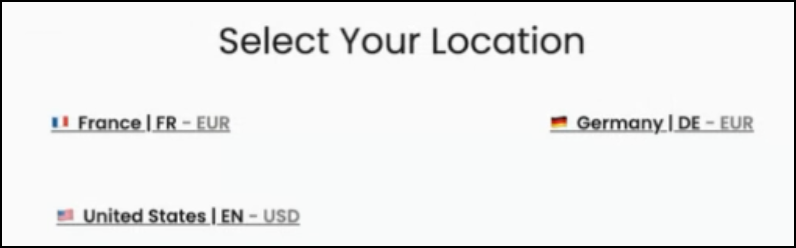
When a shopper selects Germany from the country picker, the website refreshes to show text in German and prices in euros. Because the locale (German | DE) is assigned to the European market, products, pricing, promotions, entitlements, and ship-to countries for the European market are used. If the shopper selects United States, the text switches to English and prices switch to dollars because the locale (United States | EN) is assigned to the United States market. Products sold in and shipped only to countries in the European market are hidden, and pricing and promotions specific to the US market are applied.
See Also
Assign Locales and Ship-To Countries to a Market
This example assumes that you have created your markets and locales, have set up your B2B store’s pricebook, entitlement policies, currencies, and ship-to countries, and have assigned them to the store.
- In the navigation sidebar, select the Acme store from the Store dropdown.
-
Select Settings | Store, and then click Markets.
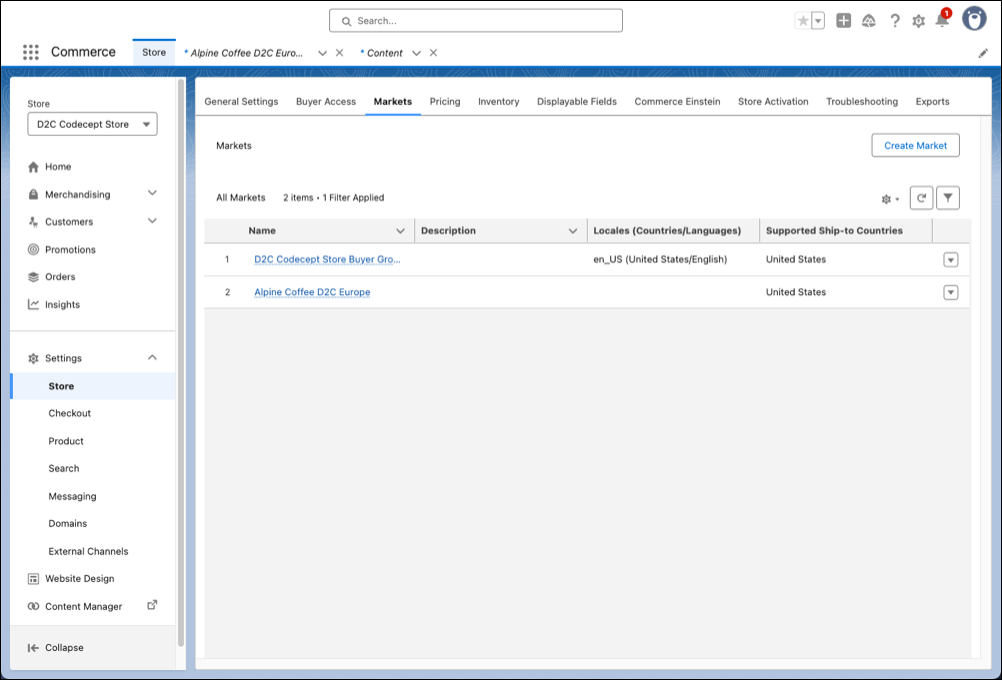
- Select the Alpine Coffee D2C Europe market to assign the French and German locales to it.
-
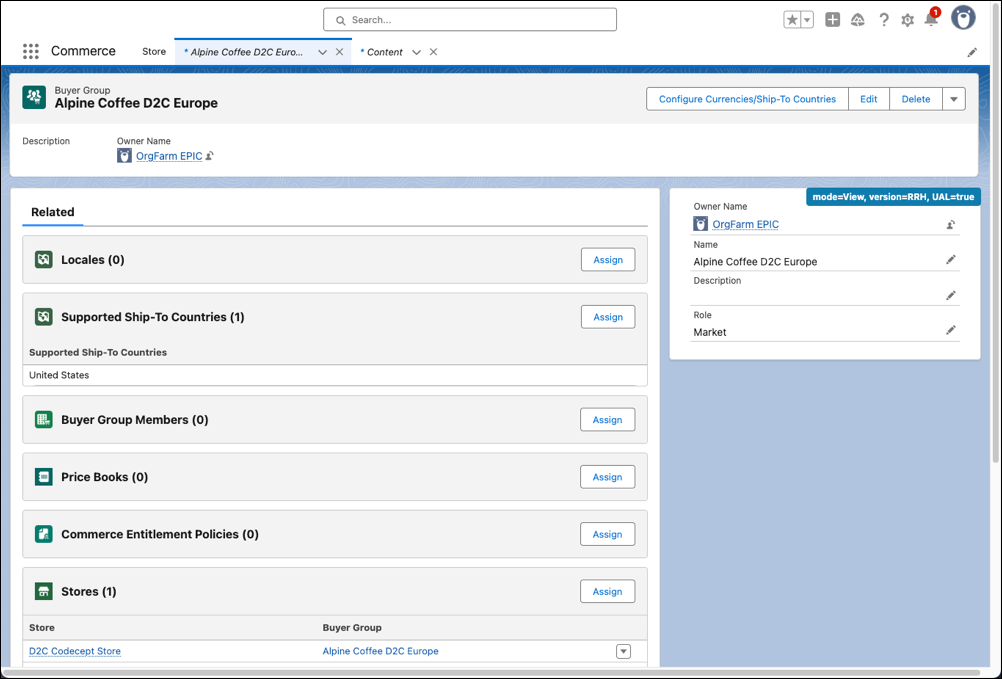
Select Related.
-
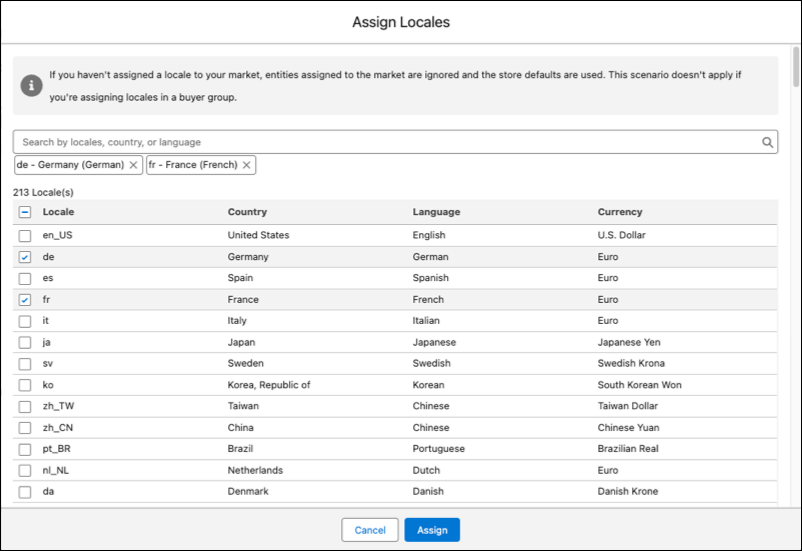
Next to Locales, select Assign, deselect
en_US, select fr and
de, and click Assign.
-
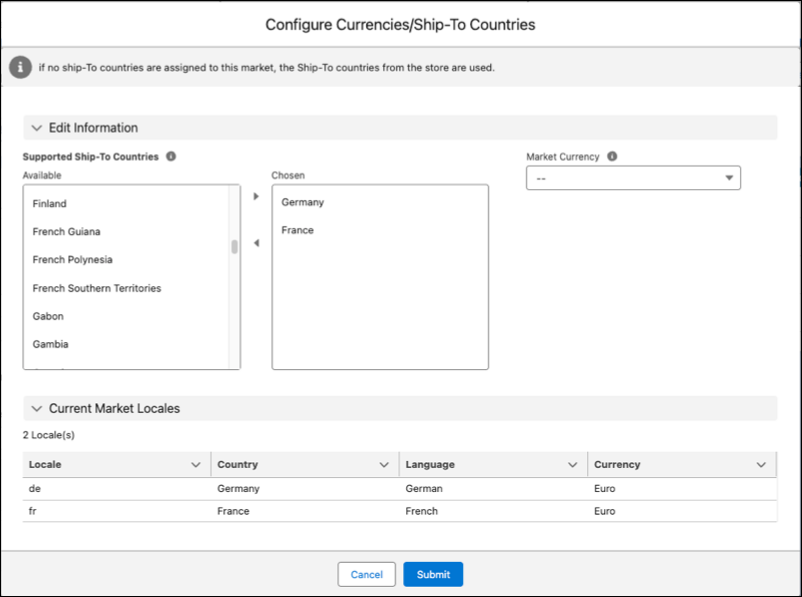
Next to Supported Ship-To-Countries, select Assign, add France
and Germany, and select Submit.
- In the navigation sidebar, select Website Design, and at the bottom left, select the Experience Builder.
-
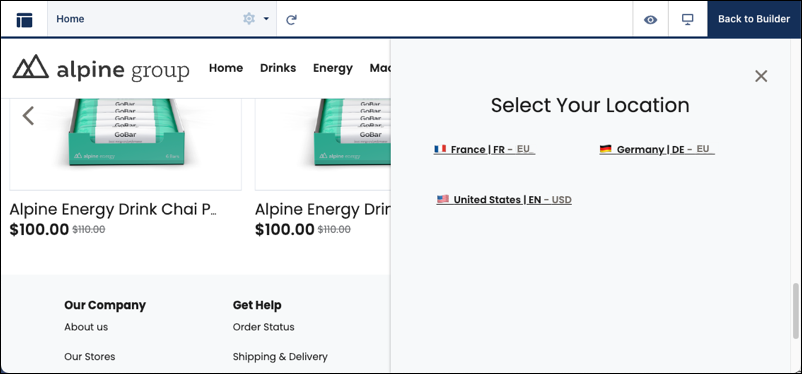
In the components palette, drag the Country Selector component to a page in your
store. When a customer goes to your store, they can use the Country Selector to select
their locale: United States | EN, France | FR, or Germany | DE.
- At the top right of the Experience Builder, select Publish.
Change Shopper’s Locale with Headless API
If you don’t want to use the built-in Country Picker component in your B2B store,
you can pass the language query parameter directly to the Connect API.
All APIs that internally reference entitlements, pricing, promotions, currency, and
ship-to countries support the language parameter. Here are two
examples.
If a store is segmented into markets, these APIs look at the language parameter added to
the URL to determine the shopper’s locale and return the appropriate values. In the
examples, language=de is the German locale for the Alpine Coffee D2C
Europe market.
To retrieve the market currency and the ship-to countries that can be used during checkout, use the Commerce Webstore Application Context resource API.
https://yourInstance.salesforce.com/services/data/v63.0/commerce/webstores/0ZExx0000000001GAA/application-context?language=deTo use market-specific pricing and promotions when adding a product to your cart, use the Commerce Webstore Cart Items resource API.
/commerce/webstores/webstoreId/carts/cartStateOrId/cart-items?language=de