Create Geo Countries for the Manual Salesforce Tax Solution

When you configure the manual Salesforce tax solution for a B2B store, you assign a geo country to a tax rate to specify which country the tax rate applies to. Create a geo country for every country where you want to specify a tax rate. The geo country is the country to which a product is shipped, not from where the order was placed.
Required Editions

View supported editions.

Which Salesforce Commerce Product Do I Have?

Before adding a geo country, configure the states, countries, and territories in Setup. See Let Users Select States, Countries, and Territories from Picklists.

  1. From the App Launcher, search for and select Geo Countries.
  2. Click New.
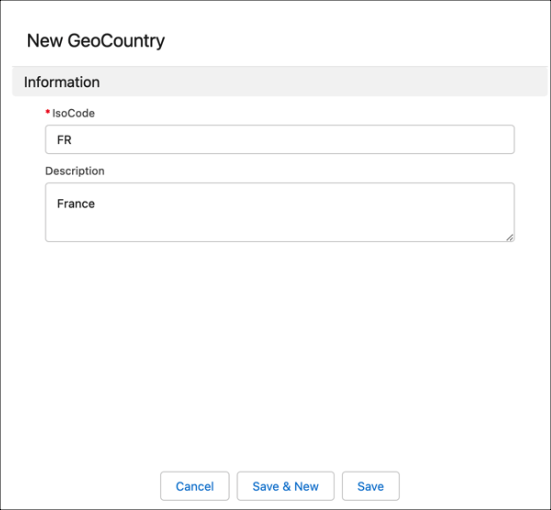
  3. Enter the two-letter ISO code for the country. For example, enter FR for France.
  4. (Optional) Enter a description, and click Save.
    Add the ISO code and name for the new geo country.