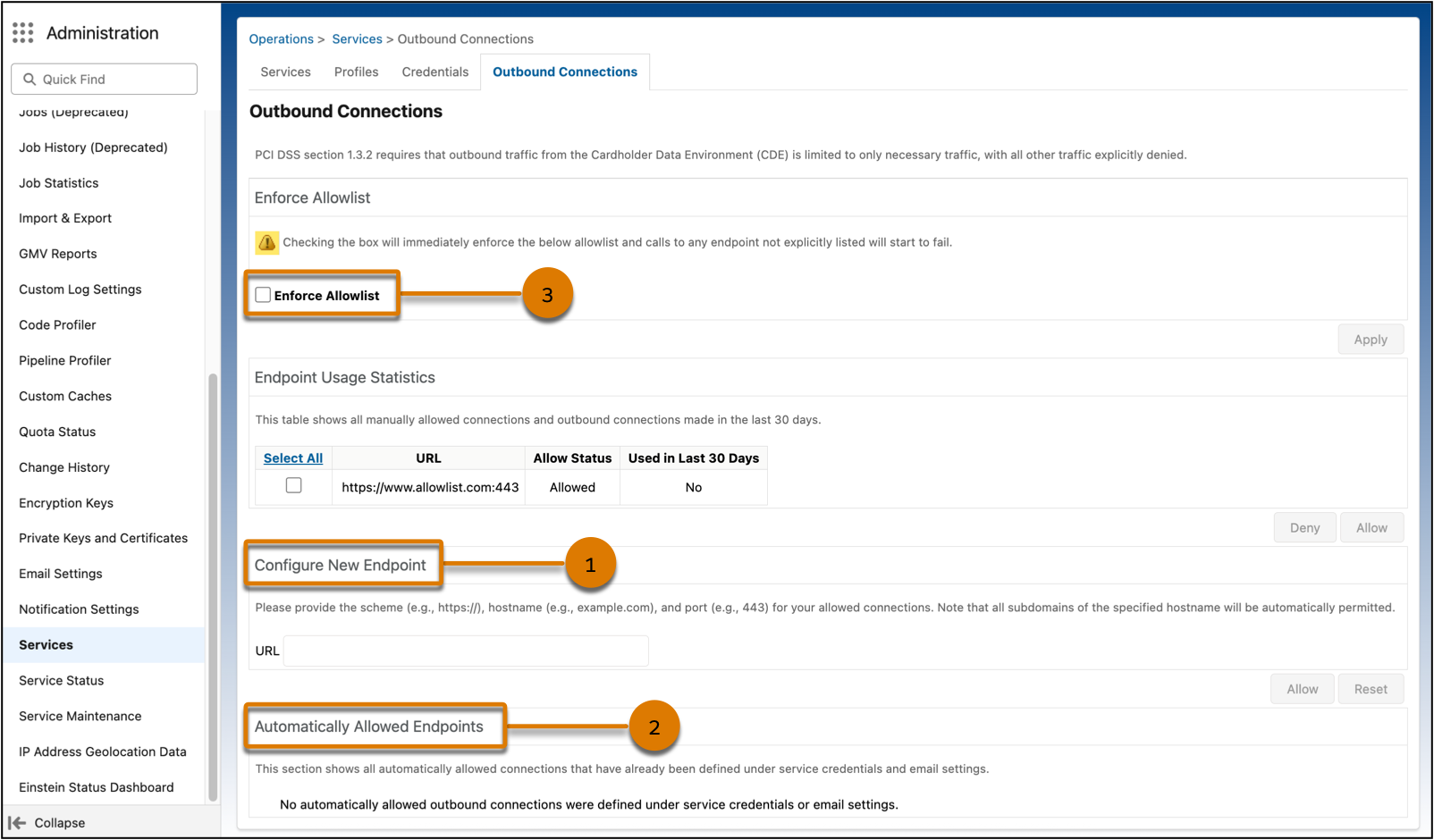
Gain greater security and control over outbound connections. The new Outbound Connections screen in Business Manager lists recently used endpoints that you can select from. You can also configure new endpoints and add them to your allowlist. Connections defined under Service credentials are automatically allowed from the B2C Commerce platform.
Where: This change applies to B2C Commerce.
Who: This feature is available to users with access to the Services Business Manager module.
How: In Business Manager, click the App Launcher, and then select . Add endpoints (1), and verify automatically allowed endpoints (2). Enforce your allowlist (3).