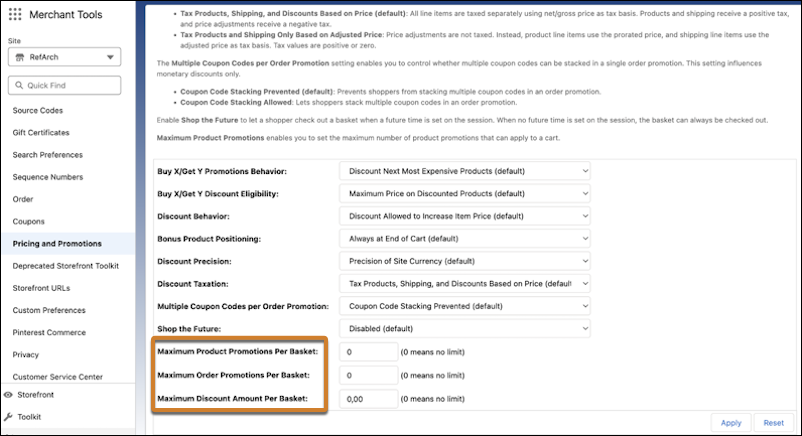
Set the maximum number of product and order promotions and the maximum discount allowed per cart. This increased flexibility makes it easier for B2C merchants to plan promotion strategies.
Where: This change applies to B2C Commerce.
How: In Business Manager, click App Launcher, and then select . Set the limits for Maximum Product Promotions Per Basket, Maximum Order Promotions Per Basket, and Maximum Discount Amount Per Basket. 0 is the default value, which means no limit.