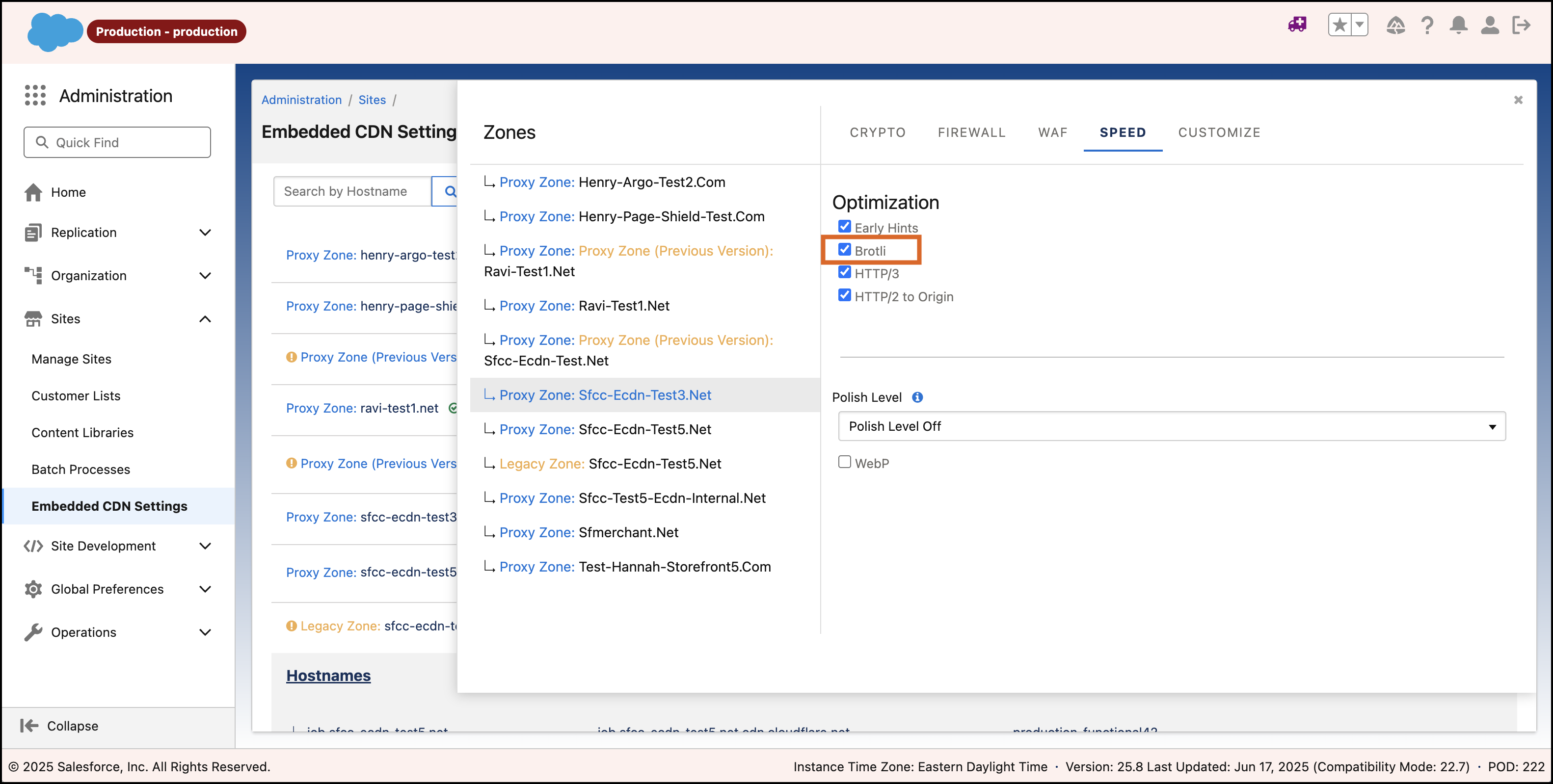
Business Manager now offers Brotli Compression speed settings, which simplifies managing and optimizing static web assets. This update ensures smaller payloads and faster delivery times, enhancing the overall user experience.
Why: This update simplifies configuring Brotli Compression, which can significantly improve your web assets' performance. By providing a user-friendly interface, it reduces the need for technical expertise and streamlines the setup process.
How: In Business Manager, select the . Select the Speed tab and check Brotli. To make sure Brotli is used, include the "br" option in the HTTP Request Header "Accept-Encoding." If Brotli is disabled, the eCDN defaults to auto compression selection from the CDN provider. For a gzip response, set the request header to "gzip." Including all options in the request header (gzip, br, zstd) prioritizes Brotli.