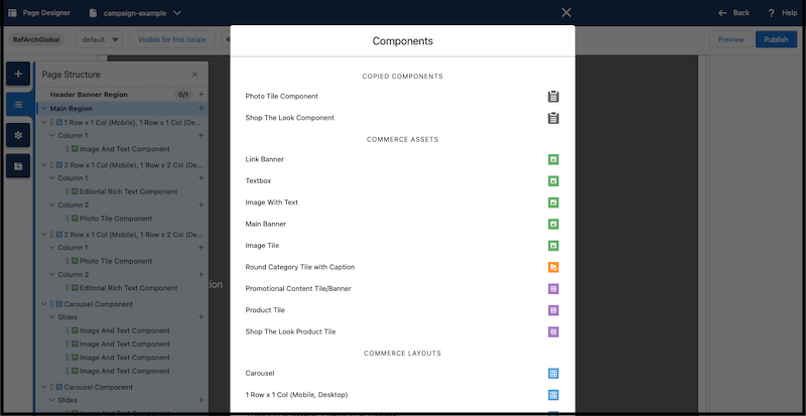
Create components once and reuse them across multiple pages by copying up to 10 components. You can paste a copied component into any region or component that accepts it. Copying components helps ensure consistent site-wide experiences when building Page Designer pages.
Where: This feature applies to B2C Commerce.
How: From the Page Designer Visual Editor, select the component you want to copy. In the right pane, click the dropdown menu next to the component name and select Copy Component. To paste the component, select a page and open the Page Structure window. In the Page Structure window, click the plus sign for a region or component to open the Components window. If the component can be pasted at the selected location, it's listed in the COPIED COMPONENTS section.