
When a customer enters a search keyword, the search results include the Page Designer page.
Why: Search keywords help customers find your page when they enter search terms related to the page content or purpose.
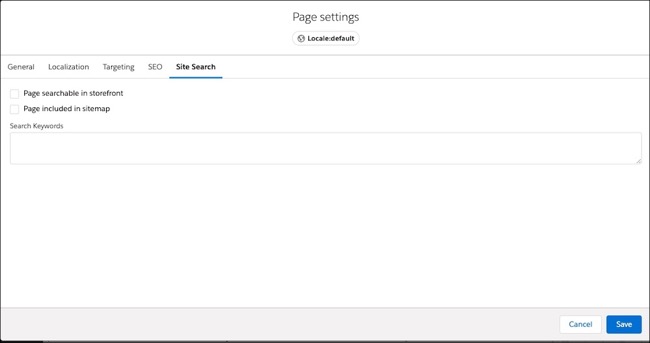
How:
- From the visual editor, open the page.
-
Click the Page Settings icon.

- Click Site Search.
- Enter one or more Search Keywords, separated by spaces or commas, that you expect the customer to enter when searching for a page.
- Click Save.
For information about configuring other search settings for a Page Designer page, including SEO settings, see Configure Page Designer Search Settings.