---
schema_version: "1"
id: 158f6168682150cae421a19940e148bba38face1d3e3255b10f2f33879b606e4
title: Customize Dashboards with Dynamic Default Values
collection: admin
version: current
locale: en-us
portal_url: https://docs.salesforce.com/admin/current/en-us/analytics/264-0-0/tua_create_dashboard_default.md
canonical_url: https://help.salesforce.com/s/articleView?id=analytics.tua_create_dashboard_default.htm&release=264.0.0&type=5
source_site: help.salesforce.com
content_type: documentation
content_hash: f0f9b399a1e87950b20c5178abdfbccff8d3e608f8ee54344012a3cca5084e6d
description: Use dynamic filters and calculated fields to ensure dashboards show the most relevant information the moment a user opens a dashboard.
products:
- Tableau Next
release: "264"
---
# Customize Dashboards with Dynamic Default Values
Use dynamic filters and calculated fields to ensure dashboards show the most relevant information the moment a user opens a dashboard.
### Required Editions
Tableau Unmetered Platform Analyst or Tableau Next Platform Analyst permission set
#### See Also
- [_Salesforce Help_: Define Filter Selections for Widgets](https://help.salesforce.com/s/articleView?id=analytics.tua_create_dashboard_filter_selections.htm&language=en_US)
## To Set a Static Default Value:
1. Add or edit a dashboard filter.
2. Click **Select Values** on the Widget tab.
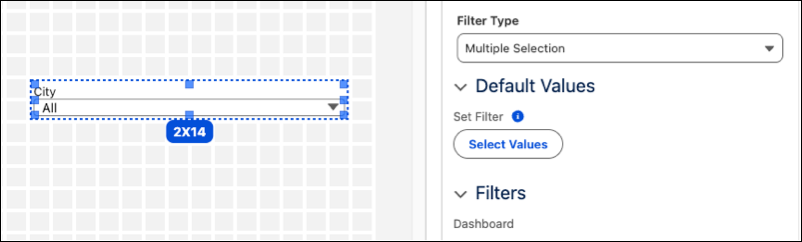
3. Select your preferred starting values from the menu.
4. Click **Done**.
## To Set a Dynamic Default Value:
1. Add or edit a dashboard filter.
2. Click **Select Values**.
3. Select **Dynamic (Calculated Field)**.
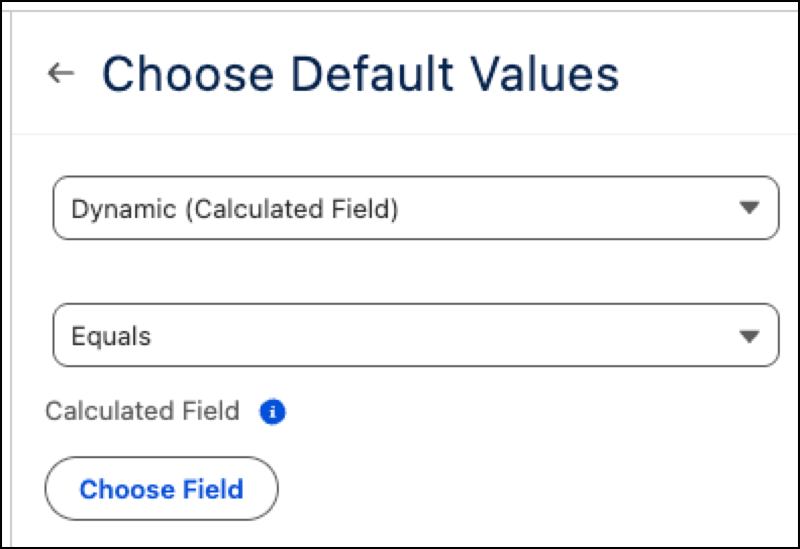
4. Click **Choose Field** and select the calculated field that contains your logic.
5. Click **Done**.