---
schema_version: "1"
id: 9301dad94b2a1b2fc45eba92fa83fe7711eb4c54b0edcbf0138560db71f70d2b
title: Download Your App Template
collection: admin
version: current
locale: en-us
portal_url: https://docs.salesforce.com/admin/current/en-us/analytics/264-0-0/tua_build_app_template_download.md
canonical_url: https://help.salesforce.com/s/articleView?id=analytics.tua_build_app_template_download.htm&release=264.0.0&type=5
source_site: help.salesforce.com
content_type: documentation
content_hash: f270a6a63aa00bf24930c060bd4fefe041e00732e5702b7a314efa322304e7a2
description: Download your Tableau Next app template to add customizations with variables, rules, and chains for installation flow. The downloaded template is a Salesforce package that you can deploy and install in other orgs.
products:
- Tableau Next
release: "264"
---
# Download Your App Template
Download your Tableau Next app template to add customizations with variables, rules, and chains for installation flow. The downloaded template is a Salesforce package that you can deploy and install in other orgs.
### Required Editions
Tableau Unmetered Platform Analyst or Tableau Next Platform Analyst permission set
For more information on deploying templates and customizing template files, see the [App Template Framework developer guide](https://developer.salesforce.com/docs/analytics/app-template-framework/guide).
1. On the Templates page, select the template you want to download.
2. To download the template, click **Download**.
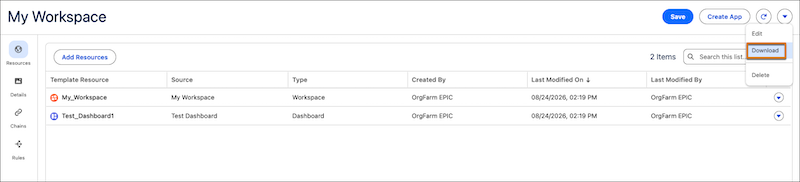
The download is a `.zip` file that contains the `AppFrameworkTemplateBundle` package for deployment. This package contains a `package.xml` file, the workspace files, and the template files that define the app and its installation.