---
schema_version: "1"
id: f430eadcae86cc1774fb7c53bc440c71083cfbd66bbacccd302cfbceb99cc09c
title: Scan a Semantic Model for Performance Recommendations
collection: admin
version: current
locale: en-us
portal_url: https://docs.salesforce.com/admin/current/en-us/analytics/264-0-0/c360_sl_scan_model_perf_recommendations.md
canonical_url: https://help.salesforce.com/s/articleView?id=analytics.c360_sl_scan_model_perf_recommendations.htm&release=264.0.0&type=5
source_site: help.salesforce.com
content_type: documentation
content_hash: d49a16dce01f52b6b4678a4dc296431e0497cb8739010a1a18b6247ac221482c
description: Open Optimize Model to scan join settings on a semantic model. The scan returns a Model Health rating and a card for each recommendation type.
products:
- Data 360
release: "264"
---
# Scan a Semantic Model for Performance Recommendations
Open Optimize Model to scan join settings on a semantic model. The scan returns a Model Health rating and a card for each recommendation type.
### Required Editions
Data Cloud Architect permission set AND Semantic Models object
A new session starts a new scan. The same session keeps the results already on the panel.
1. On the **Semantic Layer** tab, select the semantic model.
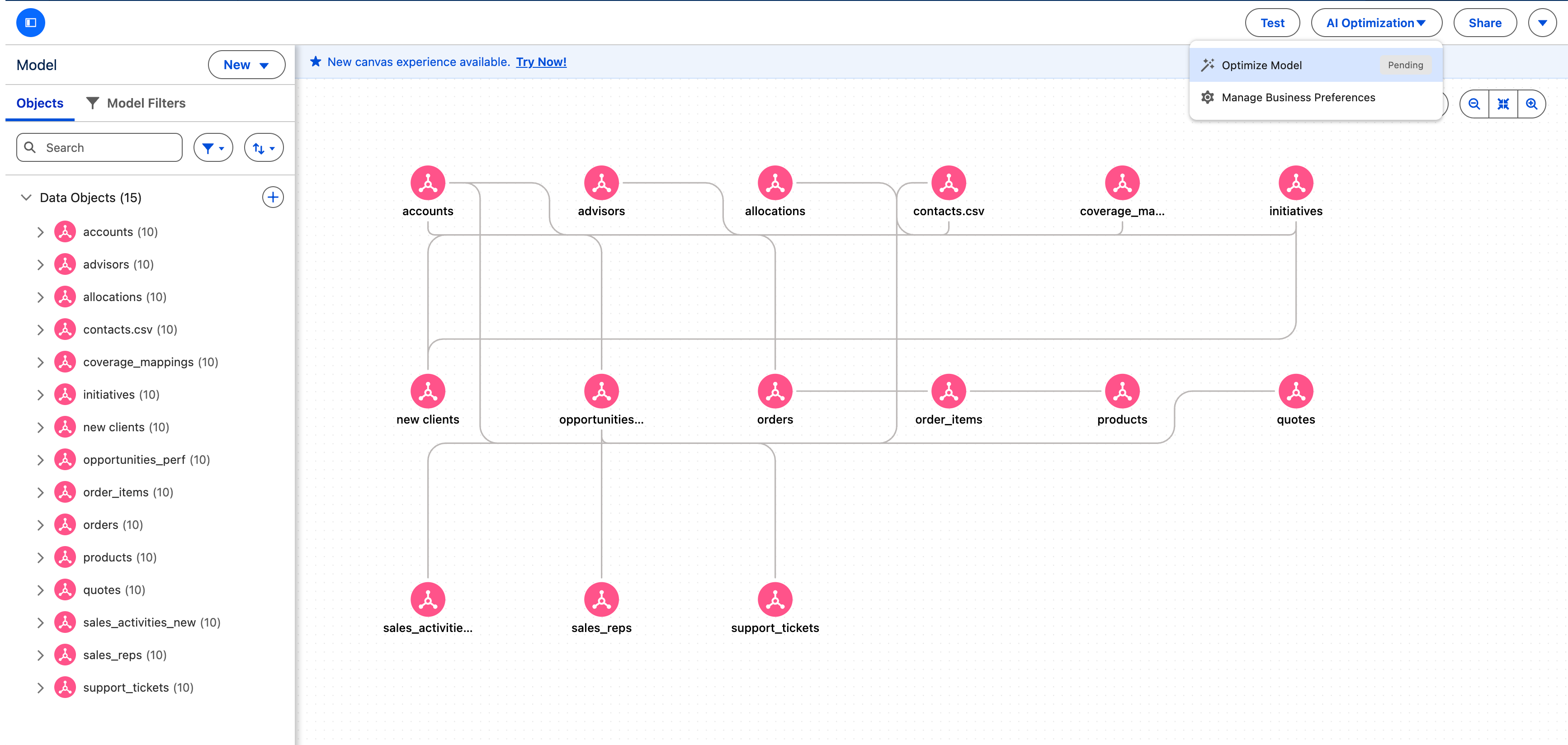
2. To start the scan, select **AI Optimization** | **Optimize Model** on the model toolbar.
The scan reads the model's metadata and samples the join-column data. A scan usually takes a few minutes.
3. When the scan completes, review the **Model Health** indicator and the card for each recommendation type.
The panel shows a **Model Health** indicator, such as Moderate, and a card for Cardinality and for Match Case Insensitivity.
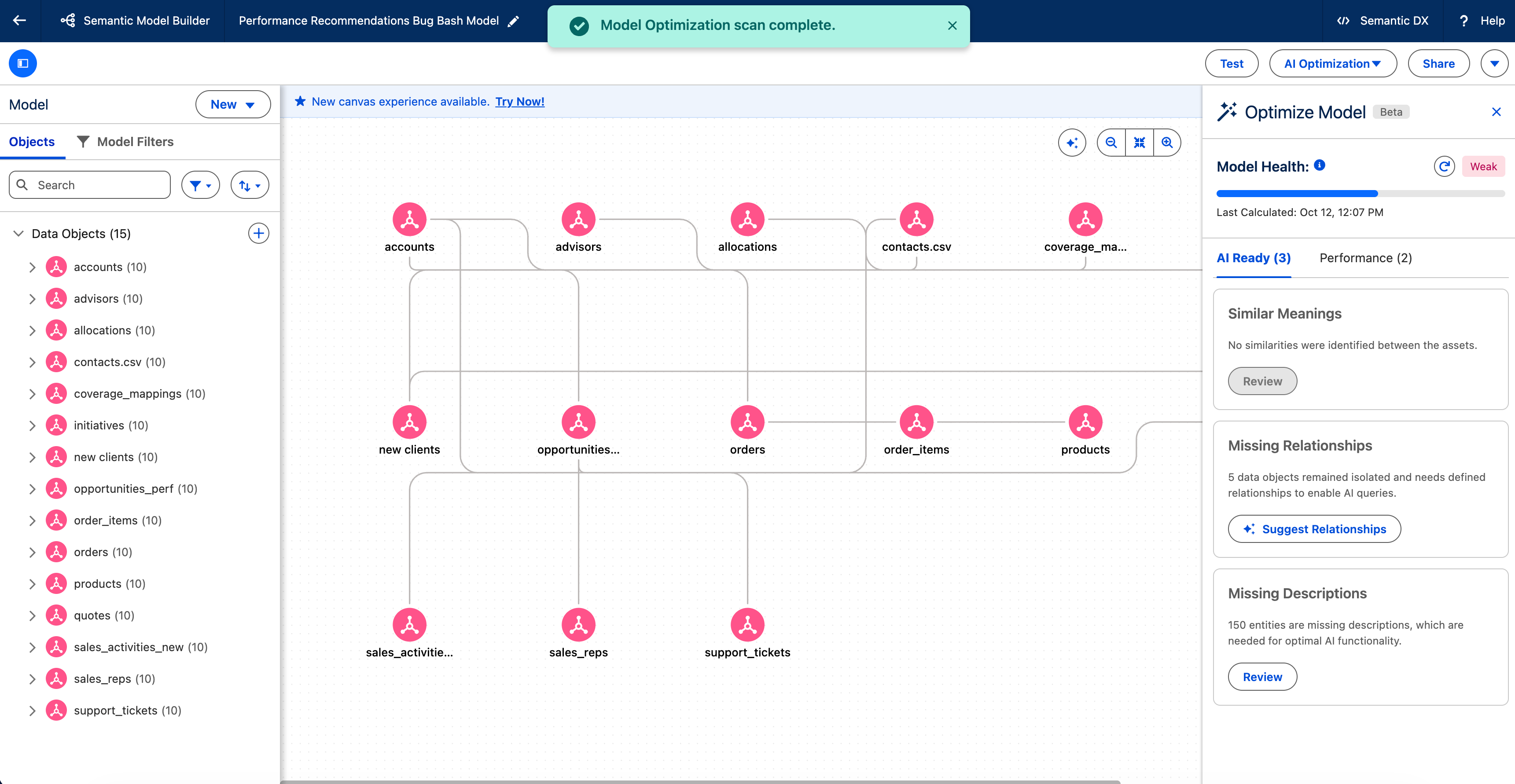
On a card that lists relationships, apply the recommendations. See [Apply Cardinality Recommendations to Your Semantic Model](https://help.salesforce.com/s/articleView?id=analytics.C360_sl_perf_reco_apply_cardinality_recommendations.htm&release=264.0.0&type=5 "Set a relationship's cardinality so queries skip extra deduplication. Review each suggestion, and then apply or dismiss it for this session.") and [Apply Match Case Insensitivity Recommendations to a Semantic Model](https://help.salesforce.com/s/articleView?id=analytics.c360_sl_perf_reco_apply_match_case_insensitivity_rec.htm&release=264.0.0&type=5 "Case-sensitive text joins slow queries when the values share one capitalization. Review each suggestion, and then apply or dismiss it for this session.").