---
schema_version: "1"
id: ace2f542faea9bf3a0e95eb1a13157454abbaac5812835b56ae21f08968493db
title: Create a Parameter
collection: admin
version: current
locale: en-us
portal_url: https://docs.salesforce.com/admin/current/en-us/analytics/264-0-0/c360_a_sl_param_create.md
canonical_url: https://help.salesforce.com/s/articleView?id=analytics.c360_a_sl_param_create.htm&release=264.0.0&type=5
source_site: help.salesforce.com
content_type: documentation
content_hash: b12342e897c9c62cdc613af7ea97c1af1d05bd81de6bfd9f5bb7badc63df5d39
description: You can create a new parameter directly from your semantic model.
products:
  - Data 360
release: "264"
---
# Create a Parameter

You can create a new parameter directly from your semantic model.

### Required Editions

<table class="slds-table slds-table_bordered slds-max-medium-table_stacked slds-m-bottom_small edition"><colgroup><col></colgroup><tbody><tr class=""><td class="slds-cell-wrap" style="vertical-align:top;">Available in: All editions supported by <span>Data 360</span>. See <a href="https://help.salesforce.com/s/articleView?id=data.c360_a_dc_editions.htm&amp;language=en_US" target="_blank"><span>Data 360</span> edition availability</a>.</td></tr></tbody></table>

<table class="slds-table slds-table_bordered slds-max-medium-table_stacked slds-m-bottom_small permission">
        <colgroup>
          <col style="width:50%">
          <col style="width:50%">
        </colgroup>
        <thead class="slds-text-title_caps ">
          <tr class="">
            <th scope="colgroup" class="slds-cell-wrap" colspan="2" style="text-align:left;vertical-align:top;" id="d5747e63">User Permissions Needed</th>
          </tr>
        </thead>
        <tbody>
          <tr class="">
            <td data-label="User Permissions Needed" class="slds-cell-wrap" style="vertical-align:top;" headers="d5747e63 ">To create a parameter:</td>

            <td class="slds-cell-wrap" style="vertical-align:top;" headers="d5747e63 ">
              <p>Permission set: </p>
              <ul>
                <li>Data Cloud Architect</li>

              </ul>
              <p>AND</p>
              <p style="margin-bottom:0;">Semantic Models object</p>
            </td>

          </tr>
        </tbody>
      </table>

1. In Data Cloud, on the Semantic Layer tab, select a data model.
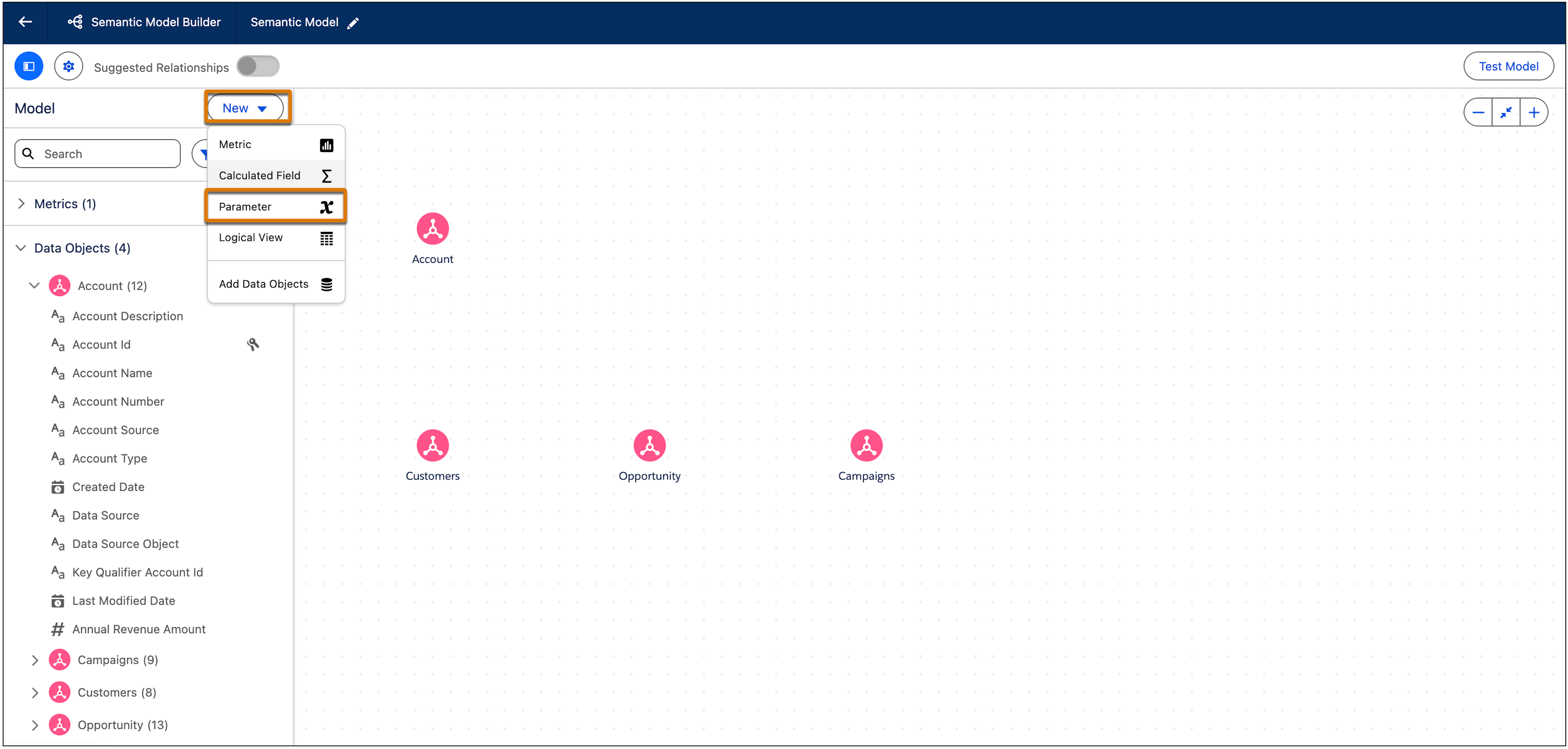
2. From the New dropdown, select **Parameter**.
    
    ![New SL parameter](https://sf-zdocs-cdn-prod.zoominsoftware.com/tdta-analytics-semantics-264-0-0-production-enus/f7c99ab1-3439-4722-b925-34cb47455d89/semantics/images/semanticlayer/SL_Parameter_New.png)
3. Configure the parameter settings.
    
    - **Parameter Name**—Enter a unique name for the parameter. The name should make it easy to identify what the parameter does.
    - **Data Type**—Select the data type for the parameter. Valid values are Text, Number, Date, Date Time, Percentage, and Boolean. Each Date Type has different setting options.
        - For Text, Number, Percentage, and Boolean, enter a custom value under Current Value.
        - For Date, choose the exact date from the calendar under Current Value.
        - For Date Time, choose the exact date from the calendar under Current Value and the time under Time in half-hour increments.
4. Click **Save**.