---
schema_version: "1"
id: e0061abd0dc27560d7c60f55bd04e6494fcc0d302a45dd23665a837d1e4a1205
title: Manage Data Objects in Tableau Semantics
collection: admin
version: current
locale: en-us
portal_url: https://docs.salesforce.com/admin/current/en-us/analytics/264-0-0/c360_a_sl_data_objects_manage.md
canonical_url: https://help.salesforce.com/s/articleView?id=analytics.c360_a_sl_data_objects_manage.htm&release=264.0.0&type=5
source_site: help.salesforce.com
content_type: documentation
content_hash: 2de4cb0f1389d04ce8b339279d142ede081d1aa1dbd834527584adb603f14249
description: A data object includes attributes and fields. You can add, edit, and delete a semantic model’s data objects.
products:
- Data 360
release: "264"
---
# Manage Data Objects in Tableau Semantics
A data object includes attributes and fields. You can add, edit, and delete a semantic model’s data objects.
### Required Editions
1. In Data Cloud, on the Semantic Layer tab, select a model.
2. On the Model tab, expand **Data Objects**.
Expand an object to see its fields.
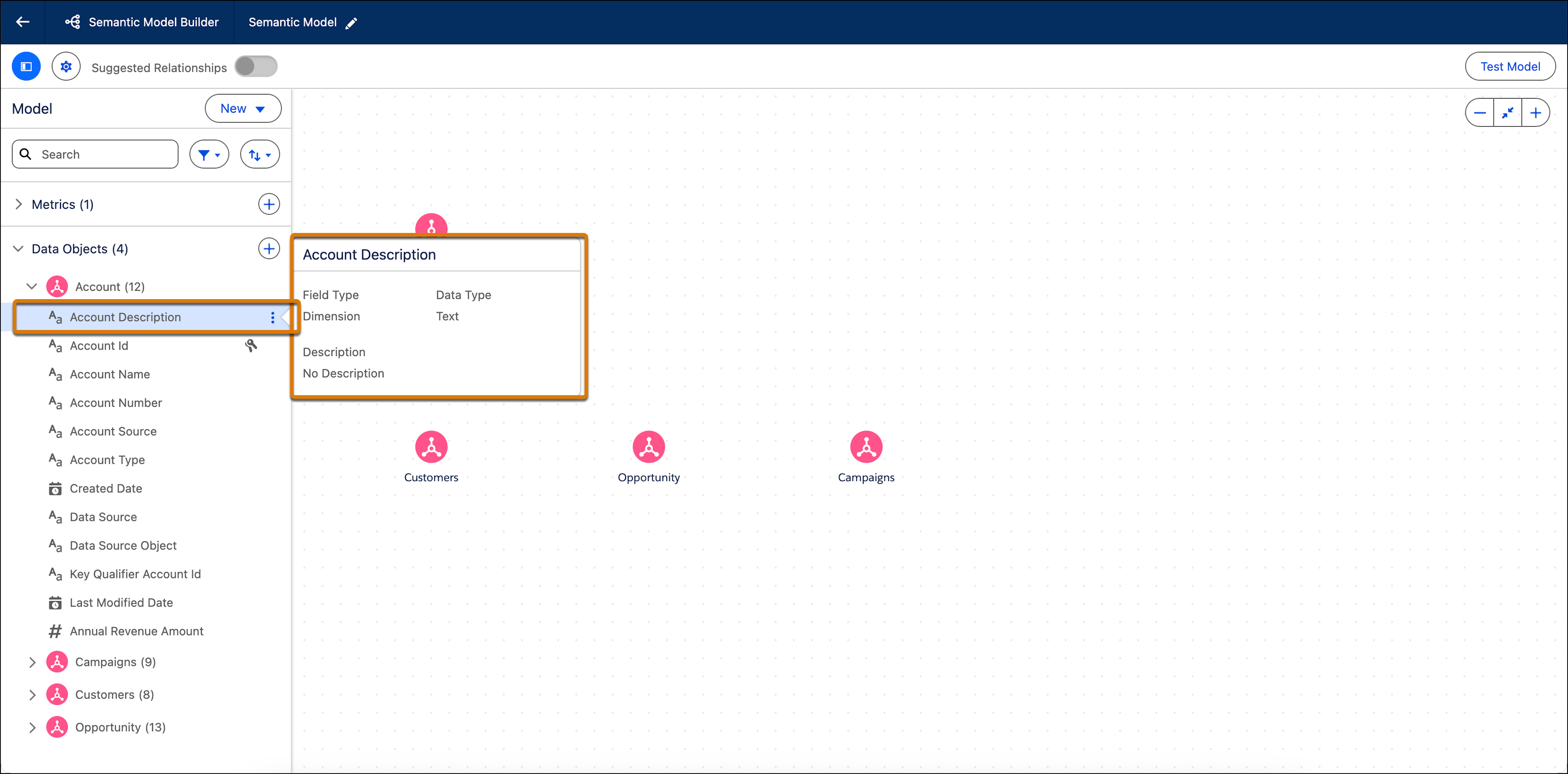
3. To view information about a specific field, hover over it.
4. To edit a data object field, click the field name, and make your changes in the editing window.
Changes made to the Data Object Field properties only apply to the fields in the semantic model. The changes don’t affect Data Cloud objects and their fields.
5. Edit the basic properties.
- **Field Name**—The name used for this field in the model.
- **Field Type**—Determines if the field is a dimension or a measure.
- **Description**—An optional description of the field.
- **Field Visibility**—Determines whether the field is visible in the Visualization layer to the end user. All fields are visible by default.
6. You can also edit specific properties that are unique to calculated dimensions or calculated measures.
7. To save your changes, click **Apply**.
8. To add or remove objects, from **New**, select **Add Data Objects**.
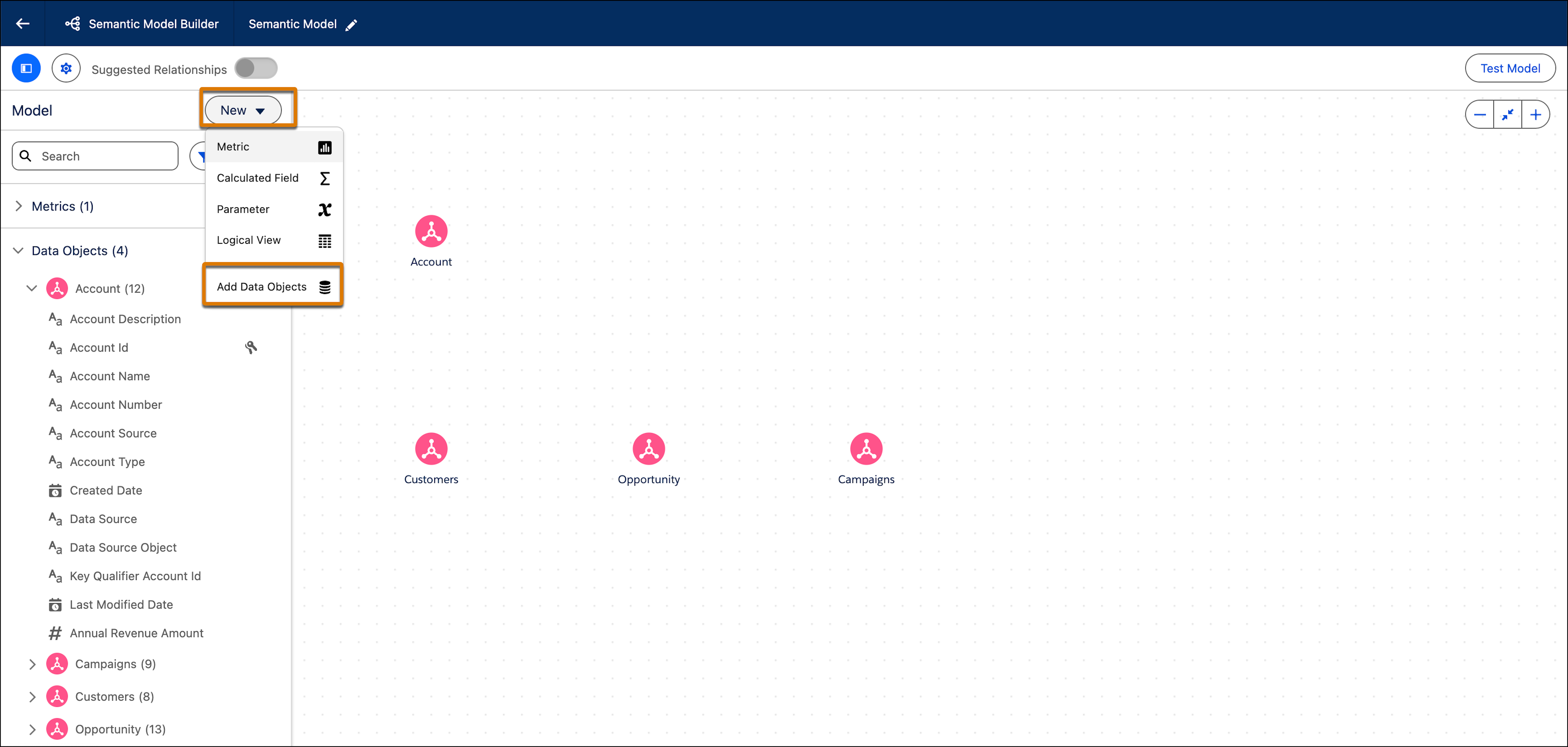
9. Select or deselect the objects and then click **Create**.
- **[Relationships in Tableau Semantics](https://help.salesforce.com/s/articleView?id=analytics.c360_a_sl_relationship.htm&release=264.0.0&type=5)**
A relationship connects different tables based on common fields. Establish relationships between your data objects to enrich your data model without the need to define a join type. Using a relationship to combine objects makes data preparation and analysis easier and more intuitive. It’s recommended you use relationships to combine your data before trying out other options.
- **[Logical Views in Tableau Semantics](https://help.salesforce.com/s/articleView?id=analytics.c360_a_sl_logical_view.htm&release=264.0.0&type=5)**
A logical view is a data object that combines objects using joins or unions rather than relationships. Although a logical view is a separate object type in the semantic model, it functions like any data model object (DMO) or data lake object (DLO). Use logical views in relationships, calculated fields, metrics, and other semantic definitions.
- **[Shared Dimensions in Tableau Semantics](https://help.salesforce.com/s/articleView?id=analytics.c360_a_sl_shared_dimensions.htm&release=264.0.0&type=5)**
Analyze and compare data across multiple fact tables by connecting them through the same dimension tables. Build complex, business-relevant analysis in a clean and trustworthy way, avoiding duplicate relationships and eliminating cycles in your semantic model.
- **[Organizational Hierarchies in Tableau Semantics (Beta)](https://help.salesforce.com/s/articleView?id=analytics.c360_a_sl_org_hierarchy_overview.htm&release=264.0.0&type=5)**
Organizational hierarchies reflect your company's reporting structure — who reports to whom and how teams are organized — and let analysts and business users analyze metrics at any level of that structure in Tableau Semantics. Without organizational hierarchies, each organizational level requires a separate metric definition.