---
schema_version: "1"
id: c39dffd13f87a856550d6503156a07c79d66ba2a0e2766ecb9fd3dc986085514
title: Create a Semantic Model in Data 360
collection: admin
version: current
locale: en-us
portal_url: https://docs.salesforce.com/admin/current/en-us/analytics/264-0-0/c360_a_sl_data_models_create_new.md
canonical_url: https://help.salesforce.com/s/articleView?id=analytics.c360_a_sl_data_models_create_new.htm&release=264.0.0&type=5
source_site: help.salesforce.com
content_type: documentation
content_hash: 7cdbdad09c8e47bd2c85e655296b323e9993c7108deaf5c5b426578dc912f607
description: "Create a semantic model to serve specific business needs directly from Data 360. There are three ways to create a semantic model: start from scratch, extend an existing semantic model, or build it using a Data 360 data kit."
products:
- Data 360
release: "264"
---
# Create a Semantic Model in Data 360
Create a semantic model to serve specific business needs directly from Data 360. There are three ways to create a semantic model: start from scratch, extend an existing semantic model, or build it using a Data 360 data kit.
### Required Editions
1. In Data Cloud, on the Semantic Layer tab, click **New Model**.
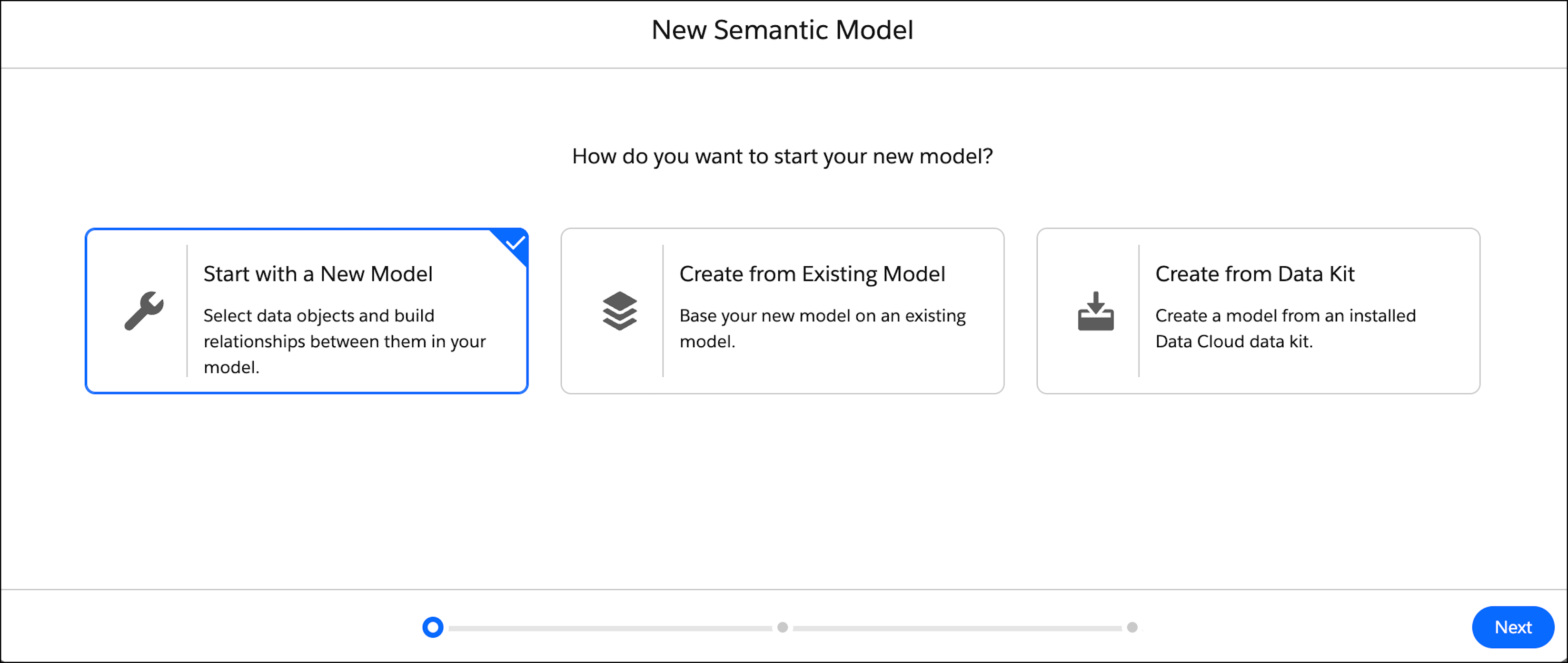
2. Select **Start with a New Model** and then click **Next**.
3. Select the data objects for your semantic model. You can select up to 100 objects.
After you select an object, the object’s fields are listed on the right. All fields are selected by default.
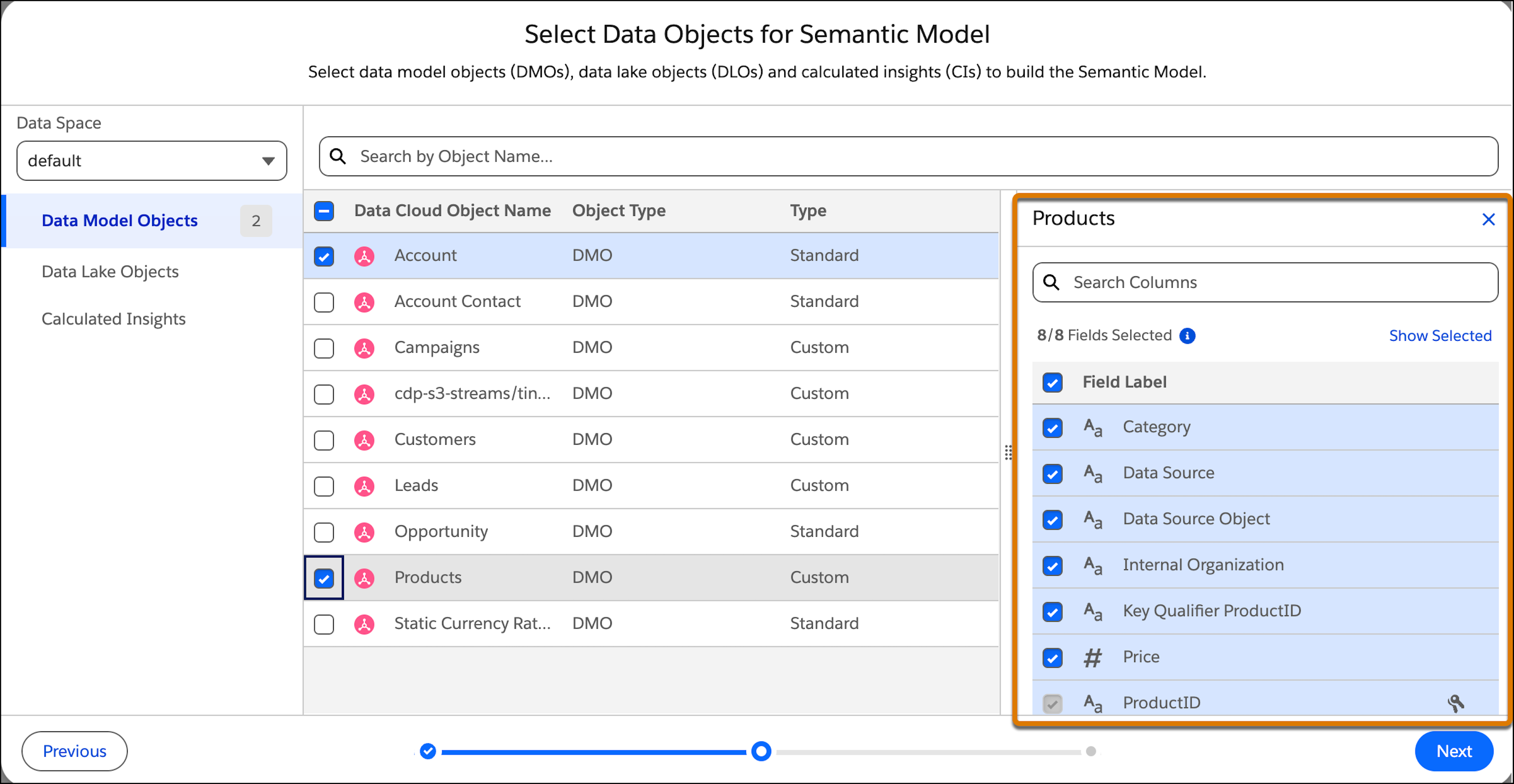
4. To not include a field in the semantic model, deselect it.

Note Certain field names, like primary key fields, are required, so you can’t remove them. You also can’t remove calculated insight fields to maintain data integrity. Field types that aren’t supported field types are disabled.
5. Click **Next** and then enter the model information.
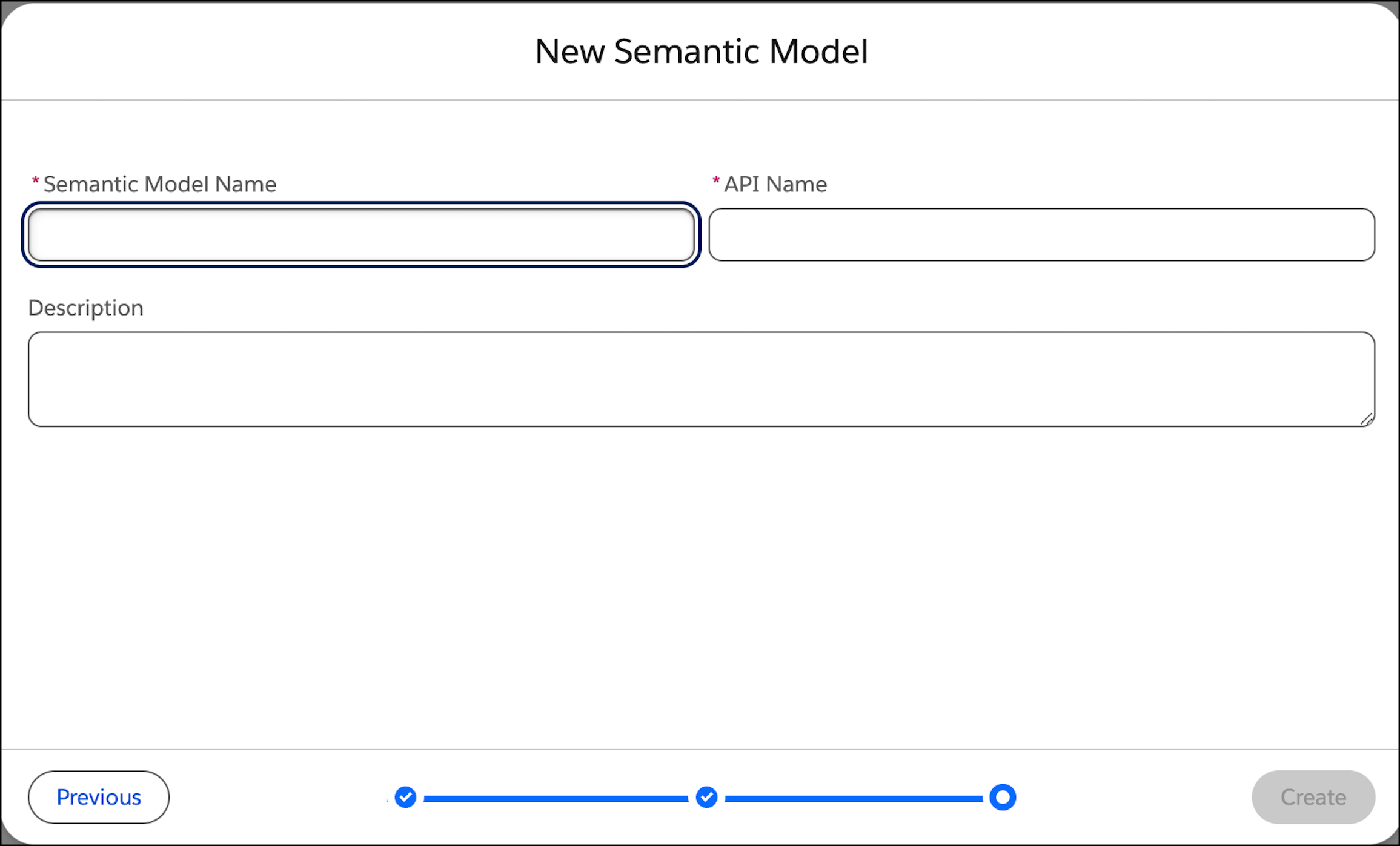
6. Give the model a descriptive name and an API name, and enter an optional description. You can’t change the API name after the model is created.
7. Click **Create**.
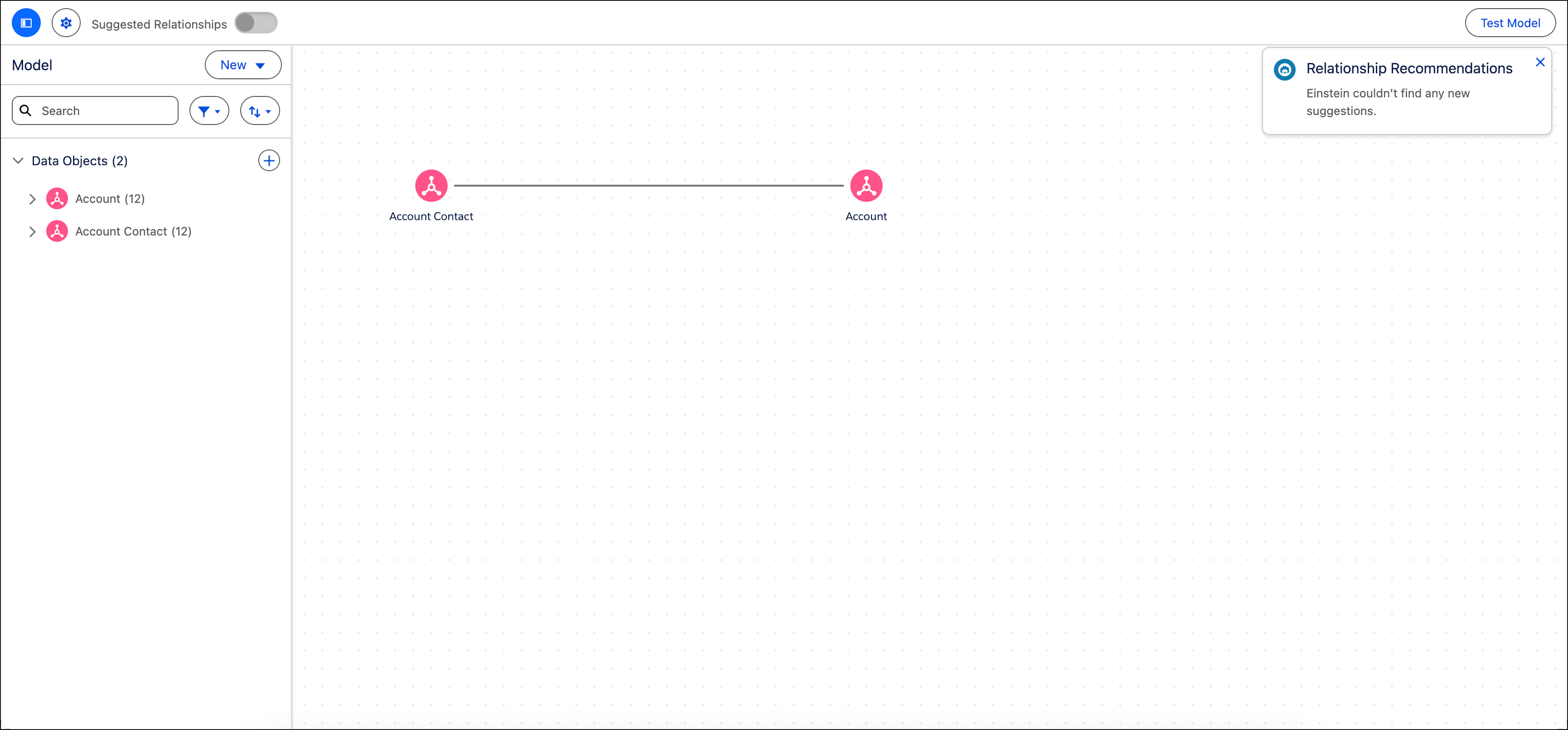
8. Review the objects to include before you start building the semantic model.
The relationships between DMOs in Data Cloud that were created before are added to the model. Relationships that create circular relationships — references to the same object multiple times — are removed.
- **[Create an Extended Model Based on a Base Model](https://help.salesforce.com/s/articleView?id=analytics.c360_a_sl_data_models_create_existing.htm&release=264.0.0&type=5)**
Use an existing semantic model and extend it to create an extended model. When you create an extended model it stays connected to the base model, and the base model remains the single source of truth. Changes made to the referenced model are automatically added to the composed model, but changes made to the composed model aren’t pushed to the base model.
- **[Create a Semantic Model from a Data Kit](https://help.salesforce.com/s/articleView?id=analytics.c360_a_sl_data_models_create_from_data_kit.htm&release=264.0.0&type=5)**
To create consistent semantic models, use a data kit. A data kit includes all the semantic definitions, such as the data objects, their relationships, parameters, calculated fields, and metrics. However, a data kit doesn’t include dependencies like data streams and calculated insights.
- **[Create a Semantic Model from a Tableau Published Data Source (PDS)](https://help.salesforce.com/s/articleView?id=analytics.c360_a_sl_data_models_create_from_pds.htm&release=264.0.0&type=5)**
Connect Tableau Published Data Sources (PDS) directly to the Semantic Layer to explore Tableau Next using your existing Tableau content, without any data or metadata migration.