---
schema_version: "1"
id: f414b409513eff9bc7e5214ecd202b56b2b28c9fd0c071e5ee155ba719d1cc89
title: Create Reports and Dashboards on the Analytics Tab
collection: admin
version: current
locale: en-us
portal_url: https://docs.salesforce.com/admin/current/en-us/analytics/264-0-0/analytics_home_create.md
canonical_url: https://help.salesforce.com/s/articleView?id=analytics.analytics_home_create.htm&release=264.0.0&type=5
source_site: help.salesforce.com
content_type: documentation
content_hash: 164e3f98000eb4aa20f4b26345fe95759fbfc6048153be79426acee20df17e53
description: Create reports and dashboards right from the Analytics tab. Rather than opening multiple tabs, you can stay in one app and create the analytics you want.
products:
  - Cross Cloud
release: "264"
---
# Create Reports and Dashboards on the Analytics Tab

Create reports and dashboards right from the Analytics tab. Rather than opening multiple tabs, you can stay in one app and create the analytics you want.

### Required Editions

<table class="slds-table slds-table_bordered slds-max-medium-table_stacked slds-m-bottom_small edition"><colgroup><col></colgroup><tbody><tr class=""><td class="slds-cell-wrap" style="vertical-align:top;">Available in: Lightning Experience</td></tr><tr class=""><td class="slds-cell-wrap" style="vertical-align:top;">Available in: <strong>Essentials</strong>, <strong>Group</strong>, <strong>Enterprise</strong>, <strong>Professional</strong>, <strong>Unlimited</strong>, and <strong>Developer</strong> Editions.</td></tr></tbody></table>

<table class="slds-table slds-table_bordered slds-max-medium-table_stacked slds-m-bottom_small permission">
        <colgroup>
          <col style="width:50%">
          <col style="width:50%">
        </colgroup>
        <thead class="slds-text-title_caps ">
          <tr class="">
            <th scope="colgroup" class="slds-cell-wrap" colspan="2" style="text-align:center;vertical-align:top;" id="d49191e79">User Permissions
              Needed</th>
          </tr>
        </thead>
        <tbody>
          <tr class="">
            <td data-label="User Permissions Needed" class="slds-cell-wrap" style="vertical-align:top;" headers="d49191e79 ">To create reports and dashboards on the Analytics tab:</td>

            <td class="slds-cell-wrap" style="vertical-align:top;" headers="d49191e79 ">
              <dl>

                <dt style="font-weight:bold;padding-top:.25rem;">Enhanced Folder Sharing</dt>

                <dd style="padding-left:1.5rem;padding-bottom:.5rem;">Run Reports AND Create and Customize Dashboards</dd>

              </dl>
            </td>

          </tr>
        </tbody>
      </table>

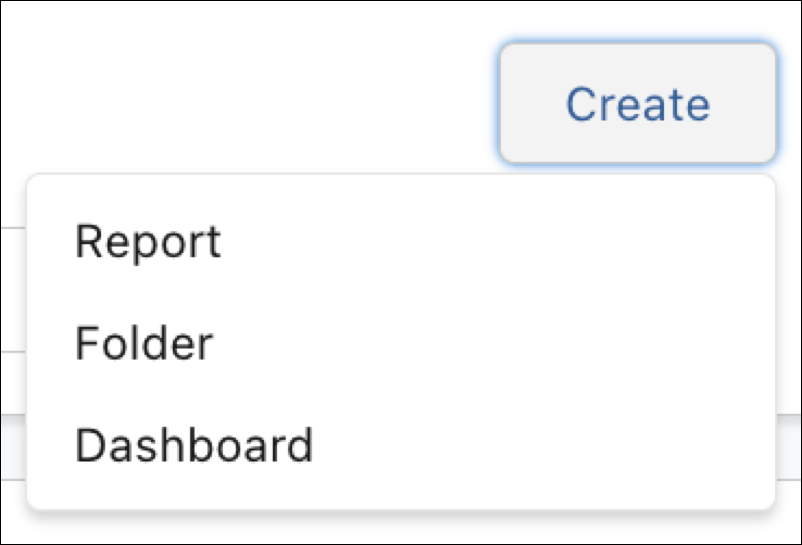
From the Analytics tab, click the **Create** button. Options to create a report, dashboard, and folder appear within its menu. For example, from the menu, click Dashboard, and it brings up the wizard for a new dashboard.
![Create button in Analytics home](https://sf-zdocs-cdn-prod.zoominsoftware.com/tdta-analytics-analytics-264-0-0-production-enus/295fead5-b71d-4e1c-9886-4af4d53400b6/analytics/images/analytics_home_create.png)

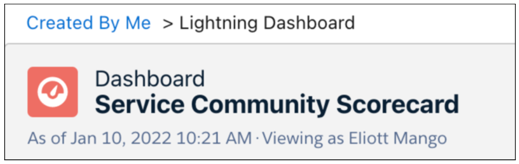
When you finish, use the navigation breadcrumb to return home.
![Dashboard with navigation breadcrumb](https://sf-zdocs-cdn-prod.zoominsoftware.com/tdta-analytics-analytics-264-0-0-production-enus/295fead5-b71d-4e1c-9886-4af4d53400b6/analytics/images/analytics_home_create_2.png)