Your partners, employees, and customers in Experience Cloud sites have different needs
when searching for information. Sites also address specific use cases, including portals, help
forums, and support communities. Create a search configuration with the needs of a site in mind.
Choose which objects and fields are available to search, and filter out content they don’t
need.
Required Editions
| Available in: Einstein Search in Lightning Experience |
| Available in: Enterprise, Performance, Unlimited, and
Developer Editions
|
| Applies to: LWR sites |
| User Permissions Needed |
| To customize an Experience Cloud site: |
- Be a member of the site AND Create and Set Up Experiences
OR
- Be a member of the site AND an experience admin, publisher, or builder in that
site
|
| To use Search Manager: |
Customize Application AND View Setup |
-
From Setup, in the Quick Find box, enter Search Manager, and
then select Query Configurations.
- Click New.
- Enter a unique name.
- Select LWR Experience Sites, and click
Continue.
- Select the objects to include in the search.
- For each searchable object, select which fields to include in the search.
If the field has a

icon, it’s a locked standard field, and you can’t change its search
state.
- Apply the search configuration to your LWR site with Experience Builder. You must already
have an LWR site with a Search Results page.
- From Setup, in the Quick Find box, enter All Sites, and then
select All Sites.
- Next to the site that you want to apply the search configuration to, click
Builder.
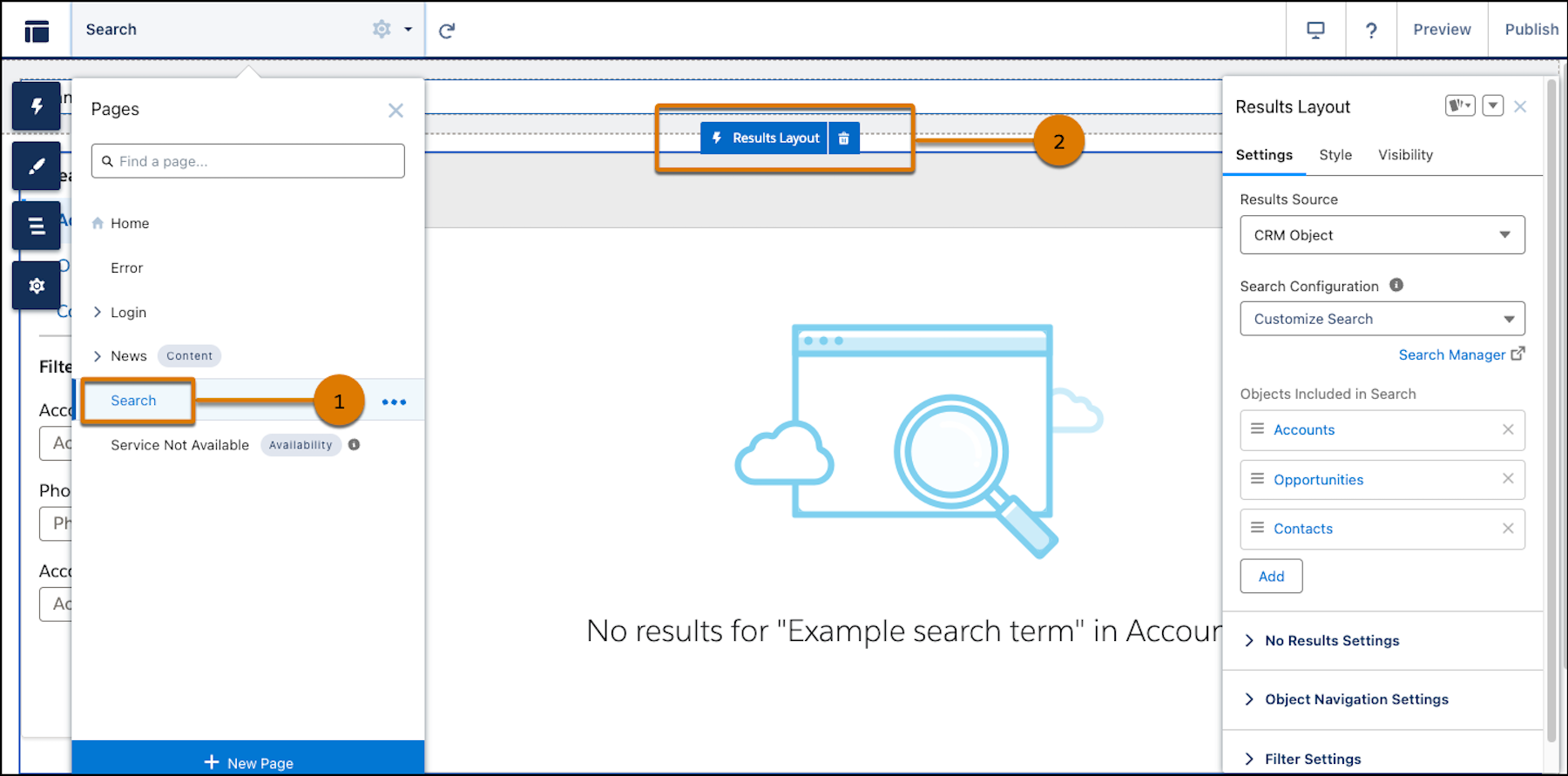
- Go to the Search page (1) and click the Results Layout component
(2).
- In the Results Source field, select CRM Object from the
dropdown.
- Select your search configuration from the Search Configuration (Beta) dropdown.
- Click Publish.