
Monitor key performance metrics, resolution rates, and flex credit consumption for your deployed Help Agents to track support effectiveness and customer satisfaction.
- Before you can view Help Agent Analytics, you must turn it on. See Turn On Help Agent Analytics.
-
In the Track Analytics section of the Help Agent Salesforce Go page, click
Go.
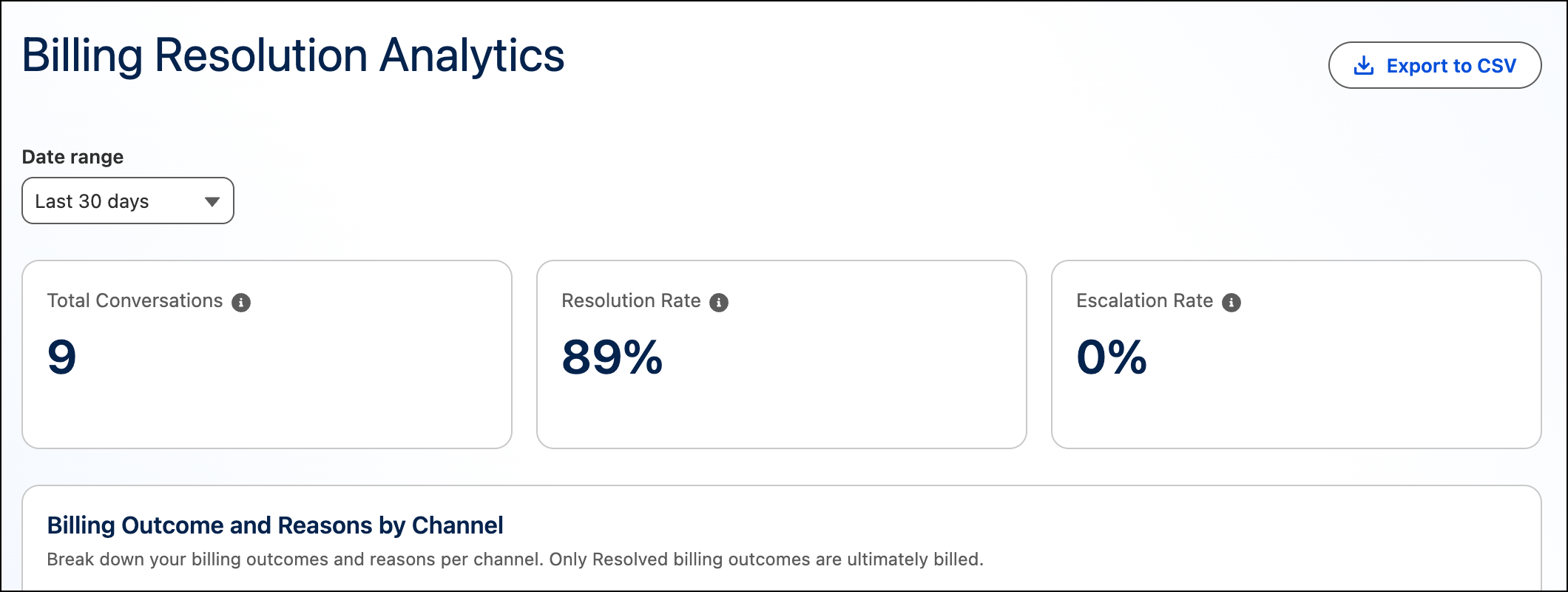
The Billing Resolution Analytics page shows these metrics.
| Metric | Description |
|---|---|
| Total Conversations | The total number of conversations had by Help Agents that could result in a billable resolution outcome. Only resolved conversations are billed: Voice = 10 minutes (or any fraction) and Messaging = 2 hours (or any fraction). |
| Resolution Rate | The rate of conversations resolved by Help Agents. A conversation is considered resolved when: There were at least 2 turns after the initial welcome message from the agent, no escalation to a service rep or to a case occurred, and no negative user feedback given. |
| Escalation Rate | The rate of conversations with a Help Agent that resulted in escalations to a service rep or to a case. For more details, see Understanding Escalations from Help Agent to Service Rep. |
The Billing Resolution Analytics page also shows charts. See Chart Guidance and Actions.