
Each time you edit and redeploy an agent, a new version is created to track changes over time. Whenever possible, use Quick Service Agent Configuration to manage your Help Agent, such as when updating knowledge grounding sources.

Important For advanced customizations—such as adding custom actions, subagents, or
integrations—use Agentforce Builder. However, note that if you modify any part of the Agent Script in Agentforce Builder, you can no longer edit the
agent with Quick Service Agent Configuration.
-
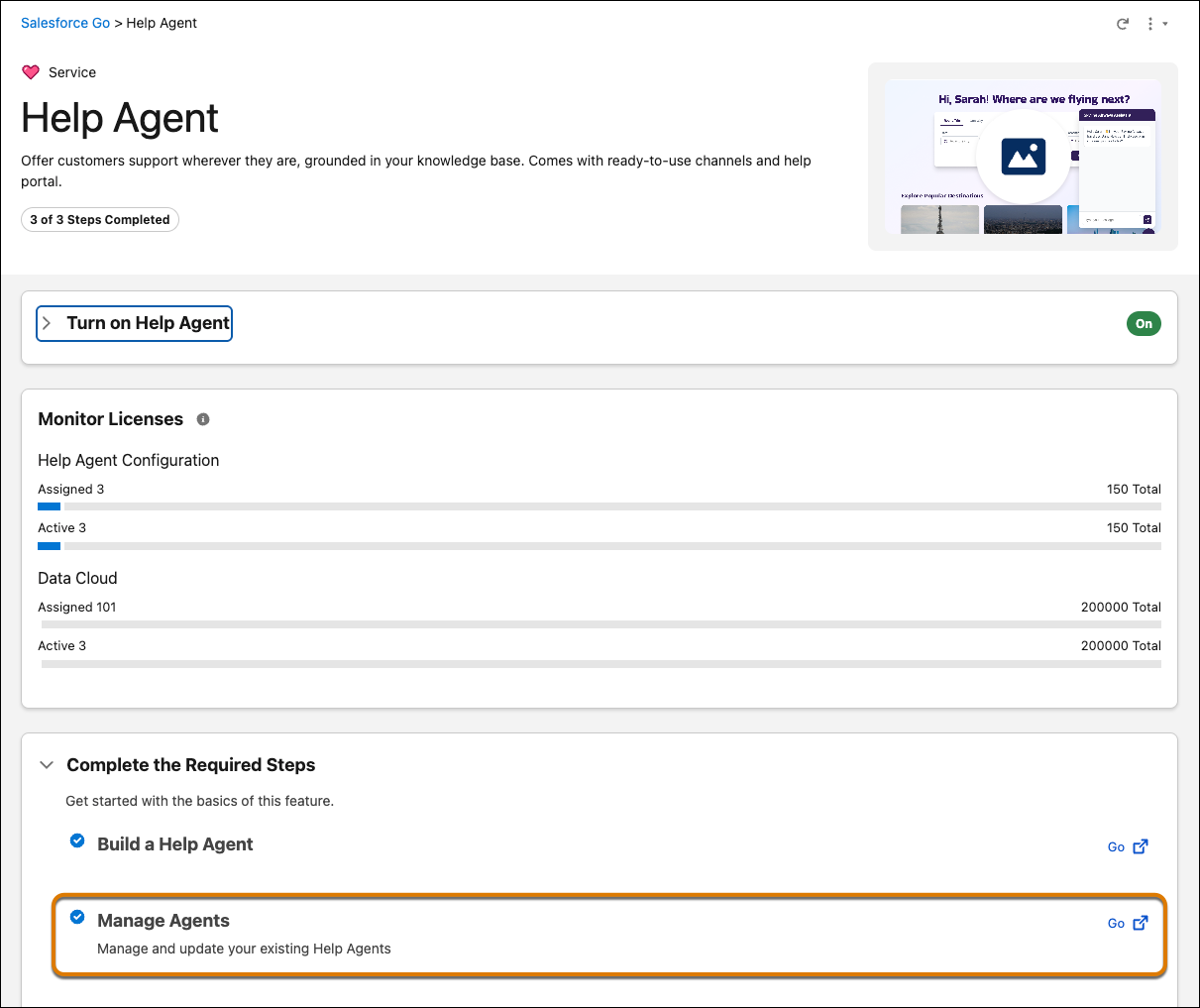
In the Manage Agents section of the Help Agent Salesforce Go page, click
Go.
The Build and Manage Your Agents page lists all Help Agents created with Quick Service Agent Configuration.
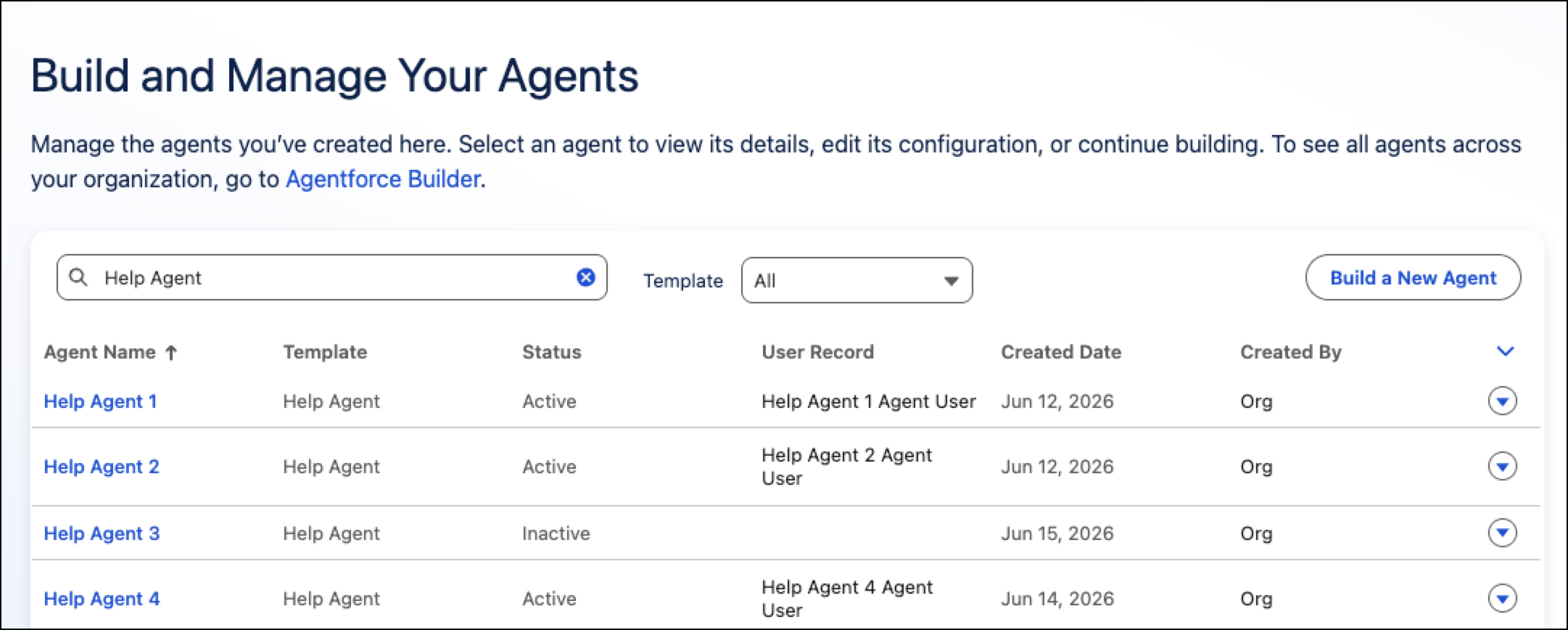
 Tip To see all agents across your organization, go to Agentforce Studio.
 -
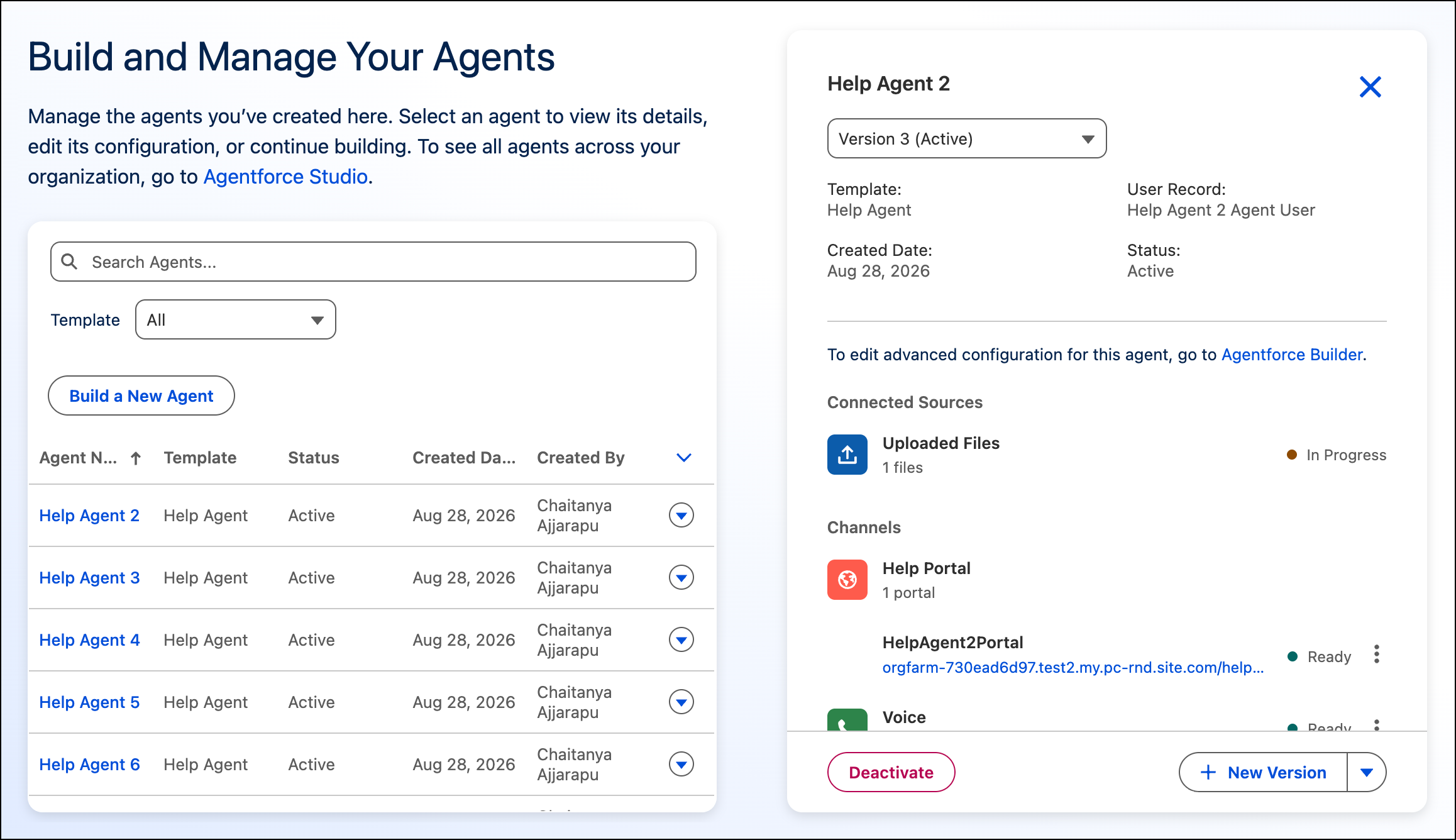
In the list of agents, click the name of the agent that you want to edit.
The details show the current version, version’s status, knowledge sources, and channels on which the agent is deployed.
-
To edit the agent version with an Active status, click New
Version.
The Meet Your Agent page shows the current configuration in the new version, which is in the Draft state. When you’re done, you’ll have to activate it.
-
Edit the agent as needed.
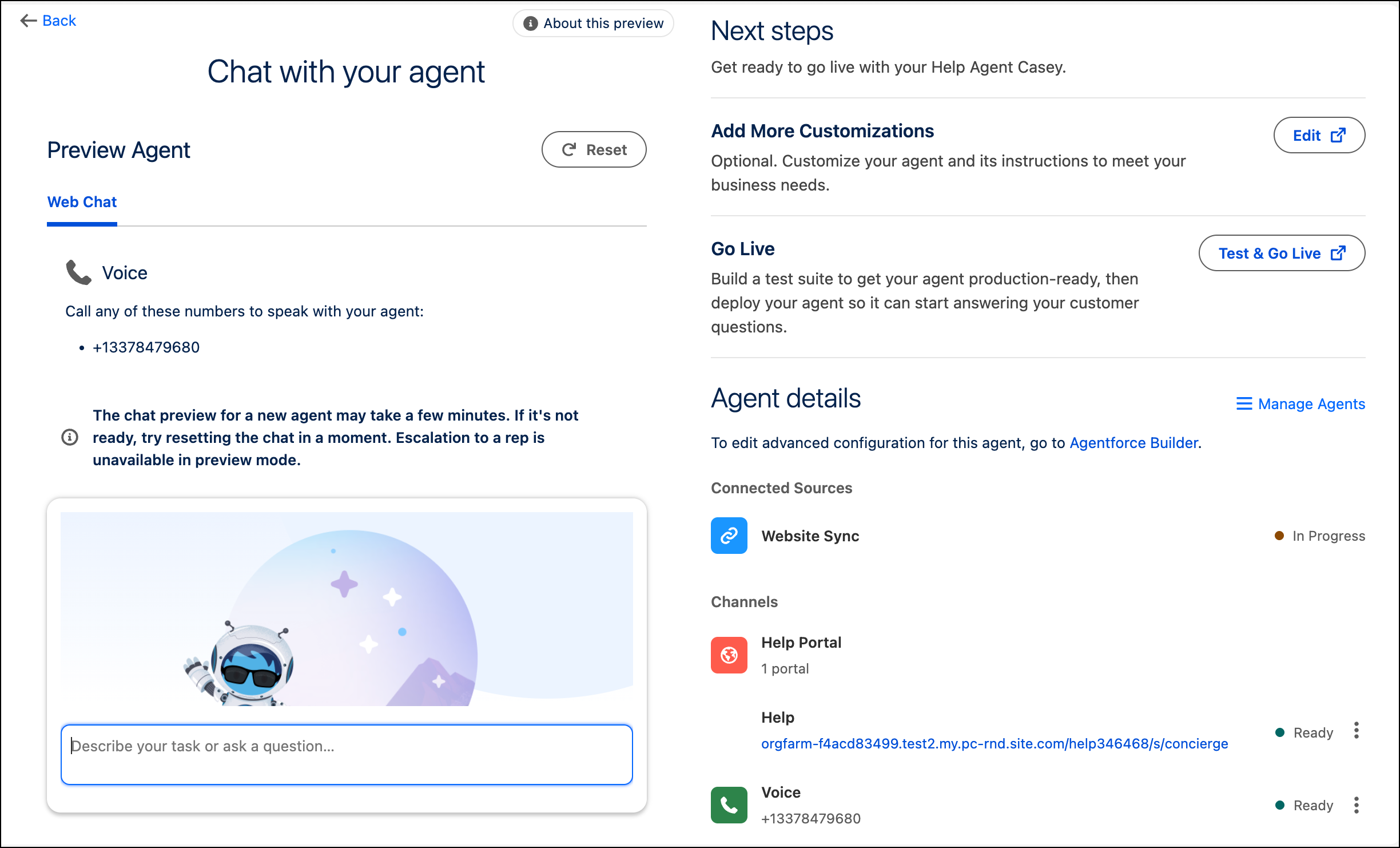
When you click Continue in the Add to Channels page, the agent is saved and activated, and the Chat with Your Agent page appears.
-
To customize your agent and its instructions, next to the Add More Customizations
section in the Chat with Your Agent page, click Edit.
The agent opens in Agentforce Builder.
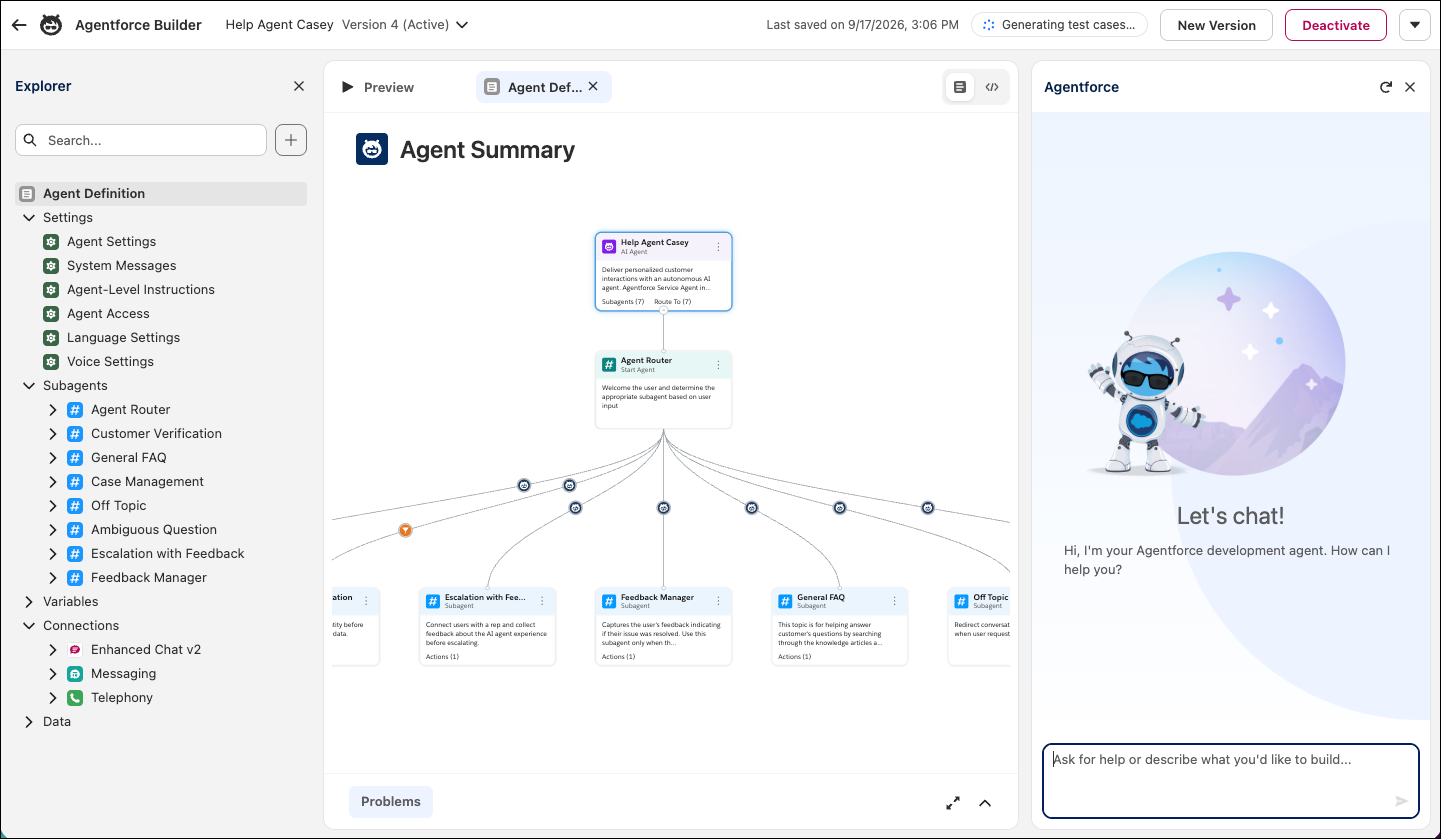
- To customize the agent, click New Version.
- Review and edit the settings as needed.
-
To save your changes to this version of the agent, click
Save.
Although these changes are saved, they aren’t applied to your agent in production yet.
- To activate the agent and push these changes to your agent in production, click Activate, and then click Activate again.
- Agent Versions and Channels
When you create a Help Agent, Salesforce tracks your changes using versions. Understanding what is and isn't version-controlled helps you make changes safely and plan deployments effectively.