
Use custom retrievers to connect to more types of data sources in Data 360 including ensemble retrievers, or, connect companion orgs to data libraries and search indexes configured in your home org.
Required Editions
| Available in: Lightning Experience |
| Available in: Enterprise, Performance, and Unlimited Editions with the Einstein for Platform or Einstein or Agentforce for Sales or Service add-on, or Agentforce Foundations |
To use Agentforce Data Libraries, you must have Data 360 set up. Data libraries consume Data 360 credits.
To connect to a custom retriever from your home org, you must first create a search index in Data 360 and then create a retriever for that search index and activate it.
- From Setup, in the Quick Find box, enter Agentforce Data Library, and then select Agentforce Data Library.
- Click New Data Library. Enter a name and the API name automatically populates. Optionally, enter a description. Click Save.
-
For Data Type, from the dropdown menu, select Custom Retriever.
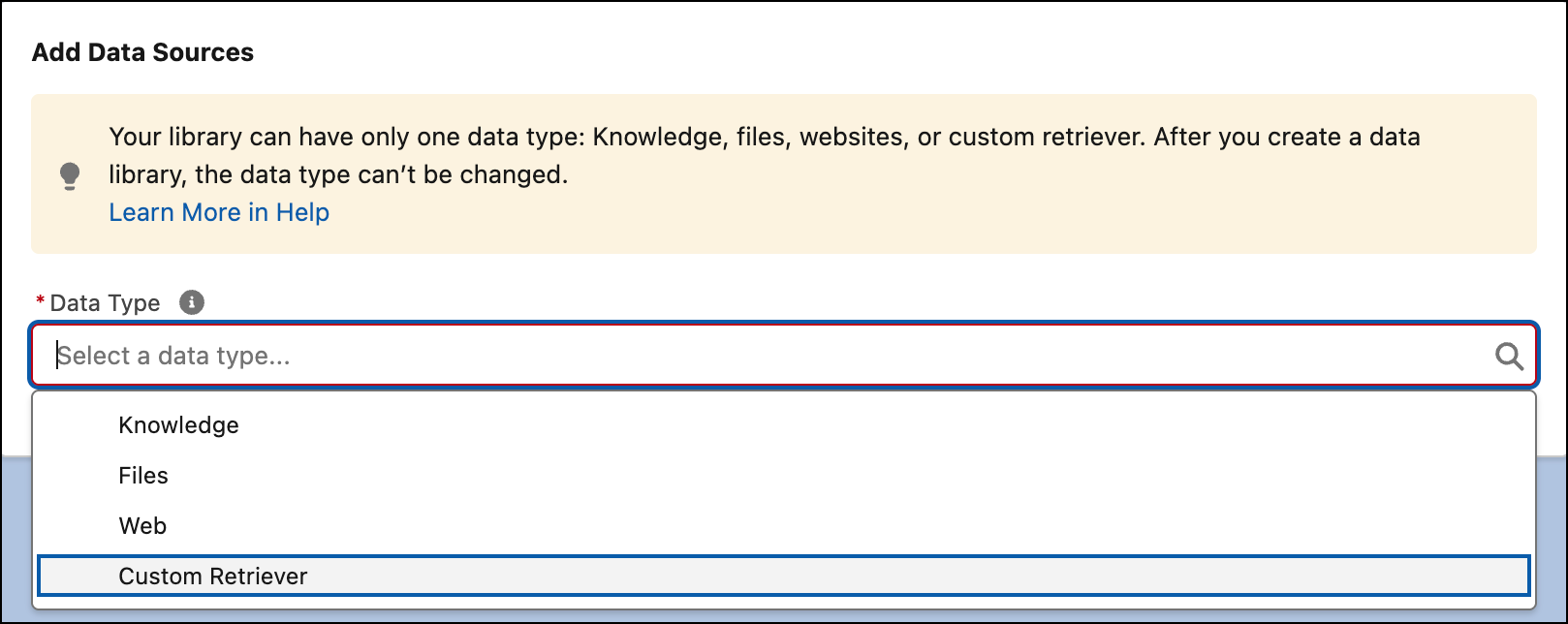
-
The available custom retrievers appear in a table.
Select the retriever that is linked to the data library or data you want to access. Only active retrievers are listed.
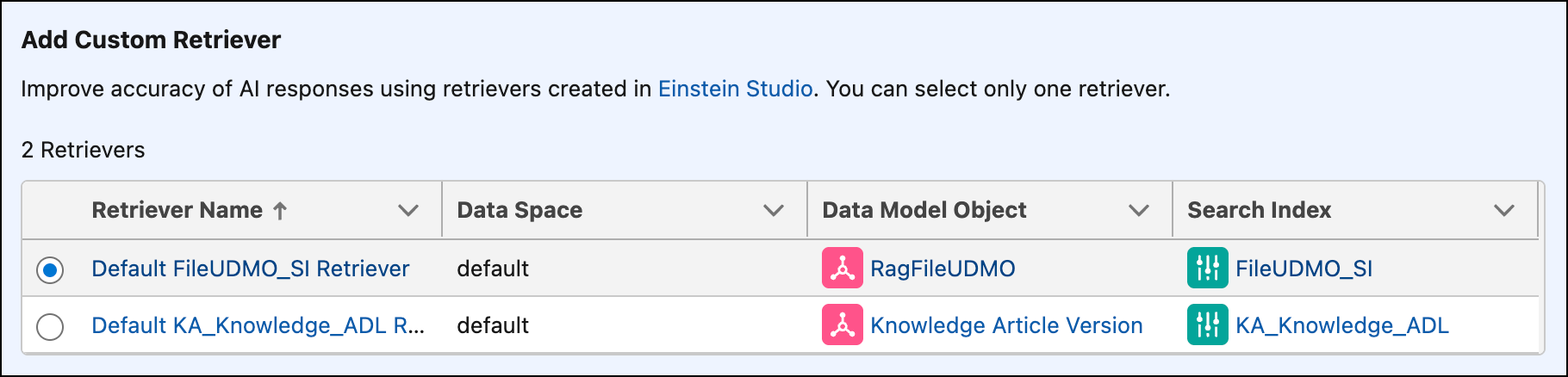
 Note Considerations for selecting a retriever.
- A retriever with the File_… prefix connects to your uploaded file search index.
- A retriever with the KA_… prefix connects to Knowledge based search indexes.
- A retriever with the Web_… prefix connects to web sources. Web search data libraries are read-only; you can view and manage existing libraries but can't create new ones.
- In your home org, you can only connect to retrievers created in Data 360.
- You can only connect to retrievers that exist in the home org. To use a data library in a companion org, you must first configure the data library in the home org.
- When you create a data library with a custom retriever in a companion org, you can’t delete the associated retriever in the home org. To delete it in the home org, you’ll first need to deselect the retriever in the companion org.
- Dynamic pre-filters aren’t supported when using a data library with the Answer Questions with Knowledge prompt template. Only static pre-filters are supported. As a workaround, use a separate data library for each category or brand, or use a custom Apex invocable action to pass filter values at runtime.
- To use an ensemble retriever and assign multiple data libraries to your agent, first Create an Ensemble Retriever. Once you’ve created your ensemble retriever, you can select it from the list of active retrievers.
- Save your work.
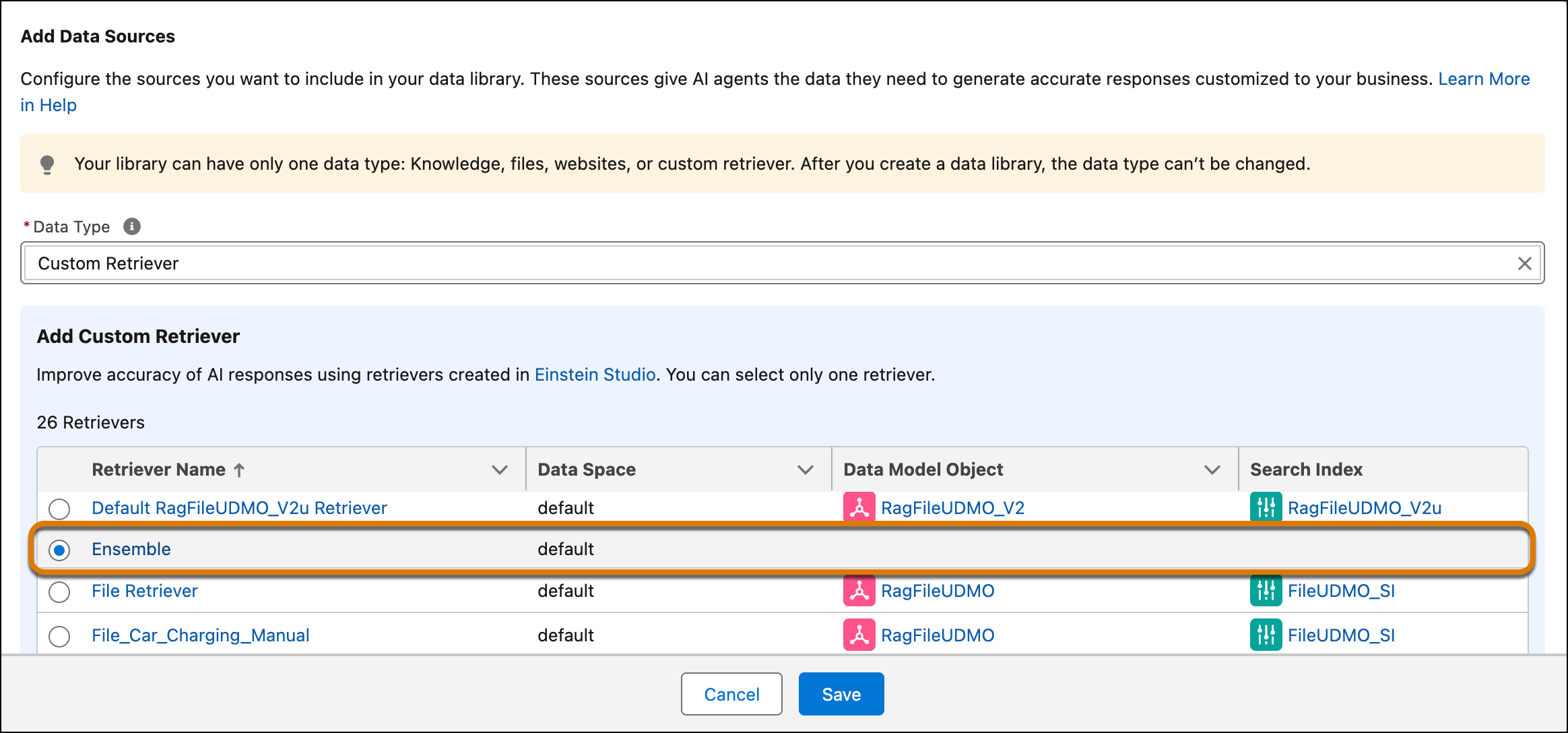
Now you can connect agents to more types of data stored in Data 360, or you can connect data libraries and data from your home org with agents in your companion orgs. To link your companion org to multiple data libraries in your home org, create a custom retriever type data library and select the associated retriever for each library.