
Customize the user interface (UI) for an agent action’s input and output by using custom Lightning types.
Required Editions
| Available in: Lightning Experience |
| Available in: Enterprise, Performance, Unlimited, and Developer Editions with Foundations or Agentforce 1 Editions. Access to some standard agent actions requires additional add-on licenses. |
By associating a Lightning web component (LWC) with your custom Lightning type, you can override the default UI to create a customized appearance for the agent’s action inputs and outputs.

Note You can only override the default UI with a custom Lightning type for agent actions that
use Apex classes as input or output.
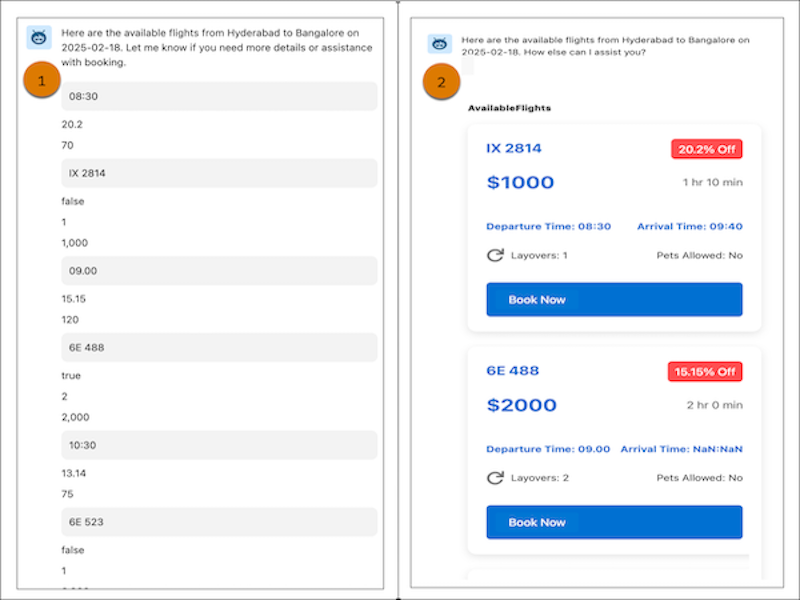
The screenshots show how a custom Lightning type with a custom LWC can improve the UI for an agent action’s output. Here’s the default UI for output in an agent action (1) and the customized UI for output after you apply custom Lightning types (2).
- Get Started with Custom Lightning Types
These resources are available to help you customize your agent’s interface. - Integrate a Custom Lightning Type with an Agent Action
Connect a custom Lightning type to an agent action's input or output to apply your custom user interface.