
Complete these prerequisites before you configure Amazon Connect.
-
Verify that your Amazon Connect instance uses the Connect Customer plan, not Amazon
Connect Customer Basic.
To change the plan from Amazon Connect Customer Basic to Amazon Connect Customer, in the AWS console, go to Connect Customer, select the instance, click Customer in the left pane, and then click Change. This change updates your pricing.
-
Verify that you have access to these AWS tools.
awscurl. Useawscurlto create the agent-to-agent (A2A) application and the AI agent.- AWS Command Line Interface (CLI). The AWS CLI doesn’t include the request fields for
some
awscurlcalls needed to set up Amazon Connect.
-
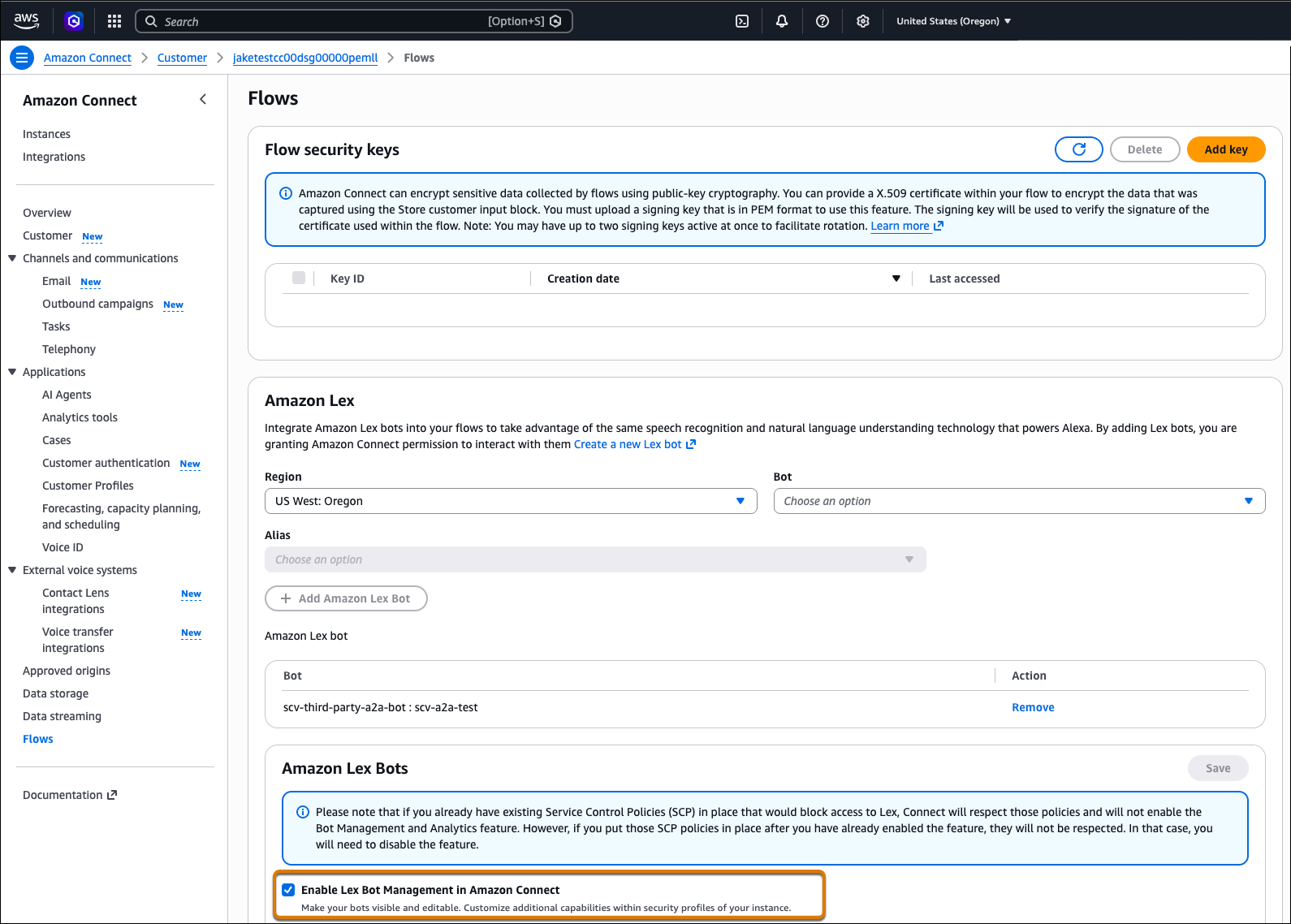
To turn on Connect Unlimited AI and get the required roles to set up Amazon bots, in
the Flows tab in Amazon Connect, select Enable Lex Bot Management in Amazon
Connect.

Tip Save the output from every command that you run because some outputs are used
as inputs for subsequent steps.