
Configure Authentication If You Aren’t a Salesforce Voice with Telephony Providers Customer
If you aren’t a Salesforce Voice with Telephony Providers customer, deploy the SalesforceJwtRotatorNonScvStack CloudFormation stack to the same AWS account and region as the instance. Set the instance, org, and channel parameters. After the stack is created, replace the private-key placeholder in the <identity>-salesforce-secret secret with your RSA private key. Then run the rotator and confirm that the JWT secret contains a token before you use its ARN. The rotator generates the token, rotates it every 55 minutes, and writes the latest token into the JWT secret. The stack passes the JWT secret ARN to the contact flow.
- Verify that you already created the messaging channel for Agentforce Voice in Salesforce and specified the certificate in the Public Key field for that messaging channel. The channel can’t transfer calls to an agent without this certificate. See Create the Channel for Agentforce Voice with Real-Time Streaming.
- Download the SalesforceJwtRotatorNonScvStack.yaml stack.
- Open AWS CloudFormation.
- To start creating the stack, open the Stacks tab.
-
In the Stacks tab, click Create Stack and select With
New Resources (Standard).
-
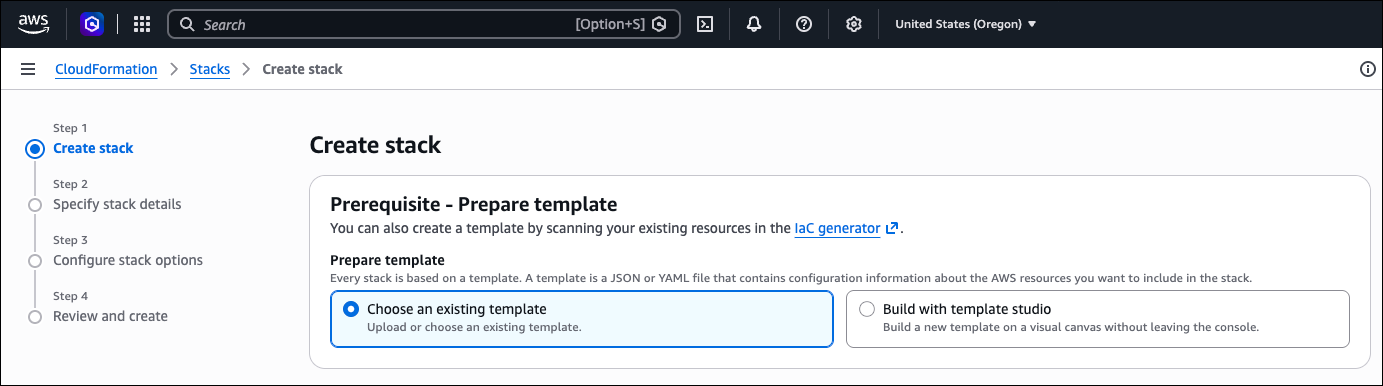
In the Create Stack page:
- Select the same region as your Amazon Connect instance. For example, if your instance is in Oregon (us-west-2), deploy the stack to that region.
- Select Choose an Existing Template.
- Select Upload a Template File.
- Click Choose File.
- Click Next.
-
In the Specify Stack Details tab:
- Enter any stack name.
-
Set these stack parameters.
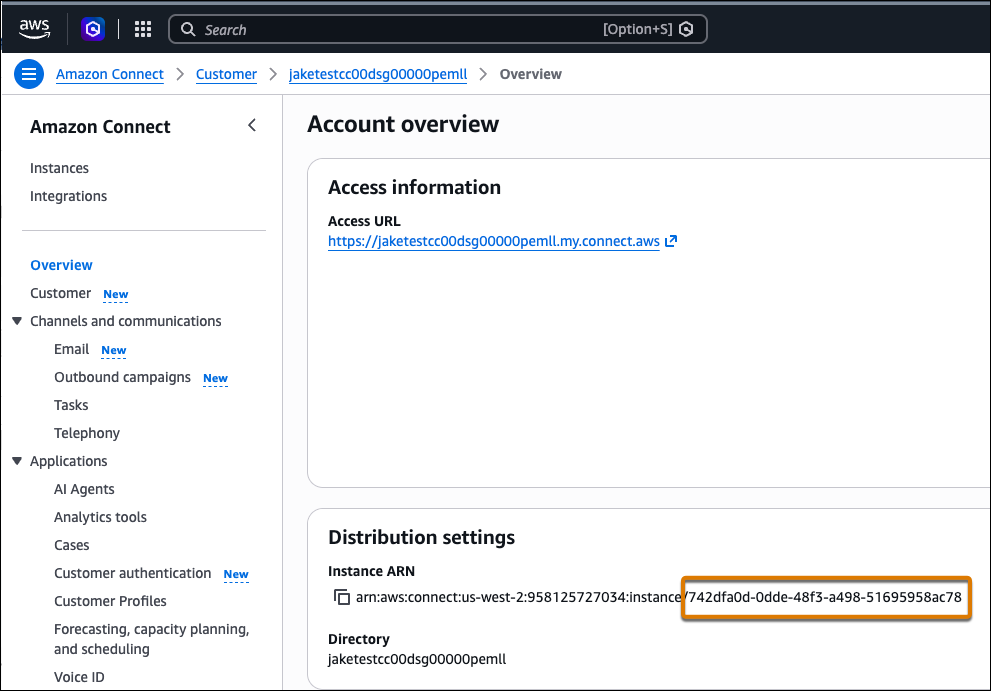
CallCenterApiName. Leave the name empty. You don’t have a Salesforce Voice contact center.ConnectInstanceId. Enter the Amazon Connect instance ID. This value limits decrypt and read access to this instance. To get the instance ID, in the Amazon Connect console, open Amazon Connect Customer in the same region. The ID is the last part of the instance ARN.
MessagingChannelApiName. Enter the developer name of the messaging channel created in Salesforce. When you set it, the stack uses it instead ofCallCenterApiNamefor the JWTsubclaim and for secret names.PermissionBoundaryARN. Leave the default value, unless the account requires a permissions boundary.S3BucketForScvResources. Leave the default value.SalesforceOrgId. Enter the Salesforce org ID. You can get the org ID from the Company Information page under Setup. This ID becomes the JWTissclaim.SalesforceRelease. Leave the default value.Version. Leave the default value.
- Click Next.
-
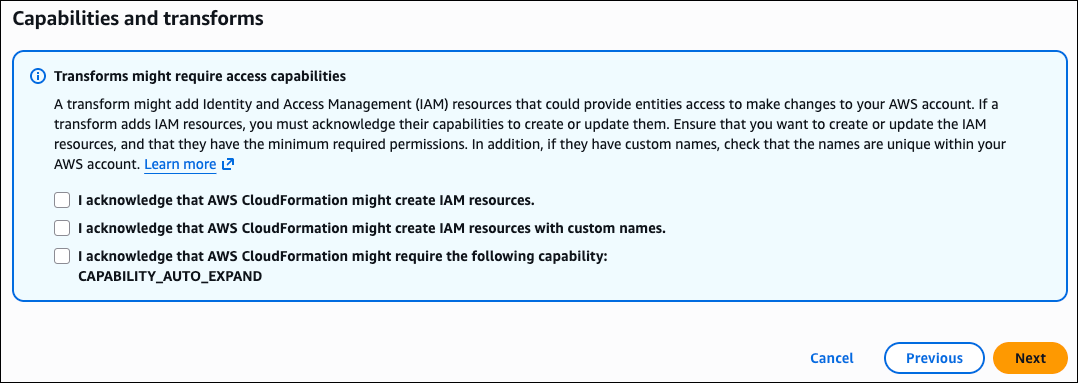
In the Configure Stack Options tab, scroll down to the Capabilities and Transforms
section, select the three checkboxes, and click Next.
- In the Review and Create tab, keep the defaults, and click Submit.
-
Launch the stack.
This provisions the KMS key, both secrets (with a placeholder value in the private-key field), the Lambda functions, IAM roles, and the EventBridge schedule.After deployment, the stack creates the resources that generate the JWT token, including two secrets. The
<identity>-salesforce-jwt-secretsecret stores the messaging channel API name and the Salesforce org ID. The<identity>-salesforce-secretsecret stores the private key, which you will add now.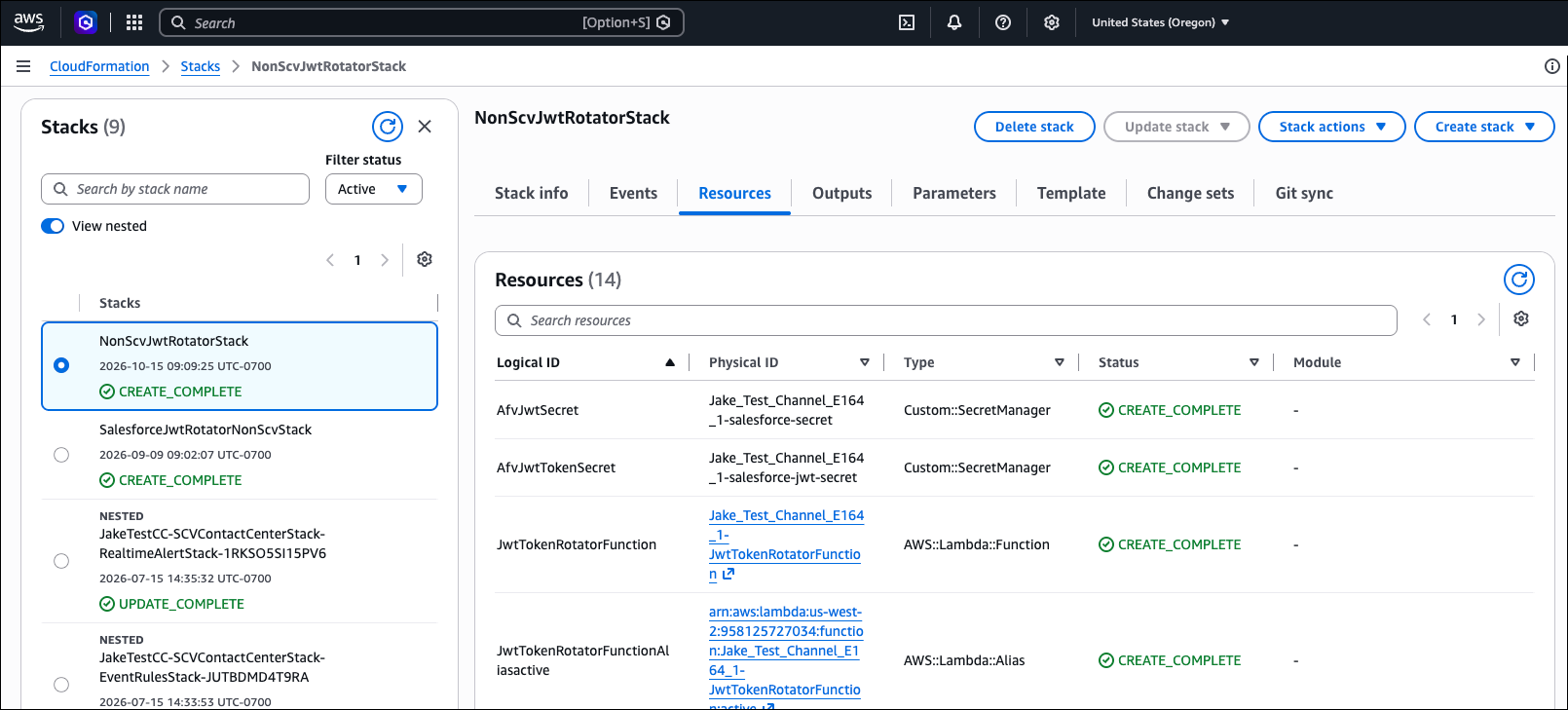
-
After the stack creation completes, replace the private-key placeholder.
-
In AWS Secrets Manager, open the
<identity>-salesforce-secretconfig secret. - In the Secret Value section, click Retrieve Secret Value.
-
In
<identity>-scrt-jwt-auth-private-key, replaceREPLACE_WITH_PRIVATE_KEYwith the RSA private key that matches the public key in Salesforce. The rotator can’t sign a valid token until you replace that placeholder value. -
To set the value, in the Overview tab, click Retrieve Secret
Value, and then edit the
<identity>-scrt-jwt-auth-private-keysecret key to add the private key.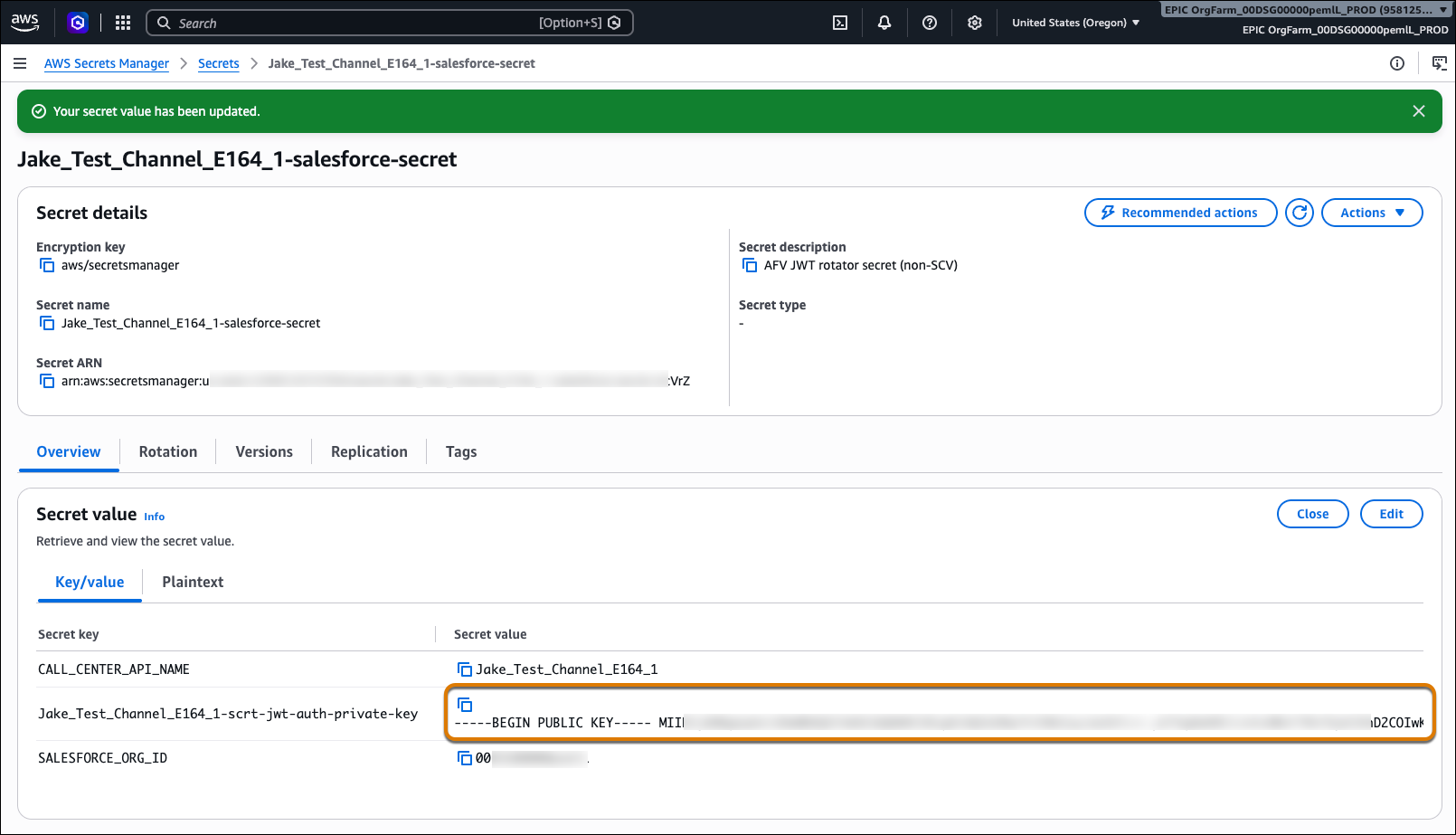
-
Run the
JwtTokenRotatorFunctionLambda function once, or wait for the next run.The rotator runs about every 55 minutes. When the rotator runs, it updates the placeholder value for the<identity>-salesforce-jwt-secretsecret with the JWT token. After the rotator runs, the secret is updated with the JWT token.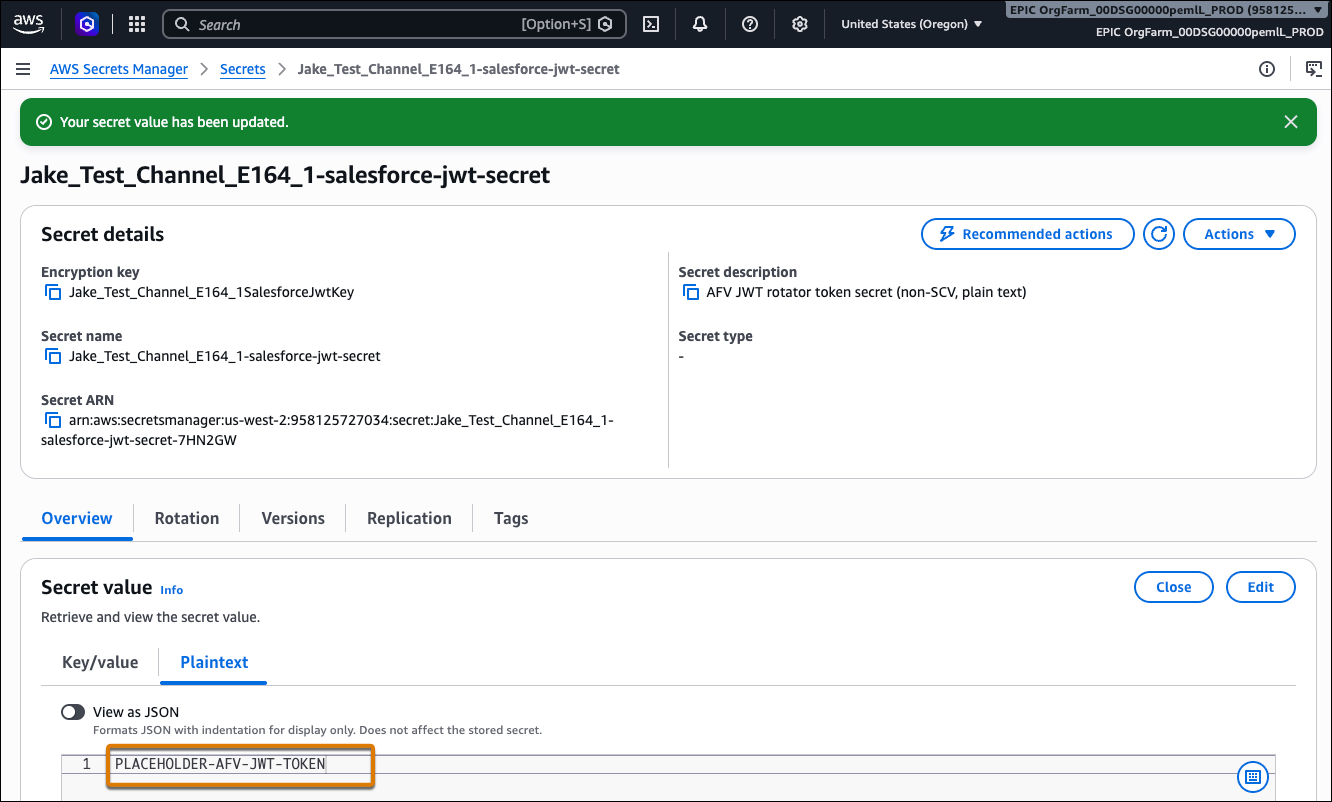
-
Open
<identity>-salesforce-jwt-secretand confirm that it contains a real token value, notPLACEHOLDER-AFV-JWT-TOKEN.
-
In AWS Secrets Manager, open the
In Register
the A2A Application, set the JWT secret ARN of the
<identity>-salesforce-jwt-secret token secret in the
CredentialProviderIdentifier parameter.
