
Enable user profile context in Agent Script so your agent can personalize responses using available profile information about the users it interacts with. The profile information that's available depends on the type of agent and the user record associated with the interaction.
Required Editions
| Available in: Lightning Experience |
| Available in: Enterprise, Performance, Unlimited, and Developer Editions. Required add-on licenses vary by agent type. |
| User Permissions Needed | |
|---|---|
| To enable user profile context: | Manage AI Agents AND the required permissions for your agent type |
- From the App Launcher, enter Agent, select Agentforce Studio, and click Agents.
- Open the agent that you want to enable user profile context for, or create a new agent.
- In Agentforce Builder, toggle to Script view.
-
In the Agent Script, add user_profile: enabled: True in the
context block.
Agent Script autocompletes the property as you type. Values are case-sensitive. Use True or False.
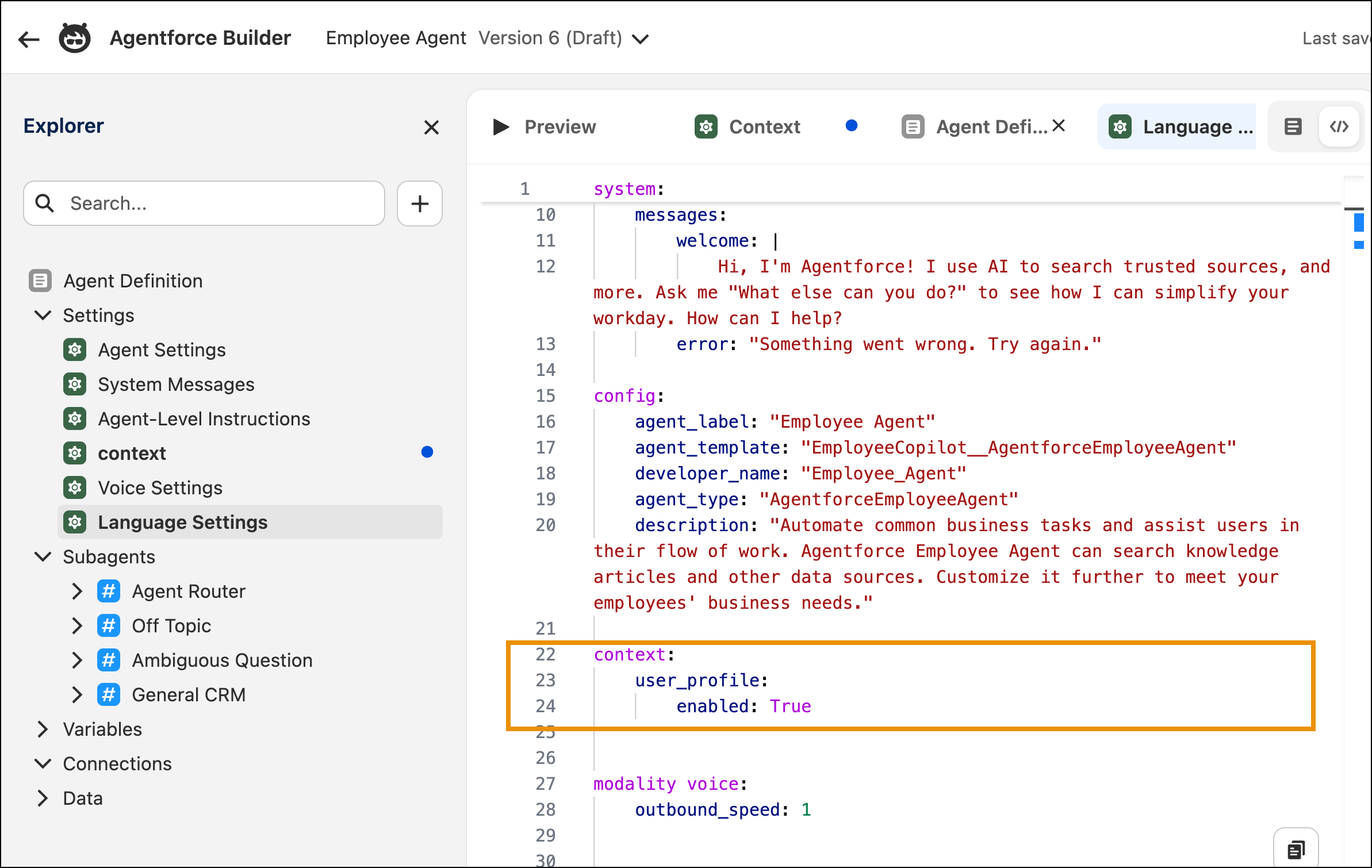
- Save your changes.
- Start a preview conversation to validate that profile fields are injected correctly. See Test Your Agent in Agentforce Builder.
-
Commit and activate your agent.
Committed versions can't be edited. To make changes, create a new version. See Versioning and Editing Agents.
The agent now has access to profile information about the user it's interacting with, and uses that information to personalize responses, such as greeting the user by name or tailoring a response to their locale or time zone.

context.memory.enabled).This table lists the profile fields available and the variable name that references each one in Agent Script, for example in instructions, prompt templates, or conditions.
| Field | Injected As |
|---|---|
| User | full_name or username |
email |
|
| Alias | alias |
| Company | company_name |
| Country | country |
| Profile | profile_name (Profile.Name) |
| UserType | user_type |
| Locale | locale_sid_key or language_locale_key |
| TimeZone | time_zone_sid_key |
| Active | is_active |
| LastLogin | last_login_date (ISO) |

For example, if the current user is Ada Lovelace, user profile context gives the agent this information:
- User
- Ada Lovelace
- ada@example.com
- Company
- Deva Org
- Country
- US
- Profile
- System Administrator
- User Type
- Standard
- Locale
- en_US
- Time Zone
- America/Los_Angeles
- Active
- True