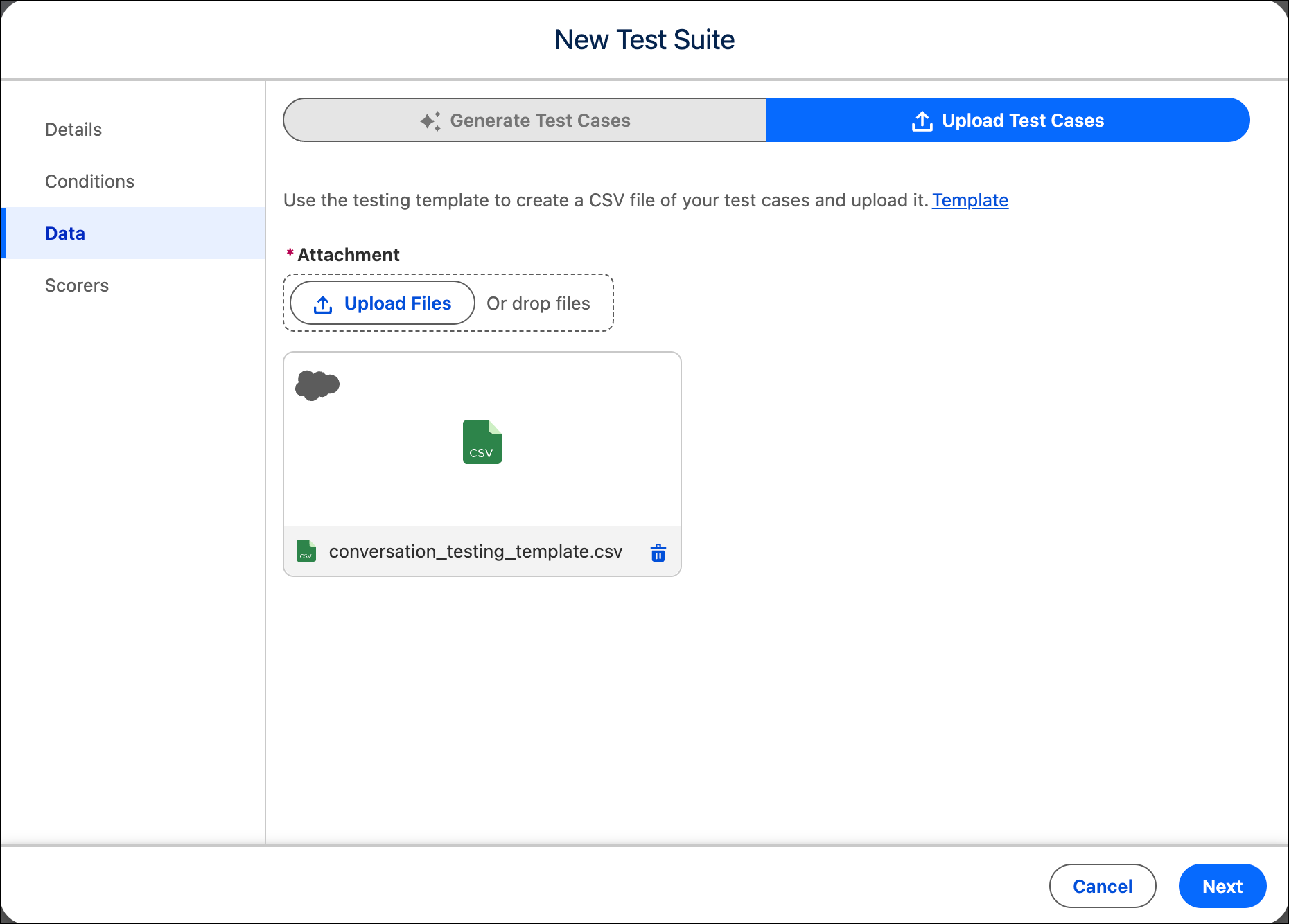
To use your own scenarios, upload a CSV file.
Required Editions
 This article applies to: |
New Testing Center in Agentforce Studio (Beta) |
 This article doesn’t apply to: |
Legacy Agentforce Testing Center in Setup |
| Available in: Lightning Experience |
| Available in: Enterprise, Performance, Unlimited, and Developer Editions. Required add-on licenses vary by agent type. |
| User Permissions Needed | |
|---|---|
| To create and run tests in Testing Center: |
Manage Agentforce Grids AND Manage Agentforce Testing |
| To upload files to Testing Center: | File Upload permissions. See Configure File Upload and Download Security Settings |
Before uploading, download the CSV template and review the required columns. The template columns vary based on your test scope and the options you selected in Define Test Conditions.
Turn-level testing
| Column | Description |
|---|---|
| Utterance | Required. The user input to send to the agent for each test case. |
| Expected Subagent | Optional. The subagent you expect the agent to route to. Used to evaluate routing accuracy. |
| Expected Actions | Optional. The agent actions you expect to be called, formatted as a Python-style list.
For example: ['GetRecordDetails', 'SummarizeRecord'] |
| Expected Response | Optional. A reference response used to score the agent's actual output. |
| Conversation History | Optional. Appears when you select Include conversation history
in Define Test Conditions. Provide prior turns as a JSON array of role-message pairs. For
example: [{"role":"user","message":"Show me all
accounts"},{"role":"agent","message":"You have account A and account B."}] |
| Context Variable [Field Name] | Optional. Appears for each field you select when you enable Include context variables in Define Test Conditions. One column is added per variable. Leave cells blank if a value doesn't apply to a test case. |
Conversation-level testing
| Column | Description |
|---|---|
| Conversation | Required. A plain-language description of the scenario the simulated user follows during the conversation. |
| Conversation History | Optional. Appears when you select Include conversation history
in Define Test Conditions. Provide prior turns as a JSON array of role-message pairs. For
example: [{"role":"user","message":"Show me all
accounts"},{"role":"agent","message":"You have account A and account B."}] |
| Expected Actions | Optional. The agent actions you expect to be called across the conversation, formatted
as a Python-style list. For example:
['GetRecordDetails', 'Get_Meeting_Link']
|
| Expected Subagents | Optional. The subagent you expect the agent to route to during the conversation. |
| Context Variable [Field Name] | Optional. Appears for each field you select when you enable Include context variables in Define Test Conditions. One column is added per variable. Leave cells blank if a value doesn't apply to a test case. |
- For conversation-level testing, under Select Conversation Output, choose how conversations are delivered to your agent.
-
Under Select Customer Personas, choose the persona that best
matches your expected user base.
Customer personas simulate real-world conditions such as background noise, natural conversation flow, accents and phonetic spelling, incomplete information, and verification issues.
- To use your own test scenarios from a CSV, select Upload test cases.
-
To get the CSV template for your configuration, click Template.
Fill in your test cases and save the file.
The template columns reflect the test scope and conditions you selected earlier. See the column reference above for details on what each column requires.
-
Under Attachment, click Upload Files.
Select your completed CSV file and, when the upload is complete, click
Done. You can run up to 1,000 tests per file.
 Note For conversation-level testing, each uploaded conversation can include up to 20 turns.
 Tip The column order in the template may differ from the column order in files you download from the test results grid. Verify your column order matches the template before uploading.
 - Click Next.