Keep your agent memories accurate by editing stored memory content. Modify a memory
to correct inaccuracies, update outdated information, or refine details that agents use in
your conversations.
Required Editions
-
Click the Agentforce icon to launch Agentforce.
The Agentforce icon appears in the global header on all pages when Agentforce is
enabled for your org.
-
From the Agentforce panel, click Memory & Preferences.
-
In Stored Memories, locate the memory that you want to
edit.
-
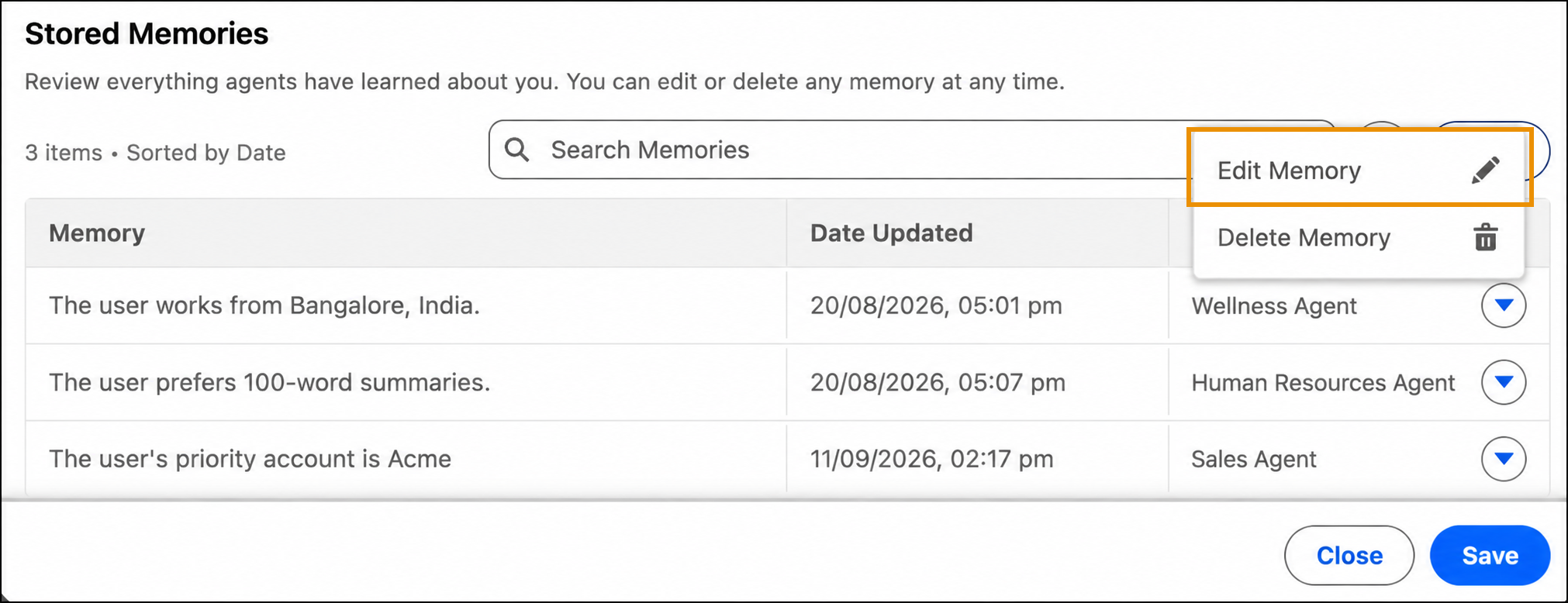
Click the dropdown menu next to the memory, and then select Edit
Memory.
-
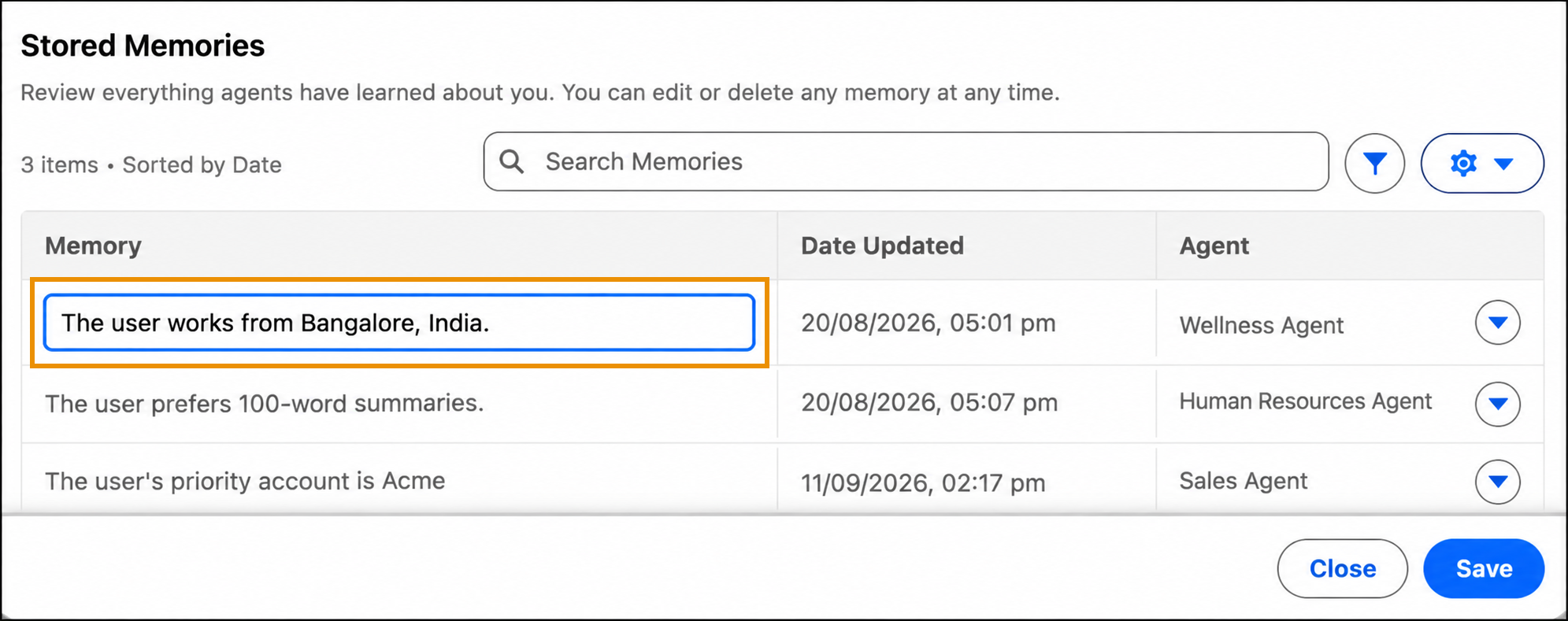
In the highlighted field, edit the text.
-
Click outside the text field, or press Enter, to save your
changes.
The agent uses the updated information in future conversations.