If you’re a Salesforce Voice with Telephony Providers customer, Salesforce can create multiple voice call records for a single conversation.
Required Editions
| Available in: Lightning Experience |
| Available in: Enterprise, Unlimited, and Developer Editions with Foundations or Agentforce 1 Editions, and Salesforce Voice add-ons. |
For instance, one record stores the interaction between the customer and the Agentforce agent, while another stores an escalated conversation between the customer and a human representative. Because these records don't share an identifier by default, Salesforce can't automatically associate them with the same call. To allow representatives to easily view the bot leg of a call, use custom fields to link the related voice call records.
Salesforce automatically creates a voice call record for the bot leg and passes the Amazon
contact ID in the transactionId flow variable of an Omni-Channel inbound
IVR flow. To manually link the bot voice call record to a record created in the inbound
flow, look up the other voice call based on the Amazon contact ID. For example, look up the
rep leg record where the Vendor Call Key matches the contact ID.

-
In your Omni-Channel inbound flow, create a
transactionIdinput variable that stores the Amazon contact ID.When the WebSocket connection starts, AWS passes the Amazon contact ID to your Omni-Channel flow as thetransactionIdinput variable. -
To look up the rep voice call (VC1) by Vendor Call Key:
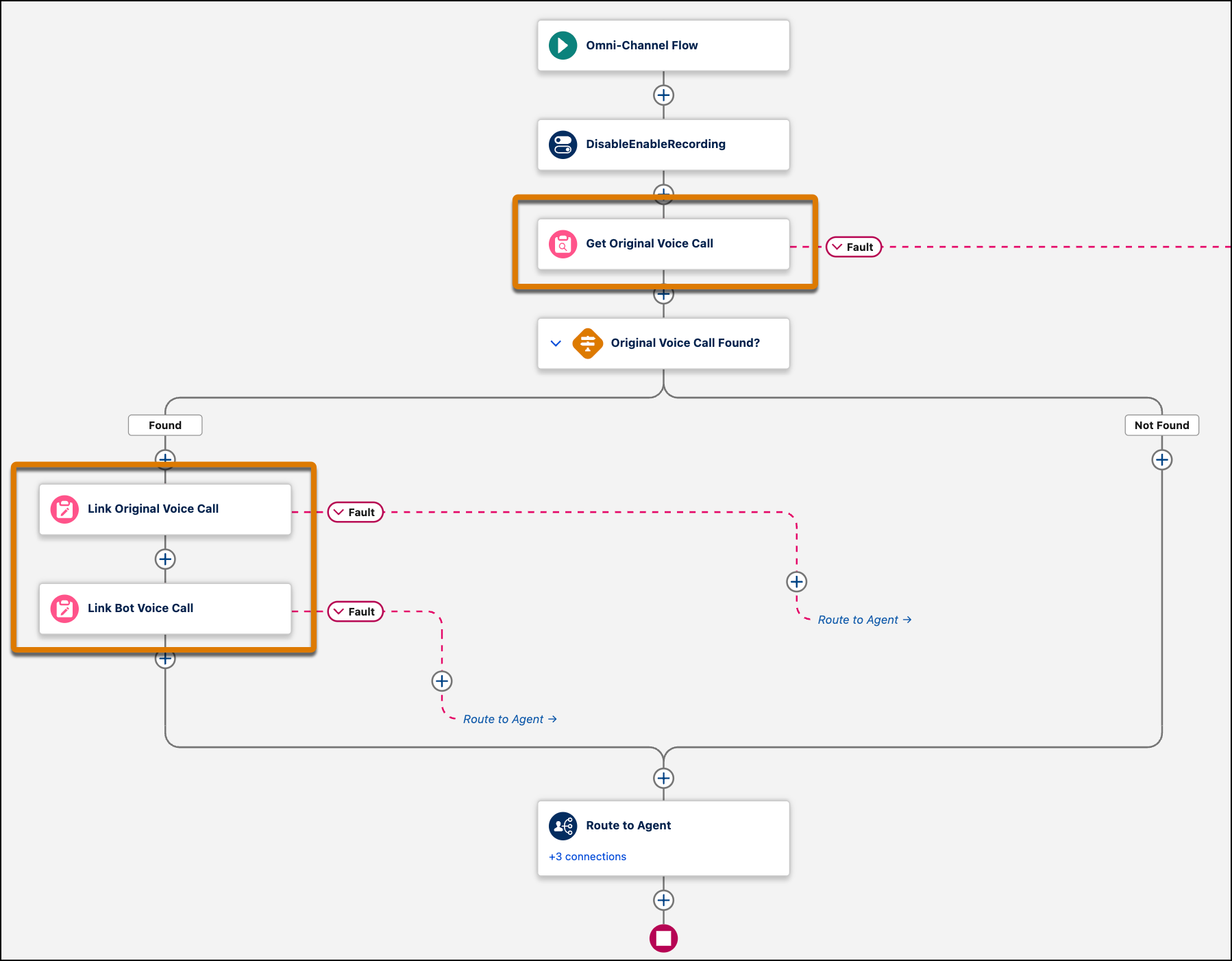
- Add a Get Records block to the flow.
-
Add a filter where the Vendor Call Key field = the value of the
transactionIdvariable (the Amazon contact ID).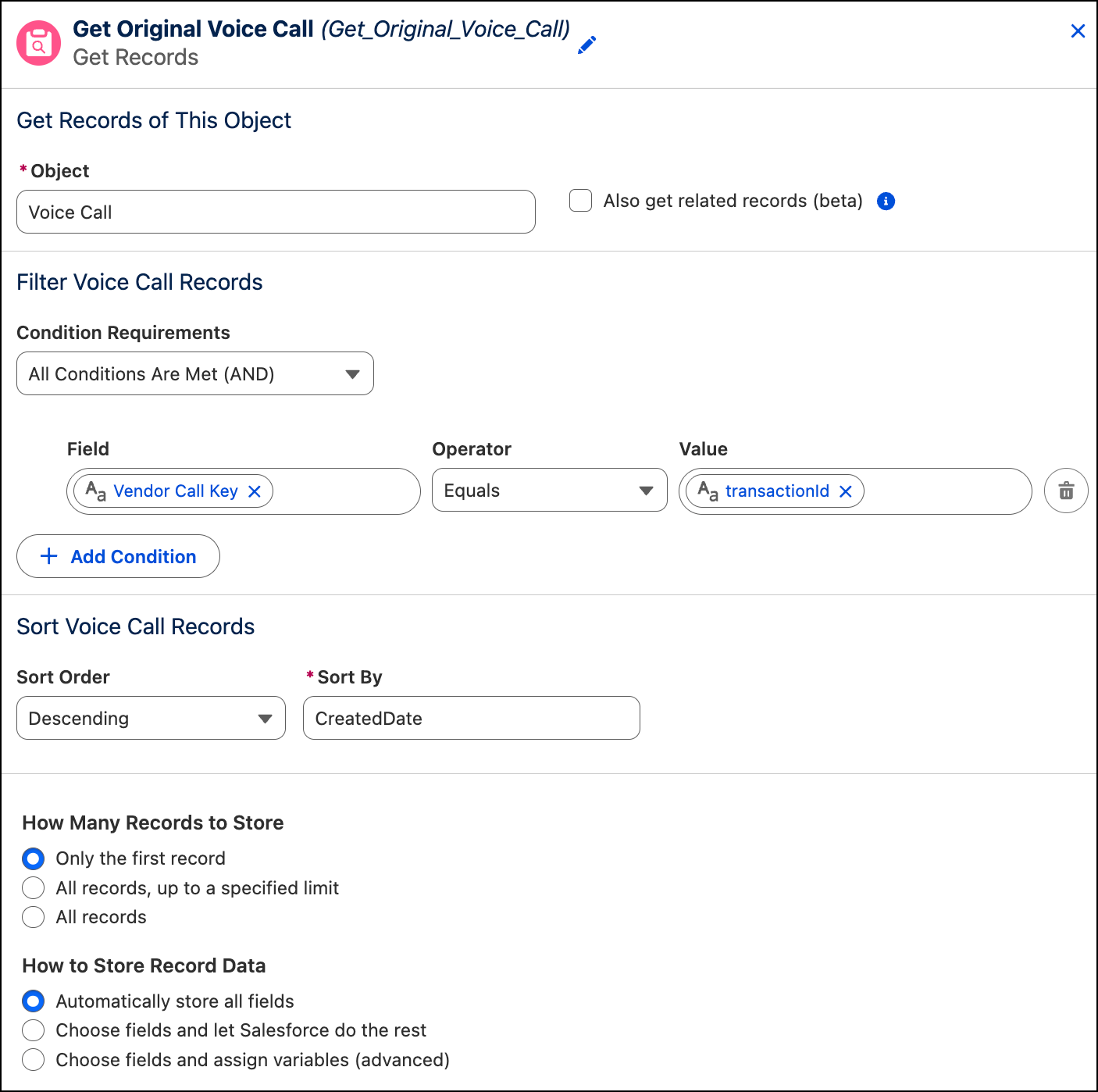
-
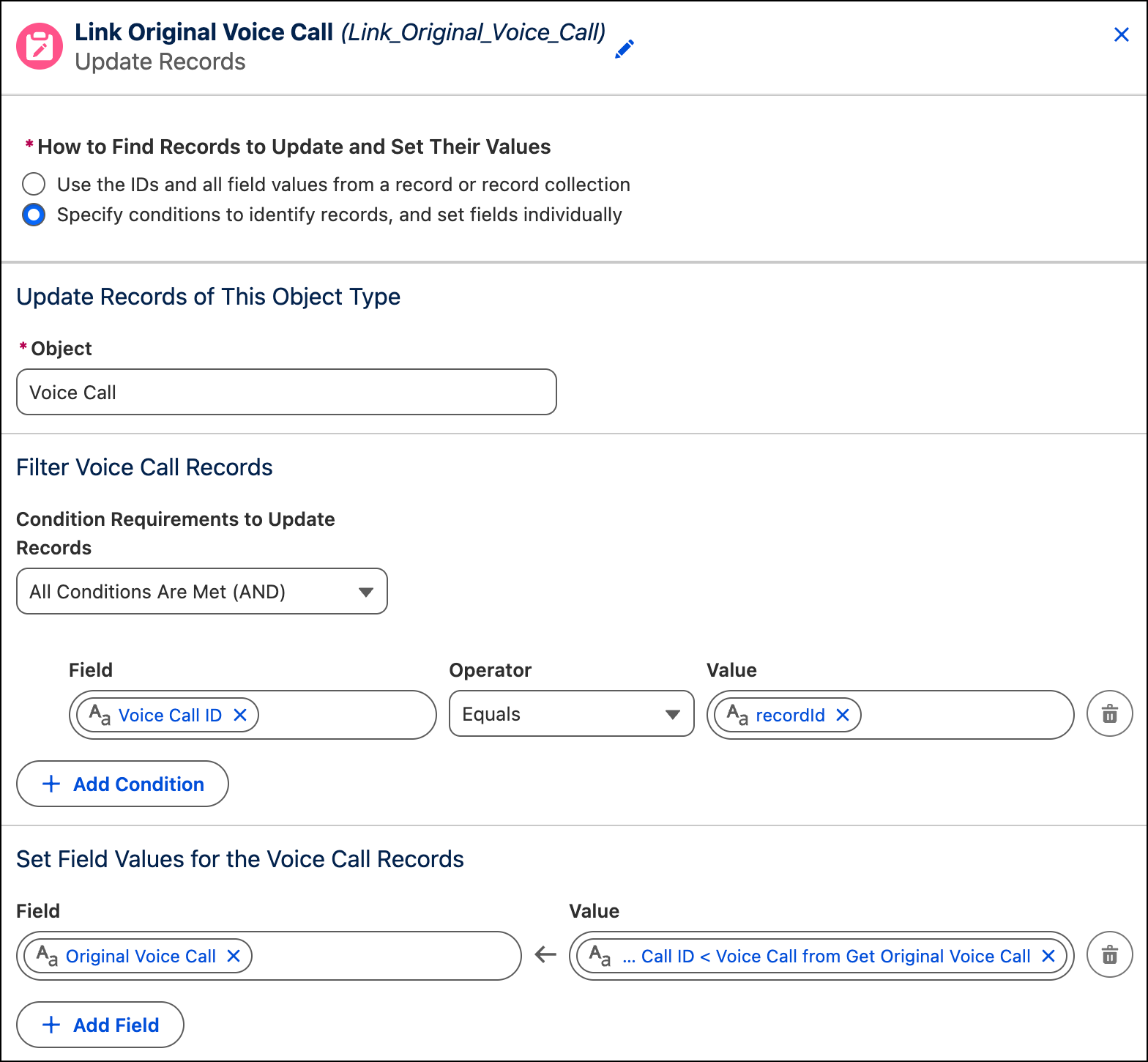
To stamp the custom field in the agent voice call record (VC2):
- Add an Update Records block.
-
To identify the agent voice call record, add a filter where the Voice Call ID field
= the value of the
recordIdvariable, which is the agent voice call ID. -
Set the custom field = the value of the Voice Call ID field of the original call
record, which is the rep voice call ID.
In this screenshot, the custom field is named Original Voice Call.
-
To stamp the custom field in the rep voice call record (VC1):
- Add an Update Records block.
- To identify the rep voice call record, add a filter where the Voice Call ID field = the value of the Voice Call ID field of the original call record.
-
Set the custom field = the value of the
recordIdvariable, which is the agent voice call ID.In this screenshot, the custom field is named Bot Voice Call.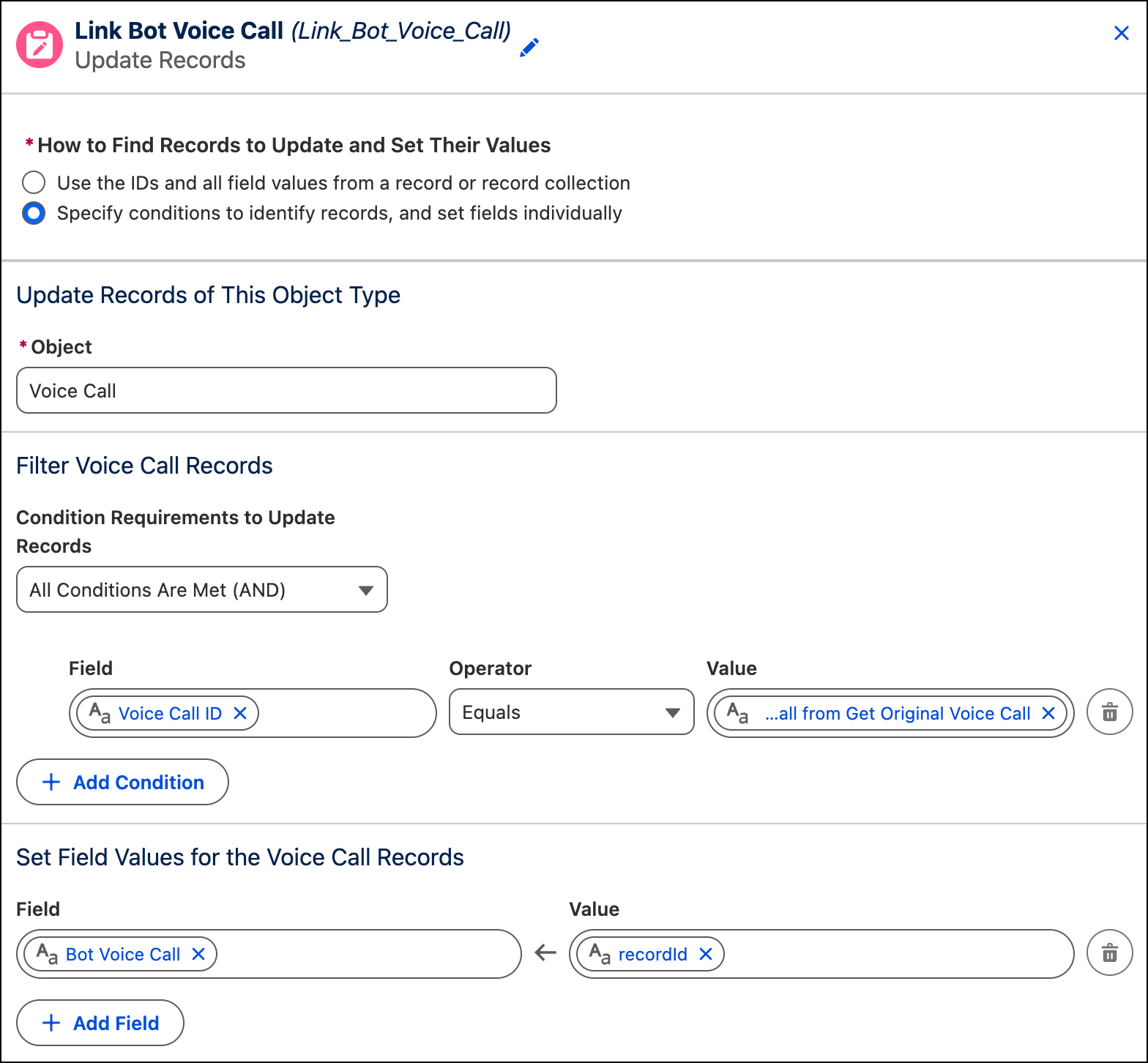
Your inbound Omni-Channel flow might look something like this one.