Connect Related Voice Calls When Using PSTN

When an incoming call is transferred to an Agentforce agent using PSTN, a separate voice call record is created in Salesforce for that leg of the call. As a result, you have two voice call records for this conversation with the customer. If you are a Salesforce Voice with Telephony Providers customer, to get a complete view of the entire conversation, connect the Initial and the Agent voice call records.

Required Editions

Available in: Lightning Experience
Available in: Enterprise, Unlimited, and Developer Editions with Foundations or Agentforce 1 Editions, and Salesforce Voice add-ons.
Note
Note In rare cases, this feature might not function as expected. For example, we can’t distinguish between callers if multiple individuals share the same phone number and place inbound calls simultaneously.
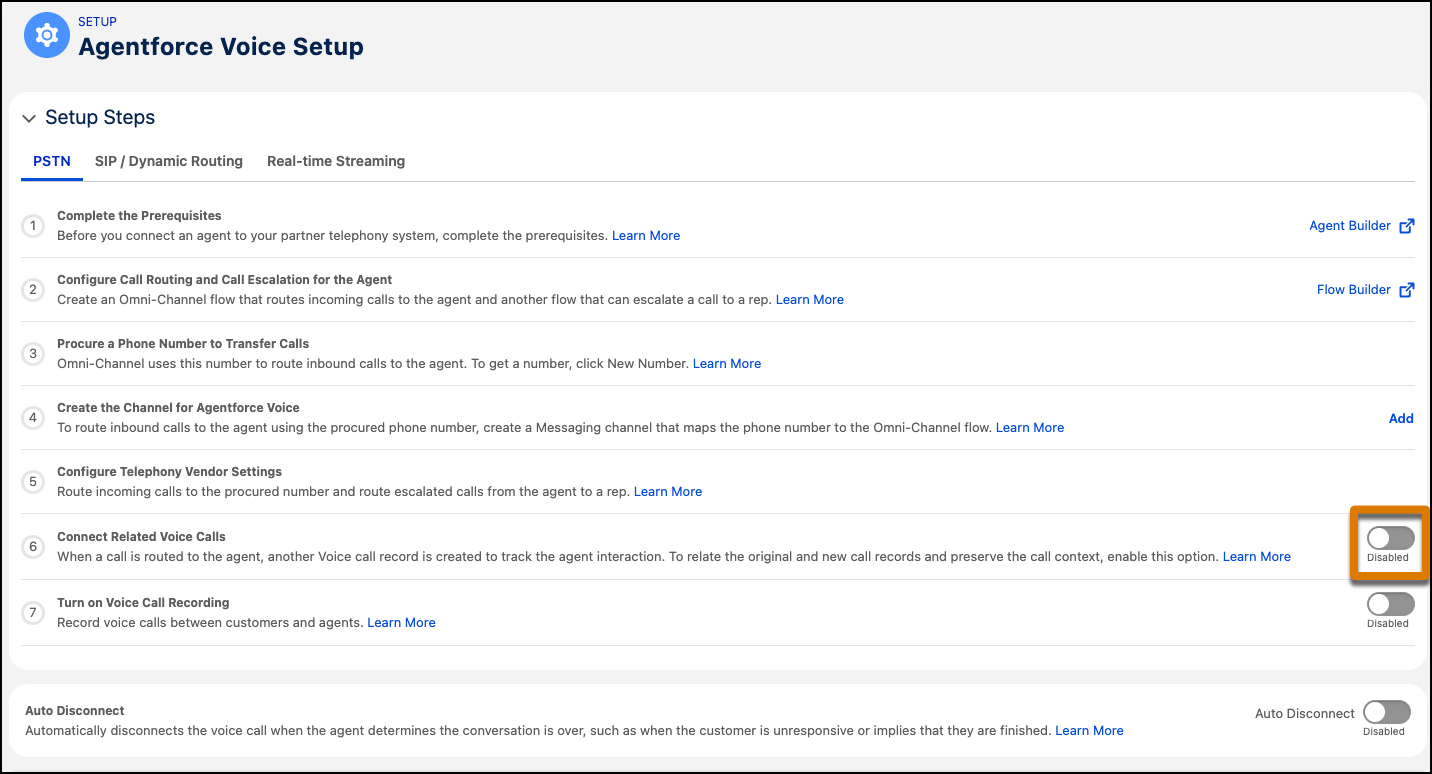
  1. From Setup, in the Quick Find box, enter Agentforce Voice, then select Agentforce Voice Setup.
  2. Under Setup Steps in the Agentforce Voice Setup page, enable Connect Related Voice Calls, and then click Enable.
    The setup page shows that the Connect Related Voice Calls option is enabled.