
When a customer conversation involves call transfers, a separate voice call record can be created in Salesforce for each call segment. This action results in multiple voice call records for the same conversation. To provide a single, comprehensive view and preserve the full call context, connect these related voice call records. Connecting records enables more informed decisions. For instance, you can escalate the call to the appropriate rep based on all gathered information.
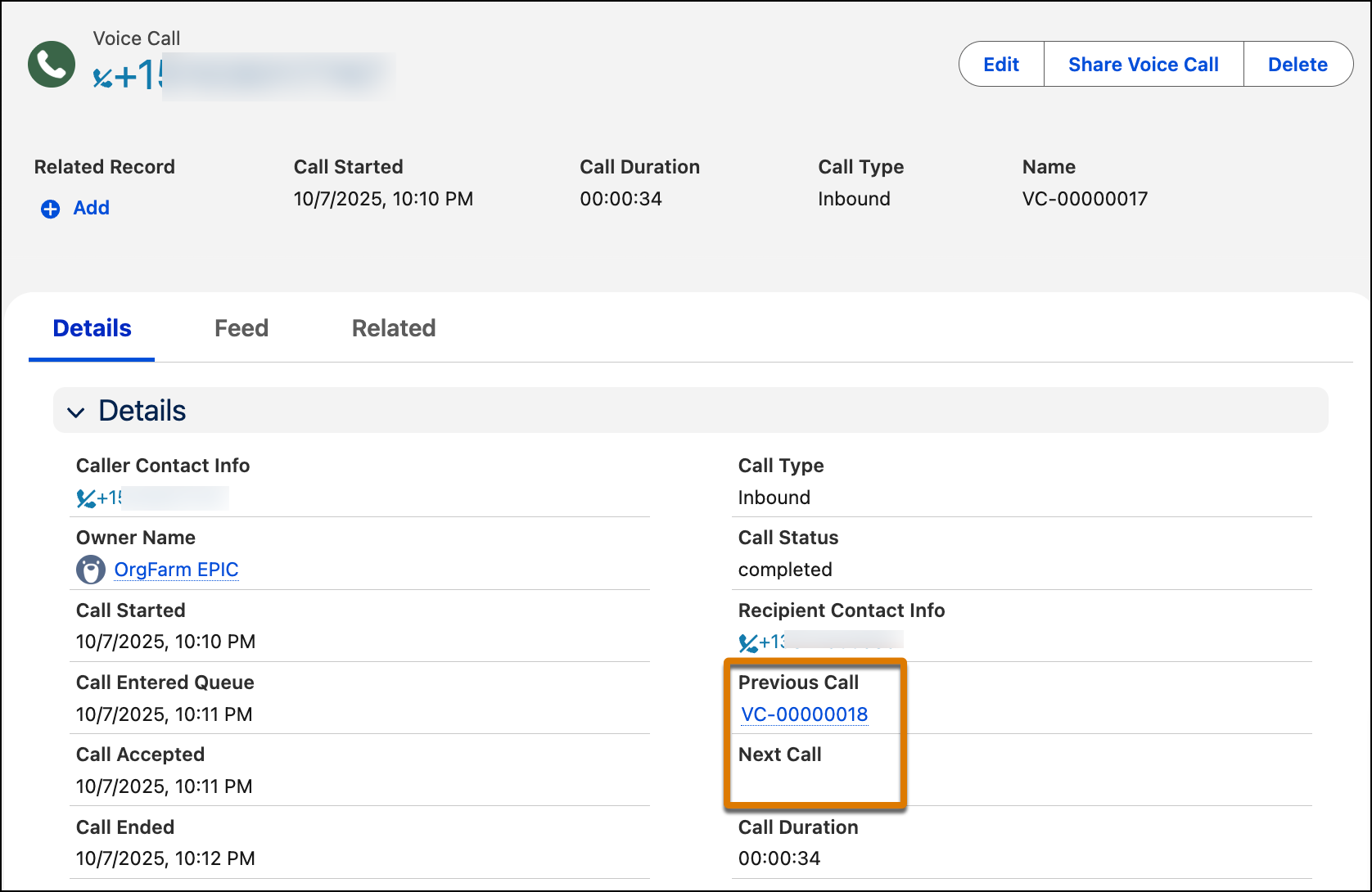
When two voice call records are connected, each record links to the other in the Previous Call or Next Call field in the Voice Call record page. Each record contains details about that specific call segment, including the transcript and, if supported, the recording.
When a call is transferred to Agentforce Voice, the linkage between the original and transferred VoiceCall records requires the original caller's phone number to be preserved as the caller ID. If a different caller ID is presented during the transfer, Salesforce can’t link the VoiceCall records for the related call legs. For example, you specify a caller ID number in the Transfer to Phone block of an Amazon Connect flow. As a result, the transferred leg arrives in Salesforce with the AWS Connect number as the caller identity, instead of the original caller's phone number. Because call linking relies on matching the original caller's number across both legs of the call, this mismatch prevents Salesforce from associating the source VoiceCall record with the Agentforce VoiceCall record.

If you’re a Salesforce Voice with Telephony Providers customer, often, the calls can be automatically connected. In other cases, to preserve the call context across related records, you must manually connect the related calls.
If you aren’t a Salesforce Voice with Telephony Providers customer, connecting calls isn’t supported. Salesforce creates a voice call record between the customer and the Agentforce agent, but no other records.
- Types of Voice Call Records
For each incoming call, you can have these types of related voice call records. - Recommended Call Flow for Handling Calls
The recommended call flow minimizes the number of voice call records and connects related records. When possible, use this flow for handling the different legs of the call. - Alternative Call Flow for Handling Calls
If your telephony partner creates a third voice call record (VC3) to transfer the call to a human service rep, use this alternative call flow. For example, you might create a third record if you are unable to transfer VC1 to the rep.